Participant
October 3, 2022
Answered

Major Issues with Docking Adobe Premier Pro

  • October 3, 2022
  • 3 replies
  • 547 views

Please can anyone help: I am halfway through editing a movie (im a content creator) in APP 2022 - 

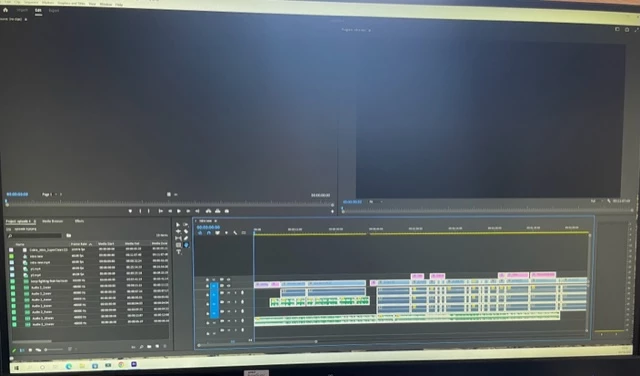
My endint screen has changed as below The top two docks in now in the wrong place, they should be in in the oppisite areas Source:(no clips) should be on the right hand side and Program: intro new (now top right should be over on the left side) as such I now cant hit the play button (as i could previously which is now showing in the source:(no clip) area top left so i cant preview or watch the editing underneth back.

 I have tried hitting work spaces and re-set to saved layout but this has automatically saved so i cant do that - i have tried un dokcing and it still wont work - i need to be able to play the edit as you see in the bottom half of the screen and then export. thank you 
 

This topic has been closed for replies.
Correct answer Ali Jaber

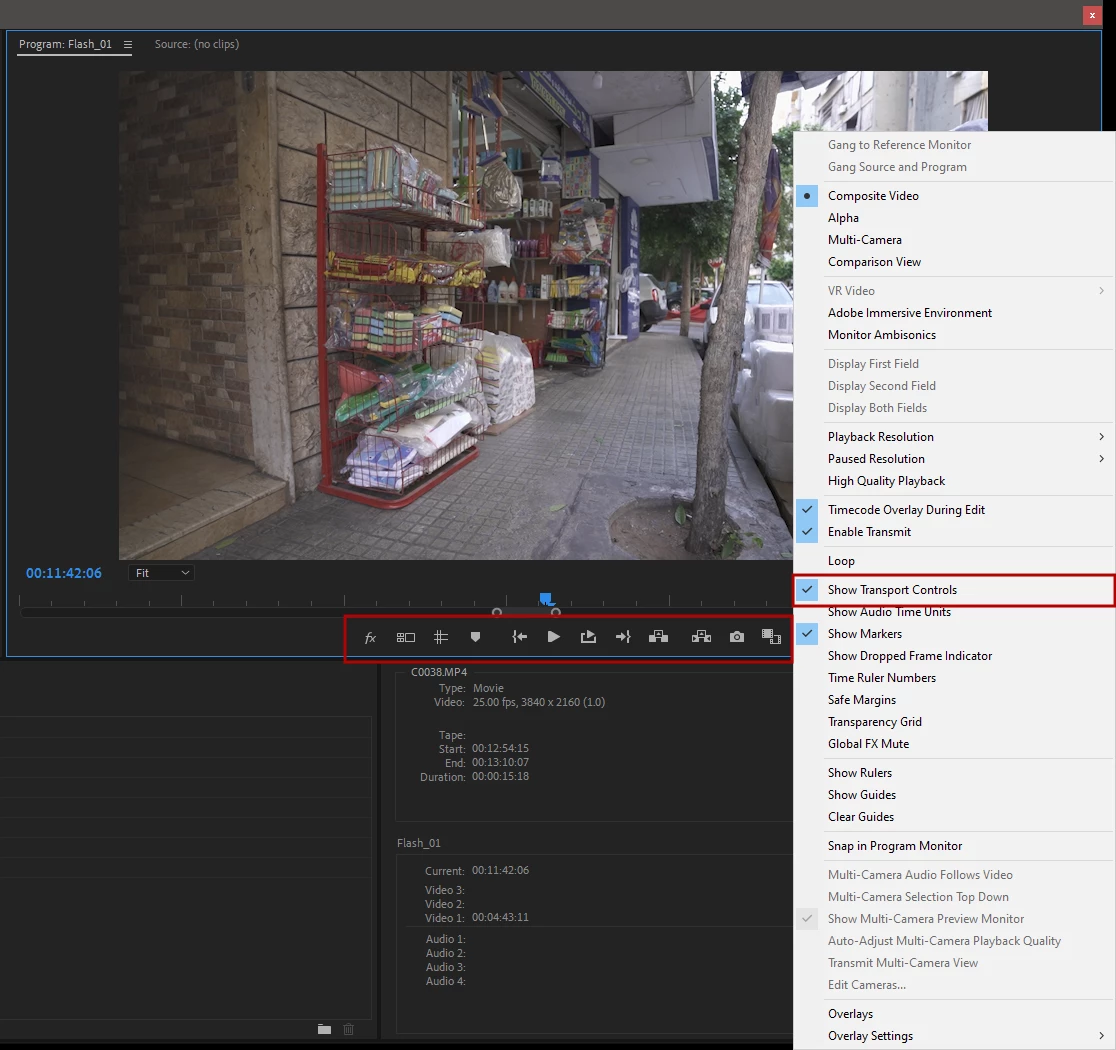
If what you want is to show transport controls in the program monitor, then press the wrench and enable "Show Transport Controls":

3 replies

Ali JaberCommunity ExpertCorrect answer
Community Expert
October 4, 2022

If what you want is to show transport controls in the program monitor, then press the wrench and enable "Show Transport Controls":

Participant
October 4, 2022

Ali, thank you this has resolved that issue, however, there is now another issue with the footage Picture 1 and Picture 2 are imported from my C: drive video footage - both a recorded by the same method and software when i drag them seperately into P PRO they are all the correct size - however, if i drag them both onto my time line picture a shows the footage at the correct scale while picture 2 shows when i hit the next piece of footage its reduced in size i have set all settings to zoom level Fit and 1/2 size - seperately they all come out the right size like i said but its only when i put both together in the same time line this problem exists. any ideas? thank you 


Participant
October 4, 2022

Warren Heaton
Community Expert
Community Expert
October 3, 2022

Did you enable "Stacked Panel Group" in the Project tab?

That display option allows the panel to scroll and can easily cause what's otherwise visible to scroll to where it's not visible as expected.


Stan Jones
Community Expert
Community Expert
October 4, 2022

Wow, Warren. Yes, I can make it look just like chris' screenshot that way. But "reset to saved layout" fixes it.


Stan


Stan Jones
Community Expert
Community Expert
October 3, 2022

Your screenshot is 640x480, and I can't see the text. Please post a higher resolution version. It might help us clarify what is going on. The Source Monitor and the Program Monitor have playback controls.


> I have tried hitting work spaces and re-set to saved layout but this has automatically saved so i cant do that 

Yes, that is the right thing to do. But "saving" has no effect on the default version of PR's build in workspaces. When you "Reset to saved workspace," it goes back to the default. You can't save over that version.


If something has broken, resetting Preferences may help.


Stan


Participant
October 3, 2022

Thanks Stan - apologies about the crap grammar i should have re-read that post - at present the program monitor isnt showing as having a playback in this latest shot my ihpone resolution wont allow me to make th epicture any better


Legend
October 3, 2022

don't know if this is the problem, but Iphone footage is almost always variable frame rate which can cause intermittent and unpredictable problems although never heard of this symptom.  Here's how to diagnose and work around the issue


use mediainfo to determine whether your source is variable or constant frame rate
https://mediaarea.net/en/MediaInfo/Download
if it's variable use handbrake to convert to constant frame rate setting the quality slider in the video panel to maximum
https://handbrake.fr
and here's a tutorial on how to use handbrake
https://www.youtube.com/watch?time_continue=34&v=xlvxgVREX-Y