
tbreb11
Participant
October 2, 2019
Répondu

Making Subclips with Specific Audio Tracks

Hello,


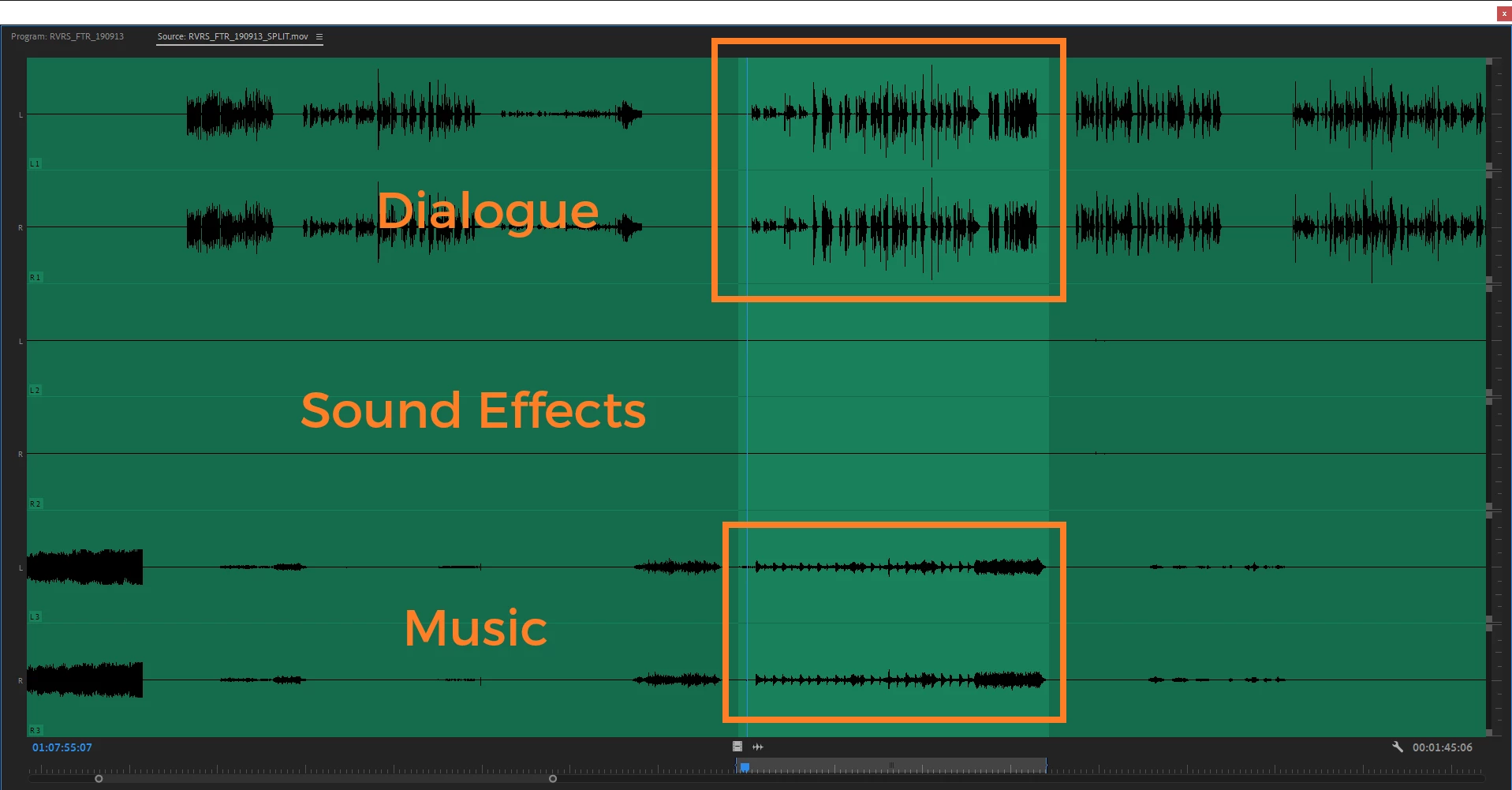
We are working with a source that has split audio like this:


A1: Dialogue

A2: Sound Effects

A3: Music


It seems subclips will just always keep tracks V1 and A1-3. Is there a way to tell premiere to make the subclip but only keeping V1 and A1 if I am subclipping dialogue? And alternatively, if I want just to subclip music I only want A3 to be selected with no video.


Screenshot supplied with the different tracks tied to the clip and an example of that I would just want a subclip containing only the dialogue and a subclip containing only the music.


Many thanks!

Ce sujet a été fermé aux réponses.
Meilleure réponse par Michael Grenadier

well you can create copies of the clips (I would assume by just reimporting them - but not sure what the best workflow would be) and then select the clips in the bin within Premiere and go to "clip: modify: audio channels" and change which channels are included in the clip.   Always test this sort of thing a few times to make sure it works for you.  Note, if you've edited clips in to the timeline and modify them, the clips in the timeline are not changed...

1 commentaire

Legend
October 2, 2019

well you can create copies of the clips (I would assume by just reimporting them - but not sure what the best workflow would be) and then select the clips in the bin within Premiere and go to "clip: modify: audio channels" and change which channels are included in the clip.   Always test this sort of thing a few times to make sure it works for you.  Note, if you've edited clips in to the timeline and modify them, the clips in the timeline are not changed...