Answered
Marker duration hotkey
Is there anyway when opening up a marker properties to jump to change the duration without physically clicking on it?
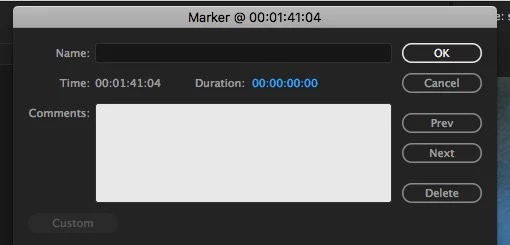

Is there anyway when opening up a marker properties to jump to change the duration without physically clicking on it?
Correct. And that is to me (and some others) a glaring left-out problem.
So, I suggest a Feature request filing ... what I'd like is a way to set markers with an in & out "click" in playback, btw ... would be wonderful on interviews, just hit the marker-in then marker-out while listening (wouldn't even need precision as easy to adjust slightly later). Then we could go through the Markers box and adding a comment of that bit of clip as the Marker note.
Would make editing interviews so much faster ...
Neil
https://www.adobe.com/cfusion/mmform/index.cfm?name=wishform
Already have an account? Login
Enter your E-mail address. We'll send you an e-mail with instructions to reset your password.
 AdChoices