
Participant
November 6, 2019
Answered

Markers not showing on timeline

  • November 6, 2019
  • 6 replies
  • 19238 views

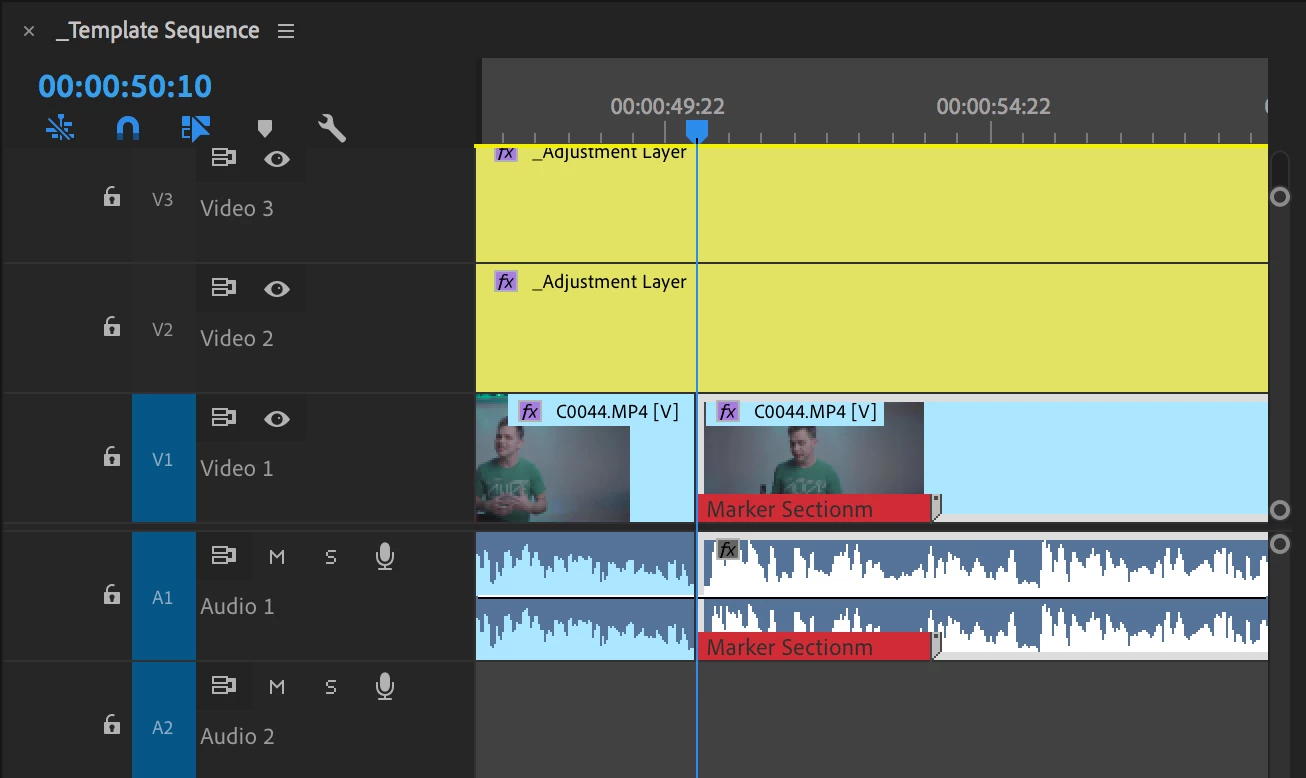
Instead of displaying by the numbers at the top of my timeline, my markers are displaying on my preview image:
 

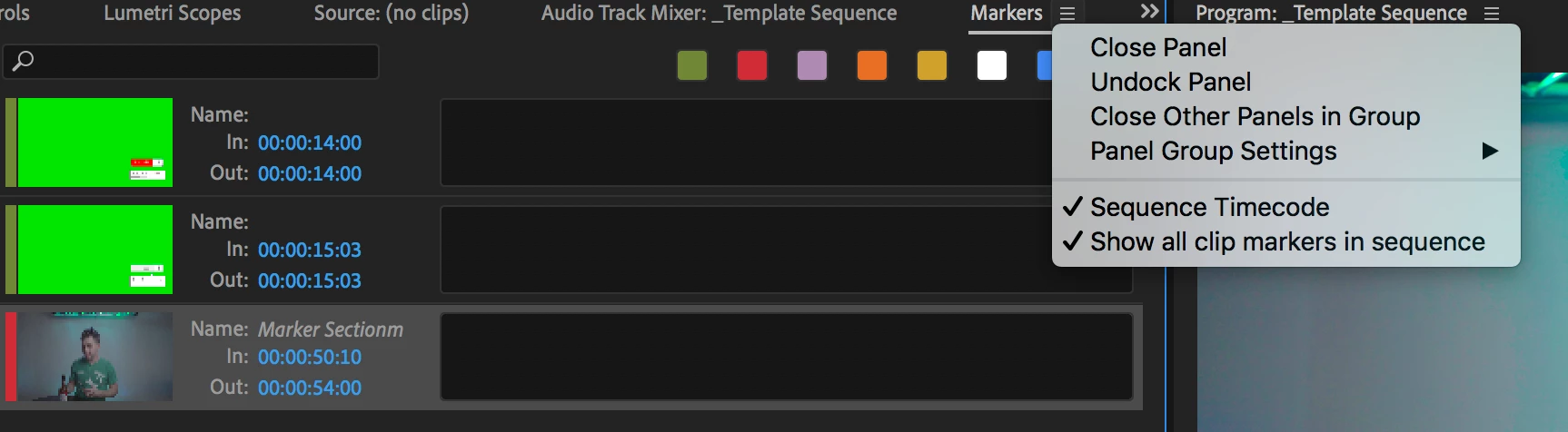
I searched around for a solution and a few places suggested to make sure both "Sequence Timecode" and "Show all clip markers in sequence" were selected. As you can see, both of mine are selected:
 

Any suggestions?

This topic has been closed for replies.
Correct answer chrisp63308387

That was it, selecting the source monitor was my problem. Thanks!

6 replies

Participant
July 23, 2024

I think you need to get a subscription at Lynda Learning first and learn the basics as Premiere has a steeeeeeeeeep learning curve.

https://www.linkedin.com/learning/me?trk=nav_neptune_learning

Or get yourself a different editing program.


What kind of answer is this? By a 'Community Expert'?

Participating Frequently
July 8, 2021

I think you need to get a subscription at Lynda Learning first and learn the basics as Premiere has a steeeeeeeeeep learning curve.

https://www.linkedin.com/learning/me?trk=nav_neptune_learning

Or get yourself a different editing program.


Don't be put off by this answer. This application is 99% easy as pie, intuitive and very user friendly, but silly things can trip us all up. Get stuck in

KazuT
Inspiring
January 15, 2021

[Asked a question but answered it myself. Trying to delete post.]

KazuT
Inspiring
January 16, 2021

[Asked a question but answered it myself. Trying to delete post. How do I delete a post?]

Ann Bens
Community Expert
Community Expert
February 23, 2020

I think you need to get a subscription at Lynda Learning first and learn the basics as Premiere has a steeeeeeeeeep learning curve.

https://www.linkedin.com/learning/me?trk=nav_neptune_learning

Or get yourself a different editing program.

Ann Bens
Community Expert
Community Expert
November 6, 2019

When project window or program monitor is selected a clip in the timeline still can be highlighted.

Especial be careful when using Selection follows playhead.

Click on an empty space above the tracks in the timeline then apply sequence marker (hit M).

Participating Frequently
November 6, 2019

There are two types of markers, clip and sequence. You have created clip markers which are part of the clip metadata. Timeline markers are created when the sequence or program monitor is selected. Clip markers are created when a clip is highlighted in a timeline or source monitor is selected.

chrisp63308387
chrisp63308387Correct answer
Participant
November 6, 2019

That was it, selecting the source monitor was my problem. Thanks!