Participating Frequently
June 27, 2024
Answered

Mask always feather on the right

  • June 27, 2024
  • 2 replies
  • 1918 views

Hi guys. I have a problem that so anoying with opacity mask in Premiere Pro.
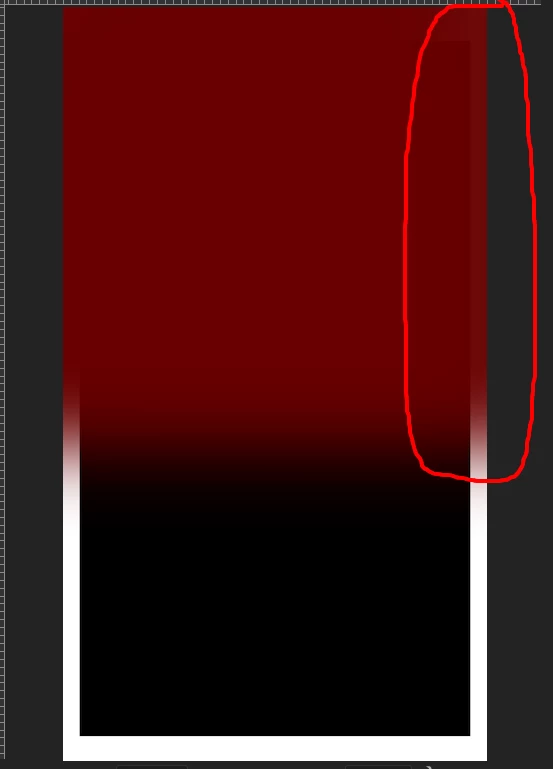
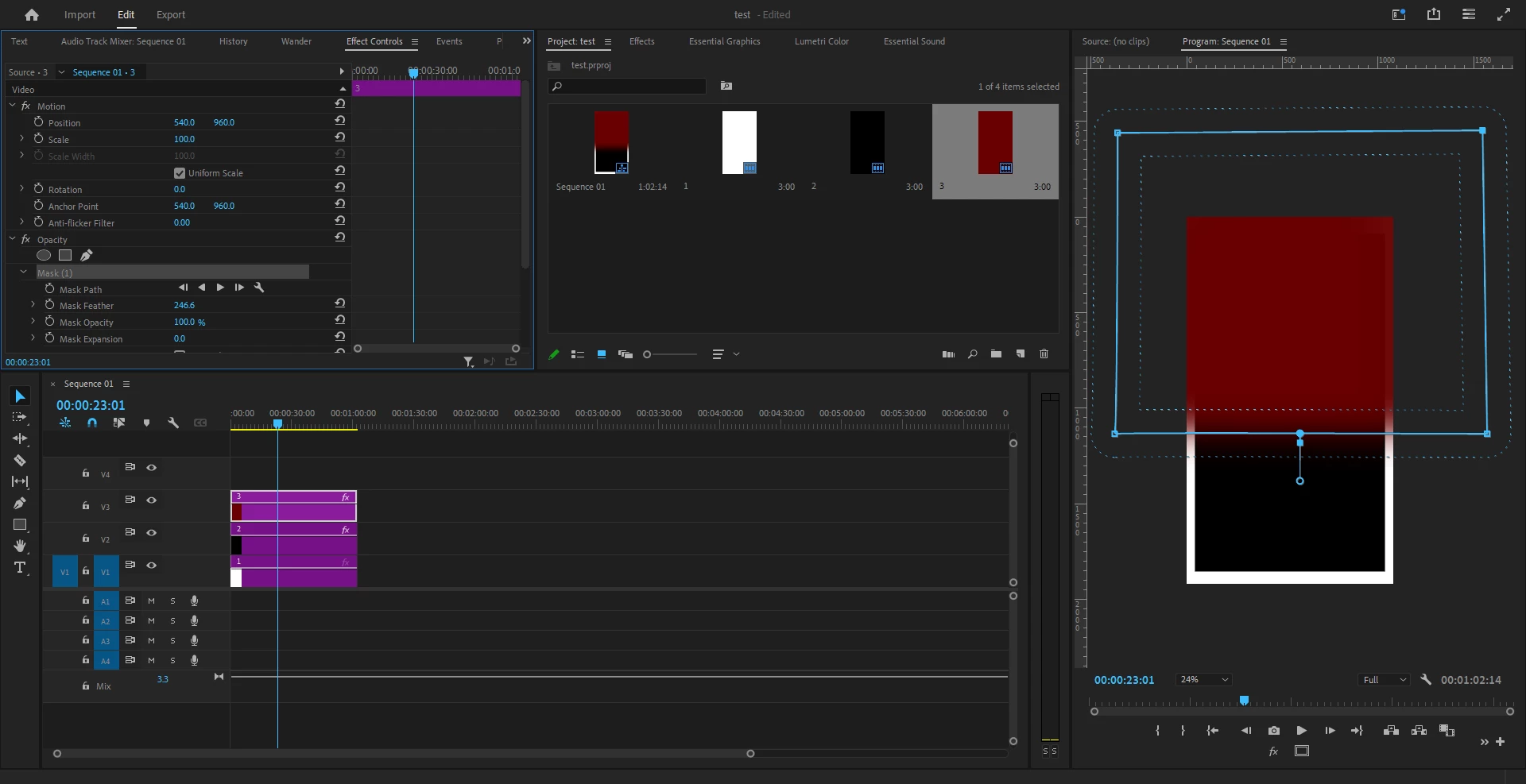
When i create a mask, it alway feather the right side of layer, even mask lines are not there. 

I'm using Premiere Pro ver 24.5 and it happen with lower version too. 
I was try not to check " Composite in linear color " in sequence setting but it's still not fix the problem. 
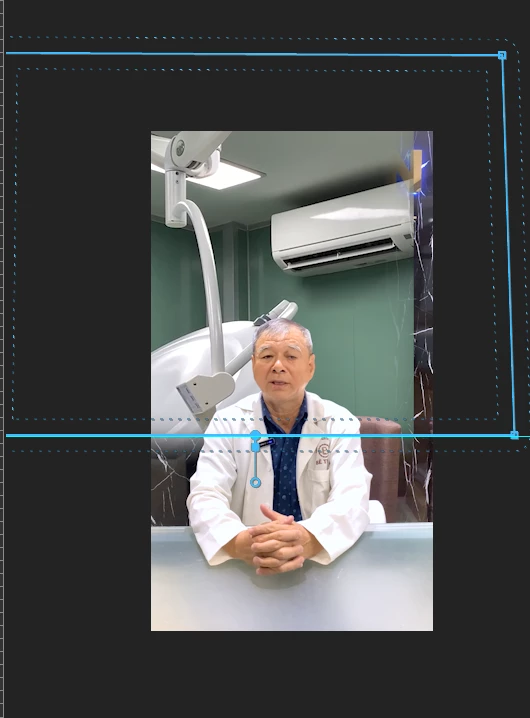
But the left egde is working good. 
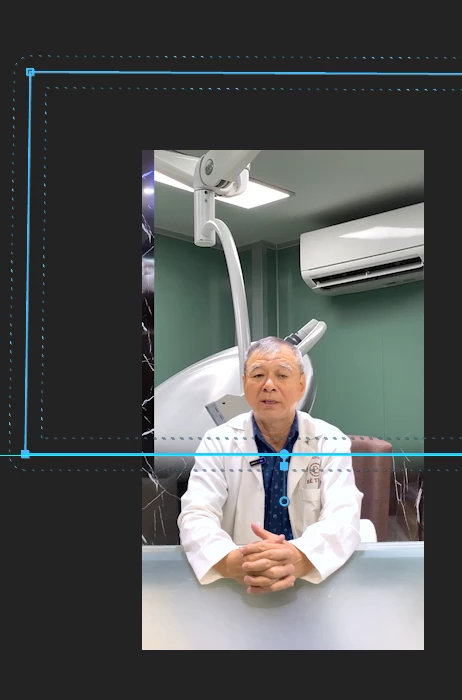
Can you guys find out what happen? PLs help me, thank you so much.
Correct answer PaulMurphy

I think that we are not really understand the problem. 

Here the case: I have 3 layer and i want to cut out the bottom of the 3rd layer with a smooth feather. So i just draw a mask and make a nice feather right? 

But here's the problem, when i make a mask it's always got feather on the right side of the layer, all i want if just cut and feather the bottom of the layer and keep left, right are still not cut out. So how can i do that in this case? 


Thanks for clarifying, Madyson. You are quite right - this appears to be a bug with the Opacity mask. I was able to recreate it on my end.

I recommend either of these two workarounds:

1. Crop Effect
    - Add the Crop effect to your layer.
    - Adjust the bottom crop.
    - Adjust the Edge Feather.

2. Alpha Adjust
    - Add the Alpha Adjust effect to your layer.
    - Tick Inverted and Invert Alpha.
    - Add a mask to this effect and adjust the Mask Feather.

Cheers,
Paul

2 replies

Ann Bens
Community Expert
Community Expert
June 27, 2024

Make sure your OS window scaling is 100% or at the recommended scaling.

Community Expert
June 27, 2024

Hi Madyson,

Can you share a screenshot of your timeline and Effect Controls panel? This will help us better understand the issue you're experiencing with the mask always feathering on the right.

Cheers,
Paul

Participating Frequently
June 27, 2024

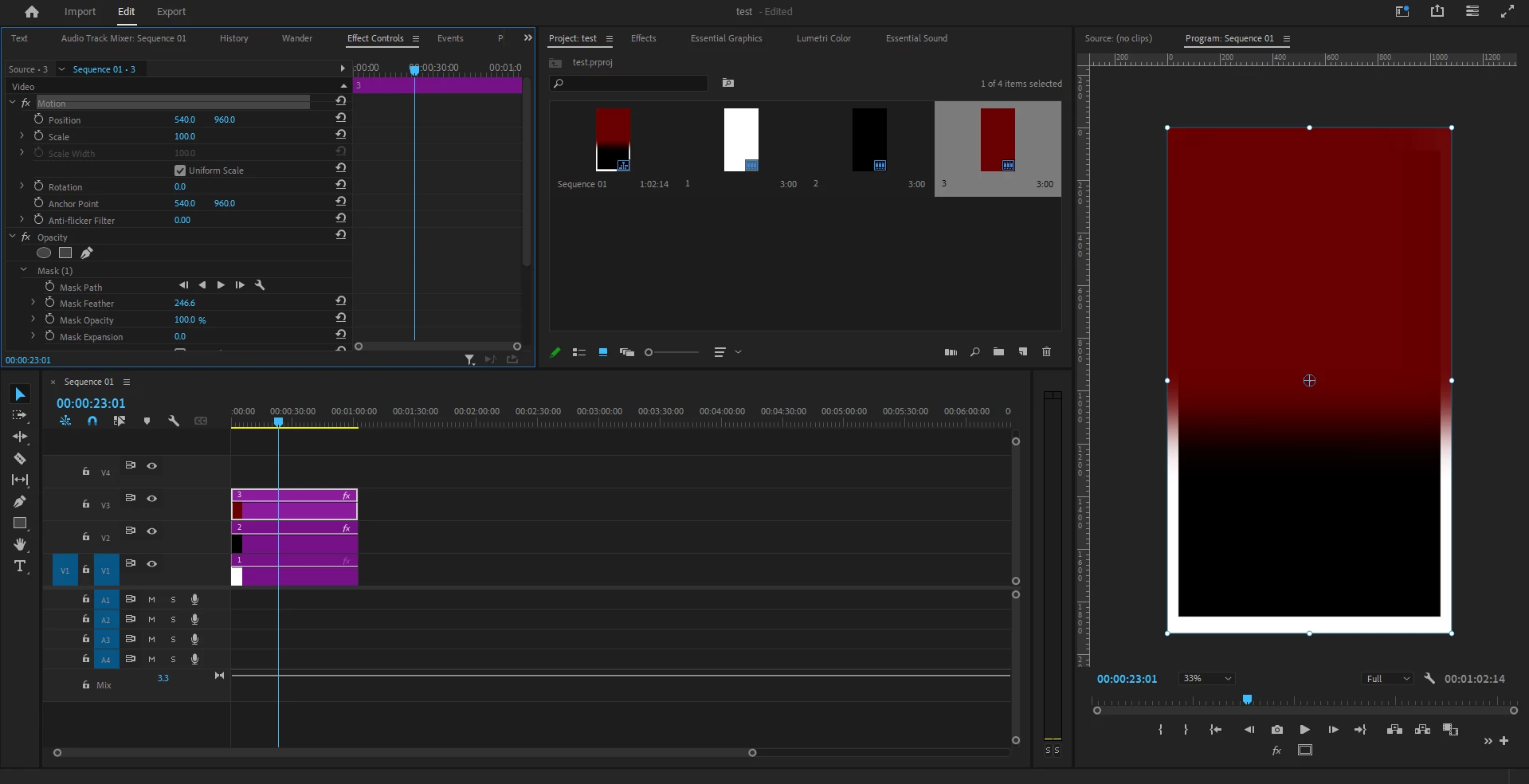
Hi Paul, here's my timeline and the Effect Controls. I think it's just very simple act but the problem still remain with many version of Premier Pro

PaulMurphyCommunity ExpertCorrect answer
Community Expert
June 28, 2024

I think that we are not really understand the problem. 

Here the case: I have 3 layer and i want to cut out the bottom of the 3rd layer with a smooth feather. So i just draw a mask and make a nice feather right? 

But here's the problem, when i make a mask it's always got feather on the right side of the layer, all i want if just cut and feather the bottom of the layer and keep left, right are still not cut out. So how can i do that in this case? 


Thanks for clarifying, Madyson. You are quite right - this appears to be a bug with the Opacity mask. I was able to recreate it on my end.

I recommend either of these two workarounds:

1. Crop Effect
    - Add the Crop effect to your layer.
    - Adjust the bottom crop.
    - Adjust the Edge Feather.

2. Alpha Adjust
    - Add the Alpha Adjust effect to your layer.
    - Tick Inverted and Invert Alpha.
    - Add a mask to this effect and adjust the Mask Feather.

Cheers,
Paul