
RegReggie
Participant
November 3, 2017
Answered

Mask creates green box?

  • November 3, 2017
  • 1 reply
  • 530 views

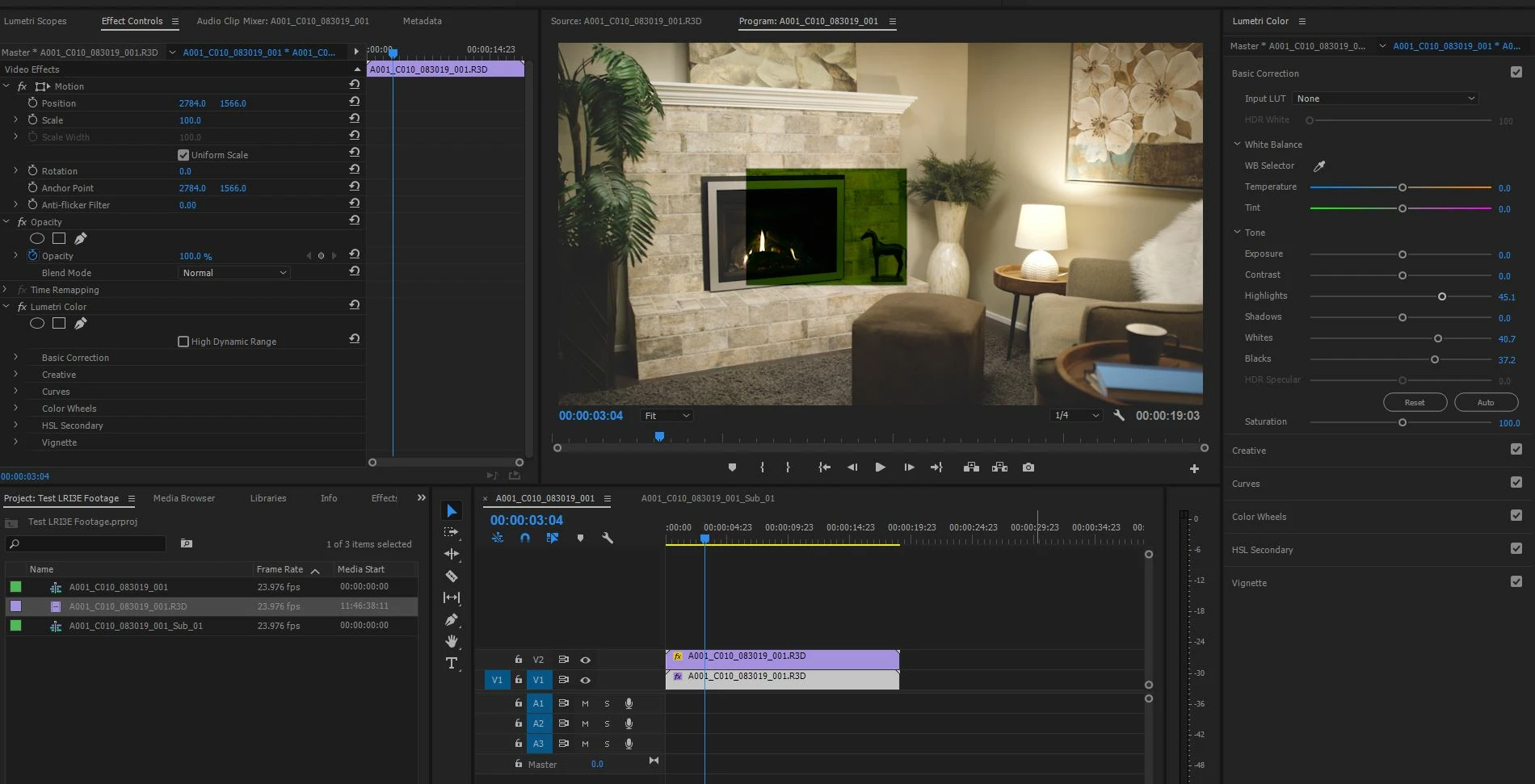
I have 2 instances of a clip. One on V1 and one on V2. It doesn't even have to be the same clip on both layers. V2 could be a copy of the original clip. Anyways...

If I put a mask on V2 I get green in the shape of the mask. BUT, this only happens if I have Lumetri on the clip on V1. I have used this technique many many times and it was working in this project. Now sequences I had masked and made colour adjustments in are broken like this.

If I make a new project, and import the same clip, and try this, I get the same result. Anyone know what's going on?

It's 5K RED R3D files I am working with on a Windows machine running PPro 2017.
This topic has been closed for replies.
Correct answer Meg The Dog

If you change your Renderer to Software Only, does the problem persist?

MtD

1 reply

Legend
November 3, 2017

What effect has the mask on the V2 clip?

RegReggie
RegReggieAuthor
Participant
November 3, 2017

The clip in V2 doesn't need to have any effects on it for this to happen. What I found is the clip in V1 has Lumetri on it, when I add the  mask to the clip on V2, the green box on V2 immediately shows up (in the shape of the mask).

What I usually do is color grade the clip on V2 differently from the clip on V1 as the fire and the room need different adjustments (hence the mask).

Meg The DogCorrect answer
Inspiring
November 3, 2017

If you change your Renderer to Software Only, does the problem persist?

MtD