Participant
August 14, 2020
Answered

Mask isn't grabbing image

  • August 14, 2020
  • 2 replies
  • 719 views

Hi ~


I'm trying to remove an image and I follow the instructions to grab a similar background but when I try and move it over to the image I want to remove, nothing happens. Please advise.


Thank you!

This topic has been closed for replies.
Correct answer Meg The Dog

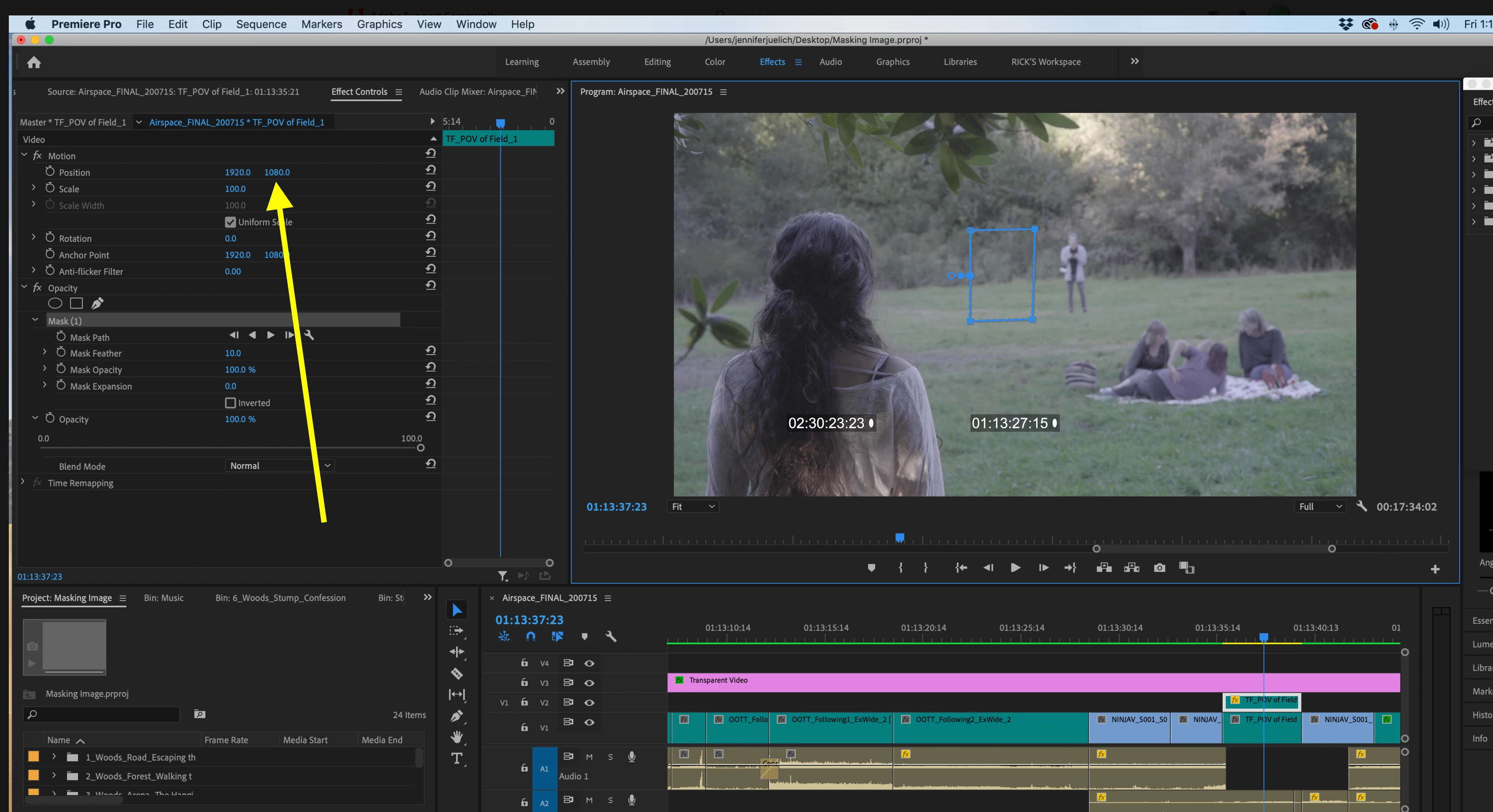
With the mask in the first positon, click down on this number and drag to the right (the cursor with change to a icon with two arrowheads pointing left and right):
MtD

2 replies

Inspiring
August 14, 2020

Ooops, sorry, I meant the number on the left.


MtD

Inspiring
August 14, 2020

It is hard to tell from the information you have given what your are doing.

The way to do what (I think) you want to do is

Clip to fix on V1

identical copy of the clip on V1 on V2, directly above the clip on V1.

Use the Opacity mask to cut out an area of the clip on V2 that is just background

Once the mask is cut, use the Position and Scale parameters in Effect Controls pane under Motion for the clip on V2 to move the selected area of the background to cover the area on the clip on V1 you want to cover.

MtD

Participant
August 14, 2020

Thank you for your response. Above are screen grabs. Me making a mask and me moving the mask over but image is still there.

Meg The DogCorrect answer
Inspiring
August 14, 2020

With the mask in the first positon, click down on this number and drag to the right (the cursor with change to a icon with two arrowheads pointing left and right):

MtD