
Inspiring
November 29, 2023
Answered

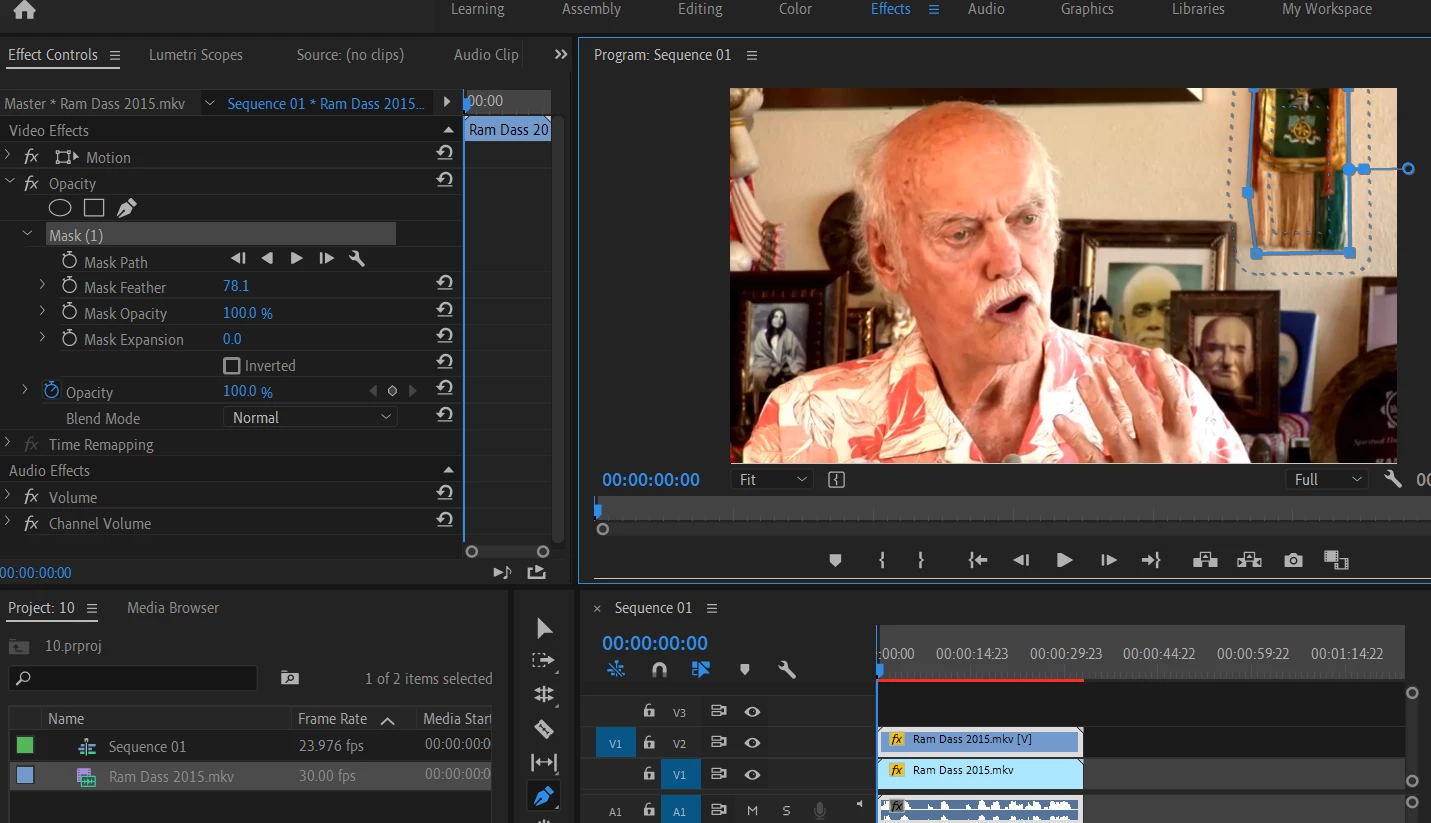
Mask selects the area but cannot see any masking !!

  • November 29, 2023
  • 1 reply
  • 346 views

Hi

Using Premiere Pro 19 in windows.

Tring some masking basics - 

When I select an area using the mask tool, the area gets selected but I see no masking.


Steps Followed -  Copied the video file,clicked on  the top one, went to opacity masks in effect controls, selected rectangular  and placed it on the item to mask in the video. Item selected b the selection tool but no mask. Tried with other selection choices , changing opacity, inverted. Do I need to click anything after selecting the area ?

Newbie - I must be missing a really basic step here - please help! 🙂

Thanks .
 

This topic has been closed for replies.
Correct answer elviseatspizza

Thanks @2496220 Benns.

I realised I hadn't disabled the bottom layer by clicking on the eye! 

Awul of me but thanks so much for such a quick reply!!

1 reply

Ann Bens
Community Expert
Community Expert
November 29, 2023

Masking and Tracking in Premiere Pro


Who's screenshot is this: yours? because I see a mask.

Start with just one clip (no duplicates).

Make sure your window OS scaling is correct.

elviseatspizzaAuthorCorrect answer
Inspiring
November 29, 2023

Thanks @2496220 Benns.

I realised I hadn't disabled the bottom layer by clicking on the eye! 

Awul of me but thanks so much for such a quick reply!!