
izzyw
Participating Frequently
September 12, 2017
Answered

Matching frame size

  • September 12, 2017
  • 2 replies
  • 6740 views

[Moderator moved from The Lounge to Premiere Pro CC .]

Very new to video editing and trying to make a slideshow with audio I've been given. I read that my frame size for YouTube should be 1280 x 720, so I've sized my images as such in Photoshop. In Premier I have set Sequence Settings > Video Frame Size as 1280 x 720.

When I inserted the photos into my project and Scaled to Frame Size, black bars were at the top and bottom. Shouldn't these be the same size?
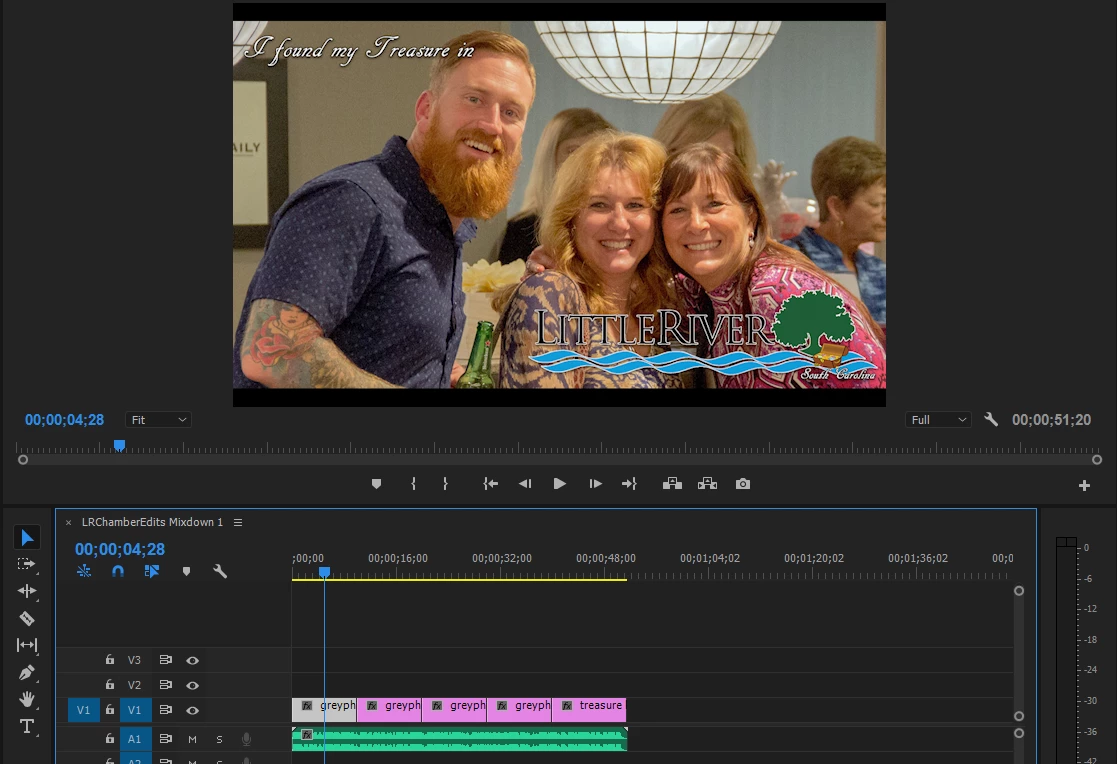
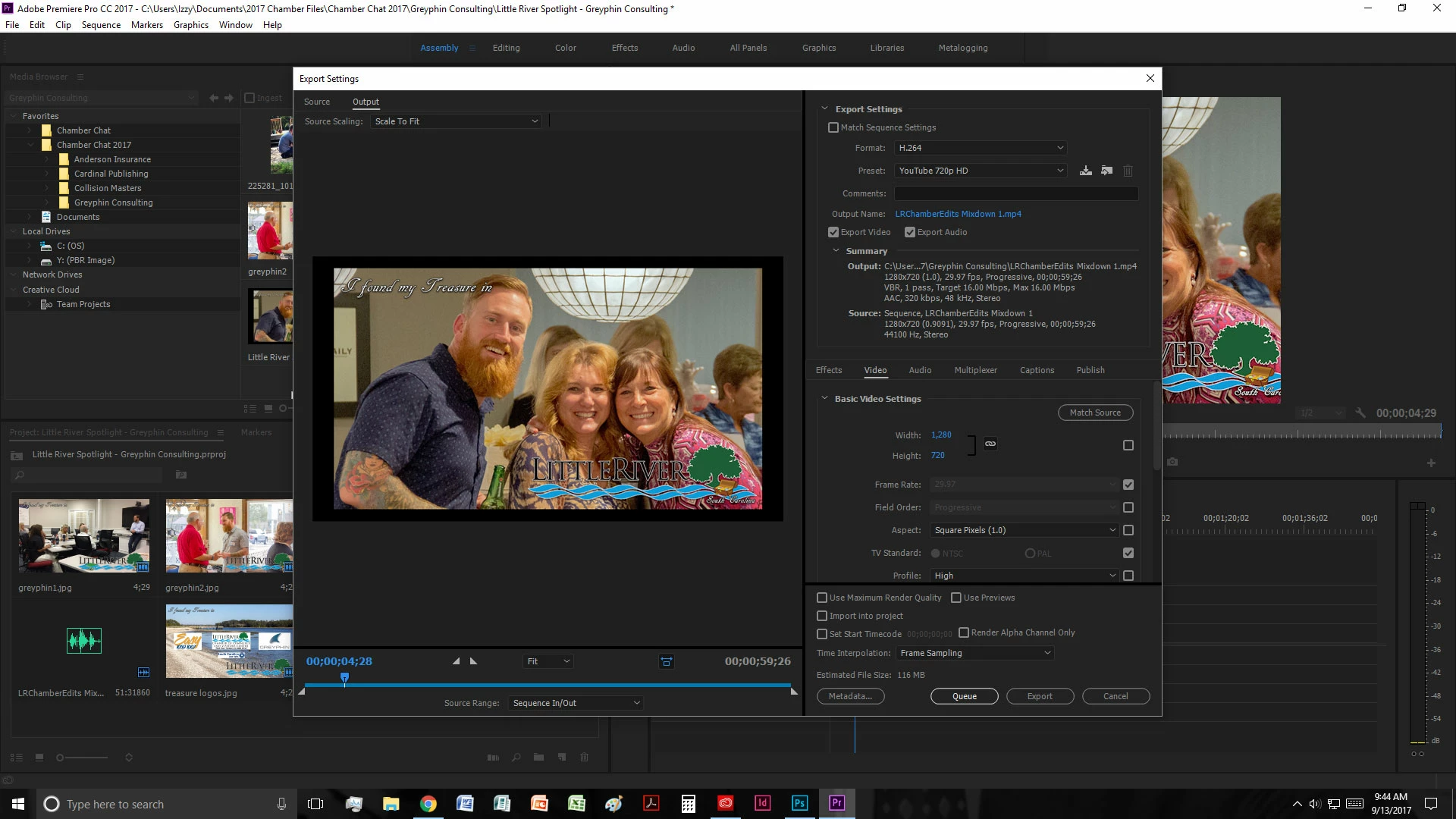
I then export using Format: H.264. Under Preset if I use Custom the black bars stay the same. If I select a YouTube option then then I get more black bars.
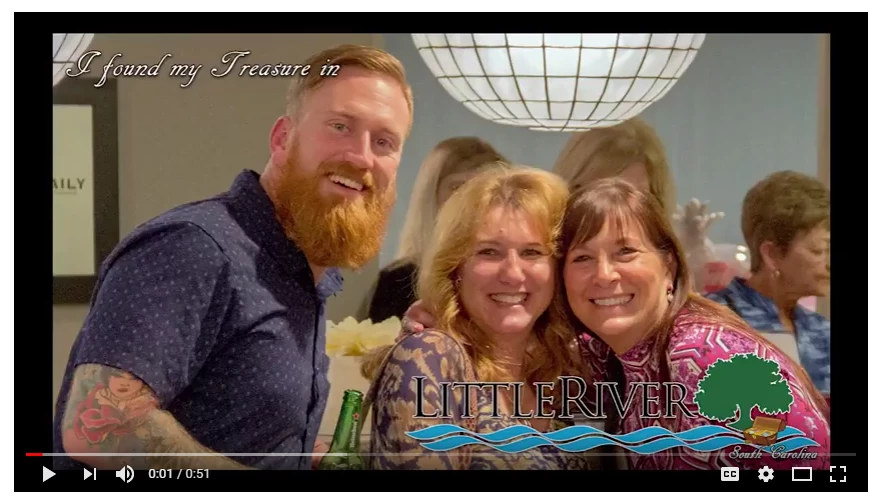
I would appreciate any tips on sizing this to fill the frame completely. I don't want the text cut out in photos, but I can resize them to a different size if needed. Thanks in advance!
This topic has been closed for replies.
Correct answer Ann Bens

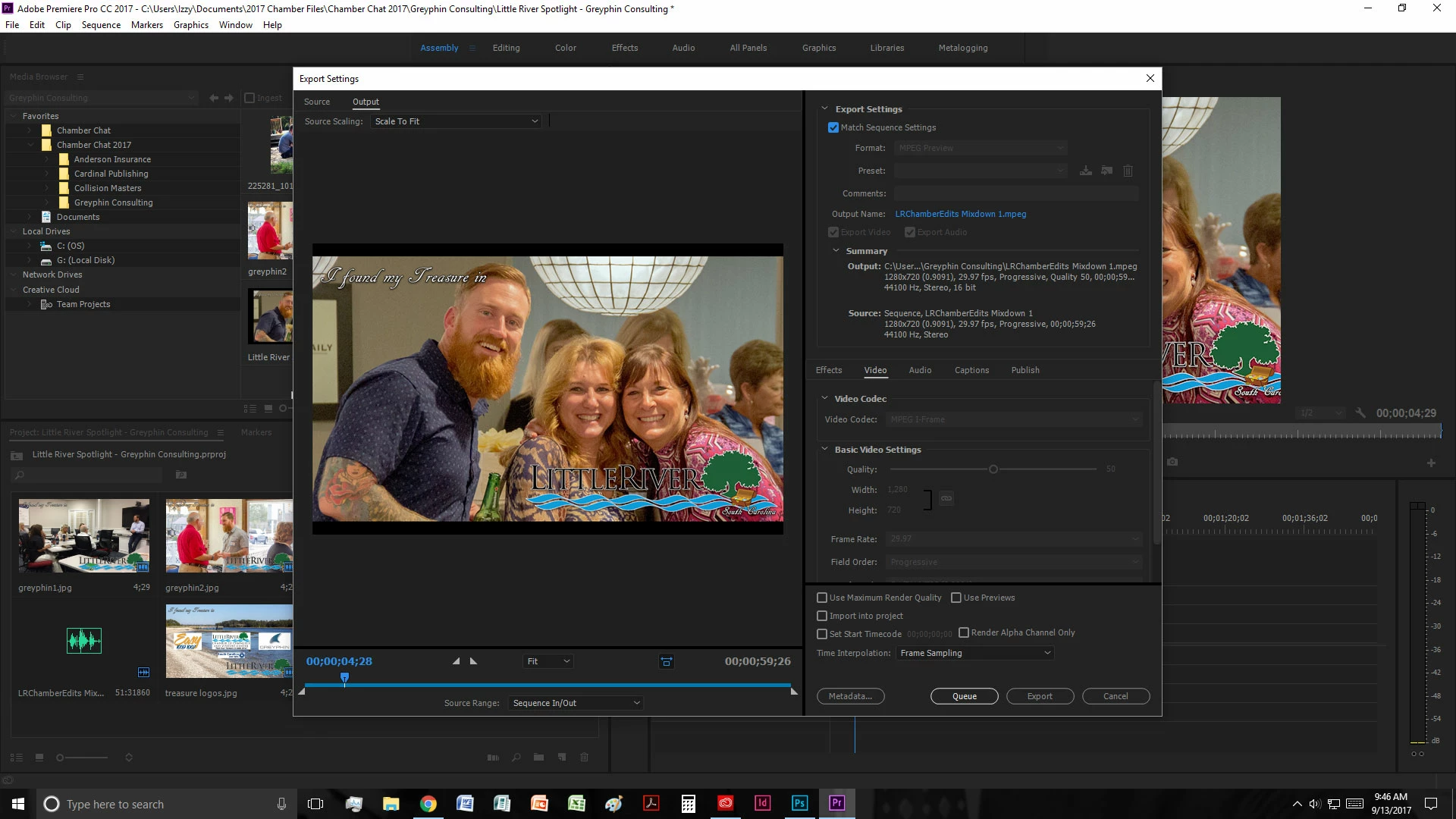
[export settings] I generally only mess with Format, Preset, and Output Name. If I check Match Sequence Settings (below), then it takes care of my additional black bars to match what I originally saw, but it makes it a .mpeg (don't know if that's okay or not).


If you set the Pixel aspect ratio to 1.0 (instead of 0.9091) in the sequence settings problem solved (i think)

Remember HD and stills always have a PAR of 1.0.

2 replies

Corrina Johnson-Lawik
Inspiring
September 11, 2020

I was having the same issue. Solved it straight away.

Nancy OShea
Community Expert
Community Expert
September 12, 2017

You're in the Lounge which is not a product support forum.

What are you using -- Premier Pro or Premier Elements?

Someone can move this to the appropriate product forum for you.

Nancy O'Shea— Product User & Community Expert
izzyw
izzywAuthor
Participating Frequently
September 12, 2017

Thanks! I had too many tabs open and got confused :/

I'm using Premier Pro CC (2017)

Ann Bens
Community Expert
Ann BensCommunity ExpertCorrect answer
Community Expert
September 13, 2017

[export settings] I generally only mess with Format, Preset, and Output Name. If I check Match Sequence Settings (below), then it takes care of my additional black bars to match what I originally saw, but it makes it a .mpeg (don't know if that's okay or not).


If you set the Pixel aspect ratio to 1.0 (instead of 0.9091) in the sequence settings problem solved (i think)

Remember HD and stills always have a PAR of 1.0.