
WeAreMoose
Inspiring
February 17, 2020
Question

Mercury Transmit display error

  • February 17, 2020
  • 2 replies
  • 771 views

Hi,


This is not a recent thing but it keeps making me just shutting my Mercury Transmit off.


This has been happening in CC19 and CC20: 
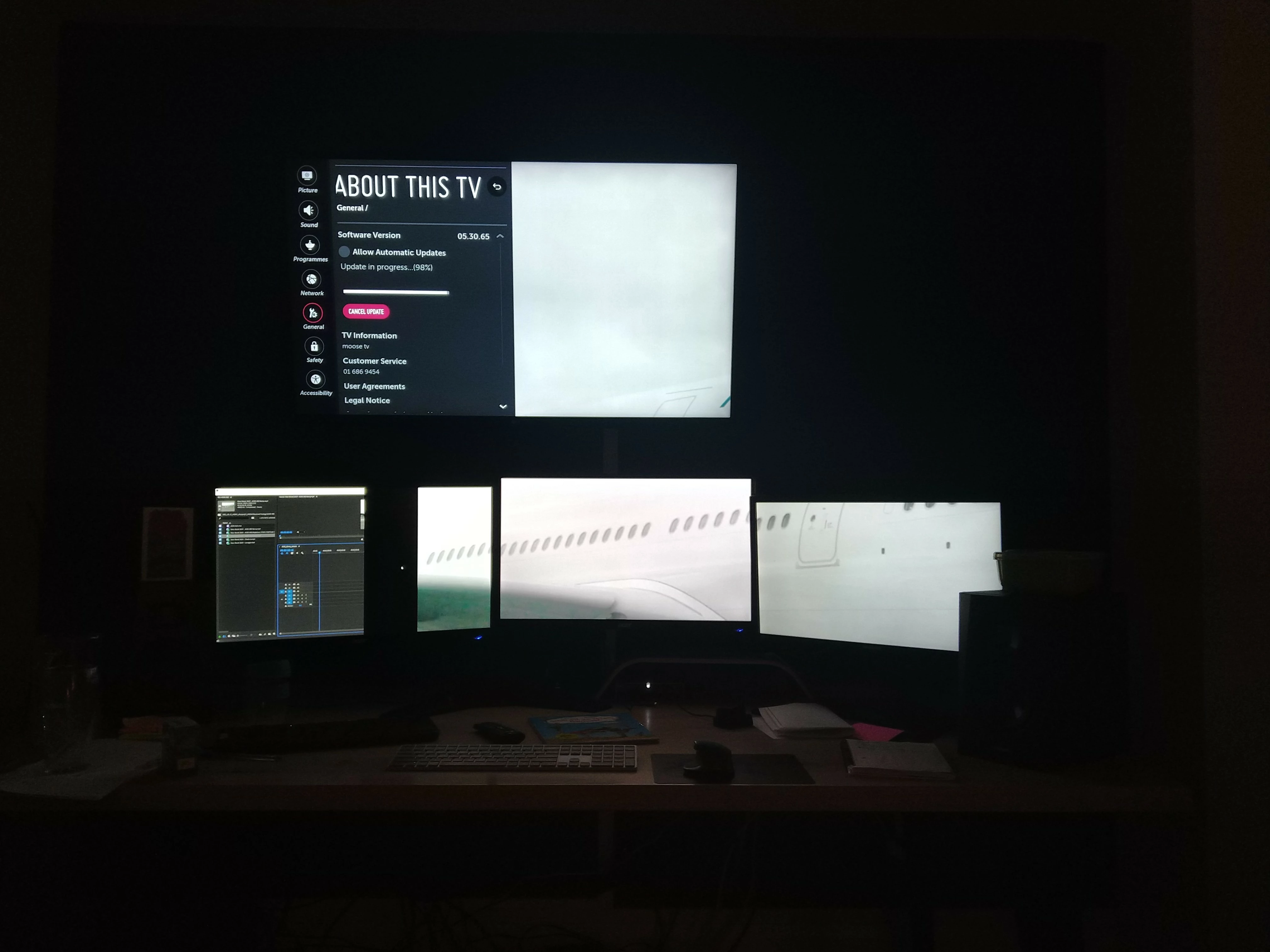
 

If I click out of Premiere Pro or the Autosave is triggered, the picture which was put out to my 

UHD Display (top) is being stretched across all of my screens, it appears it's getting confused with resolutions and displays the UHD sized image across all 1080p screens. So the picture you are seeing 

above would usually display the full airplane, not just the few windows you can see there.


Advice appreciated.


Thanks


Windows 10, CC20, GTX 1080, 10core i7


This topic has been closed for replies.

2 replies

MyerPj
Community Expert
Community Expert
February 29, 2020

I'm just playing with it today with a new monitor. It seems to be working as I expect, but I had some problems with it. My new second monitor was flashing on and off, and I figured it was the cable, so I sent it back and got a new one, and it was still doing it. So, I switched the monitors around (they are identical, save for the $350.00 price drop since 2015) on buying the 2nd one!) and now they are both working and with the same cables as I had previous. I just took out the DVI on the main one and started using displayport on both. (gtx1070). 


Don't forget the Window Display settings which also effect it, in particular the Extend option so it functions as one big screen. And your graphics card will have port hierarchy which you should check out, like this one:

https://www.evga.com/support/faq/FAQdetails.aspx?faqid=59560

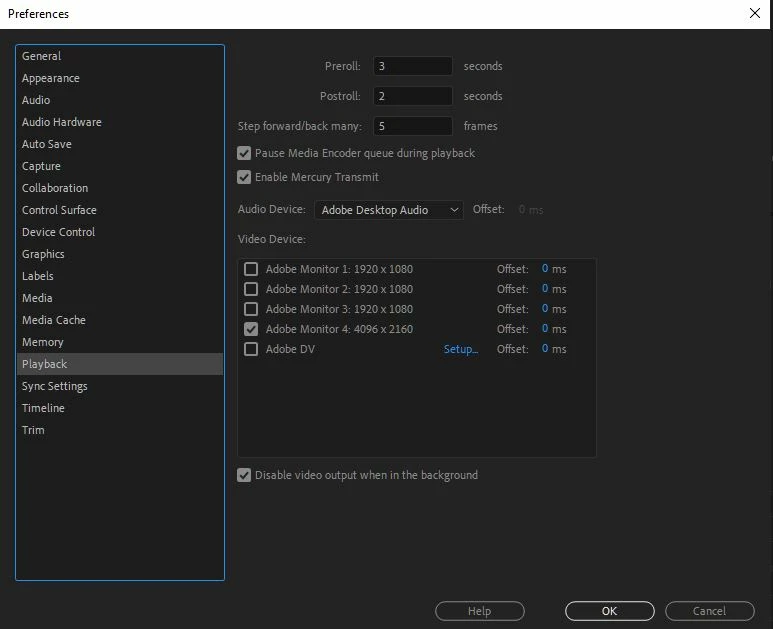
The above checkbox controls whether the mercury transmit outputs when PP looses focus.

Known Participant
February 29, 2020

Same issue here, using two 4k monitors. It spreads the picture across monitor 1 and part of 2. ASUS pro duo with a 2060 RTX, Windows 10.