manuelb41599270
Inspiring
August 9, 2018
Answered

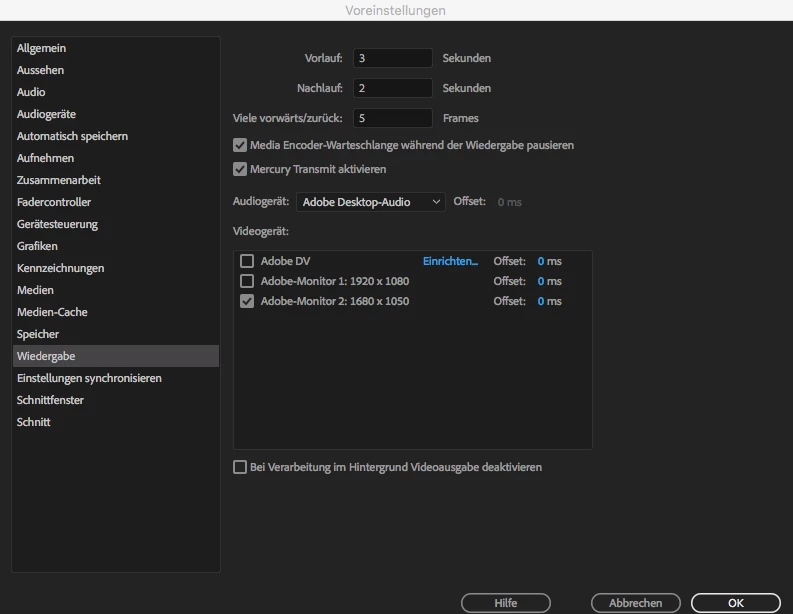
Mercury Transmit only on primary monitor

  • August 9, 2018
  • 3 replies
  • 5208 views

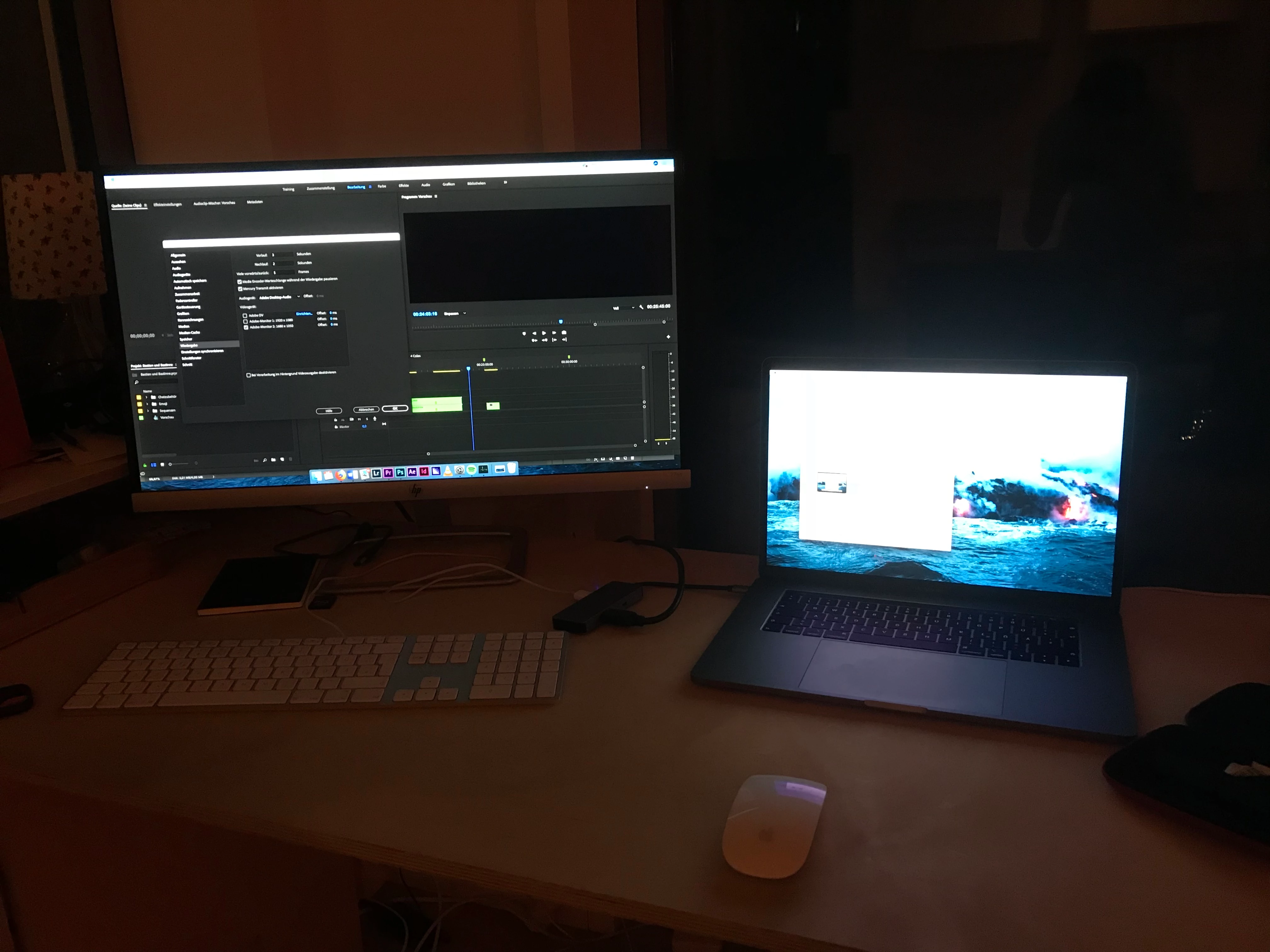
My setup:

latest 15" Macbook Pro

latest Adobe Premiere ProCC

HP Monitor

I want my big Monitor as a primary display and for working on premiere pro.

macbook should just be the secondary monitor for full playback.

but it's not working.

it only works when i make the macbook the primary display and then rearrange all the windows.

then everything works.

that sucks.

any ideas?!
This topic has been closed for replies.
Correct answer manuelb41599270

things got even worse.

its not working at all. wtf.

take a look. please help


I ended up fixing it by going to System Preferences, Mission Control, and disabling Displays have separate spaces!

HOOORAAAYY! (now everything works nice and smooth and as it should)

3 replies

Participant
May 22, 2022

I have been searching for the answer to this question for over a year and YOU JUST SAVED MY LIFE THANK YOU!!!!


Participant
April 9, 2021

I know this thread is like 3 years old and there is a solution to this, but I think I found a better solution if anybody wants Displays have seperate spaces

ok so the problem I had was I had about 4 spaces ( virtual desktop) open and I usually work on desktop 2, my secondary screen is labeled desktop 4 BTW.

whenever I enable mercury transmit to my 2nd monitor, it appears on my primary monitor.

yes, disabling displays have separate space did "partially" solve the problem. I say partially because if you use a full-screen app/window, this will render the 2nd monitor useless. 

so the workaround was I created a new space and moved whatever was on Desktop 2 to the new space and deleted desktop 2 and this fixed the problem for me.

I think for some reason the system recognized desktop 2 as monitor 2 which is a weird behavior because that would mean I would have up to 4 monitors listed in mercury but there wasn't.

well anyway if anyone needed a solution without disabling displays have separate space, here's your solution. 

Jeff Bugbee
Community Expert
Community Expert
August 9, 2018

I've attempted to duplicate your setup and had no issue using either my monitor or my laptop as the display. I did notice you have an AirPlay display selected under your Display preferences in OSX. If you set that to off, does that work?

manuelb41599270
Inspiring
August 9, 2018

Yes the setup used to work with my 4yrs older macbookPro.

but i got a brandnew one yesterday.

AirPlayMonitor is set to "aus" german for: "off" / "disabled".

there aren't any other options neither.

manuelb41599270
Inspiring
August 9, 2018

Check these out:

Mercury Transmit Issue with full screen playback to second monitor.

Video preview (mercury transit) not working in AE!

Others are having similar issues with USB-C hubs. The problem I see is that the hub does much more than pass the video signal. In many cases it's passing power, USB, video, and whatever else is daisy chained in there. Plus, not all hubs are created equal.

Regardless, it looks like mercury transmit is not correctly interfacing with the hub bus. While this may be an Adobe issue, it's more likely an Apple/hub problem that will not be easily resolved.


I will try in a few hours when stores are open. I will let you know if it worked!