Ok, I got this figured out now finally. From the Adobe staff, I can confirm that "merging clips break stereo and multichannel audio out into separate mono channels" (https://forums.adobe.com/message/5917404#5917404#5917404). It doesn't sound like there's any way around that using the merge clips option. You could just nest or make a new link the clips instead of merging them. But anyway, in your Effects panel, pan your left channel, or Audio Effects 1, hard left (which is -100). Similarly pan your right channel, or Audio Effects 2, hard right (which is 100).
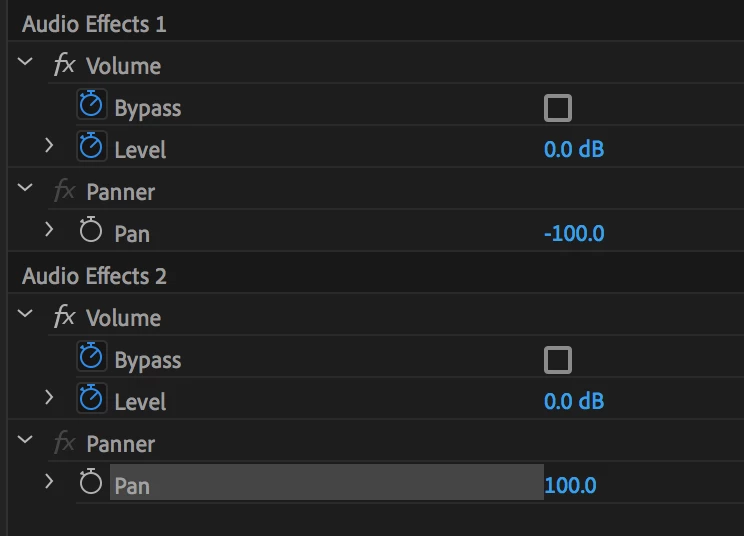
Your audio meters should match and look the same as when it was stereo now.

 AdChoices