
Luca Lotruglio
Participant
December 7, 2022
Answered

miniDV Clips Don't Appear in Sequence of Timeline

  • December 7, 2022
  • 3 replies
  • 1344 views

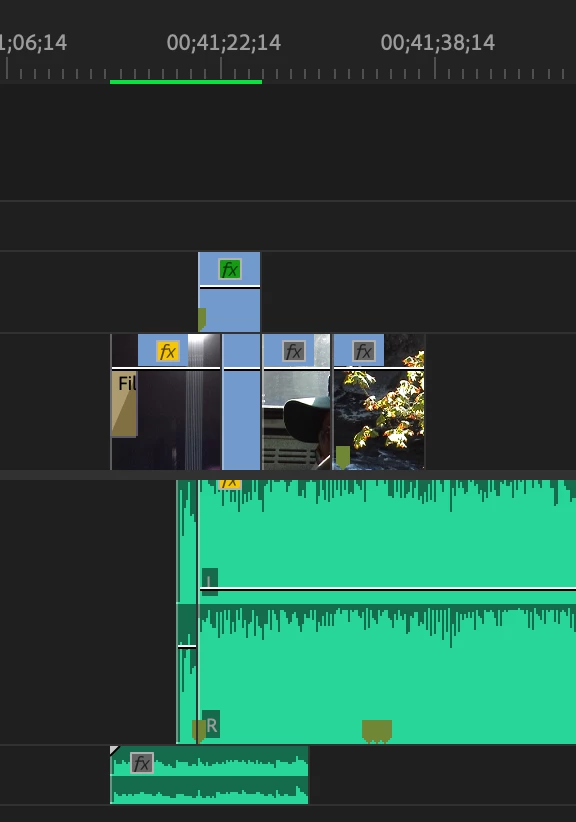
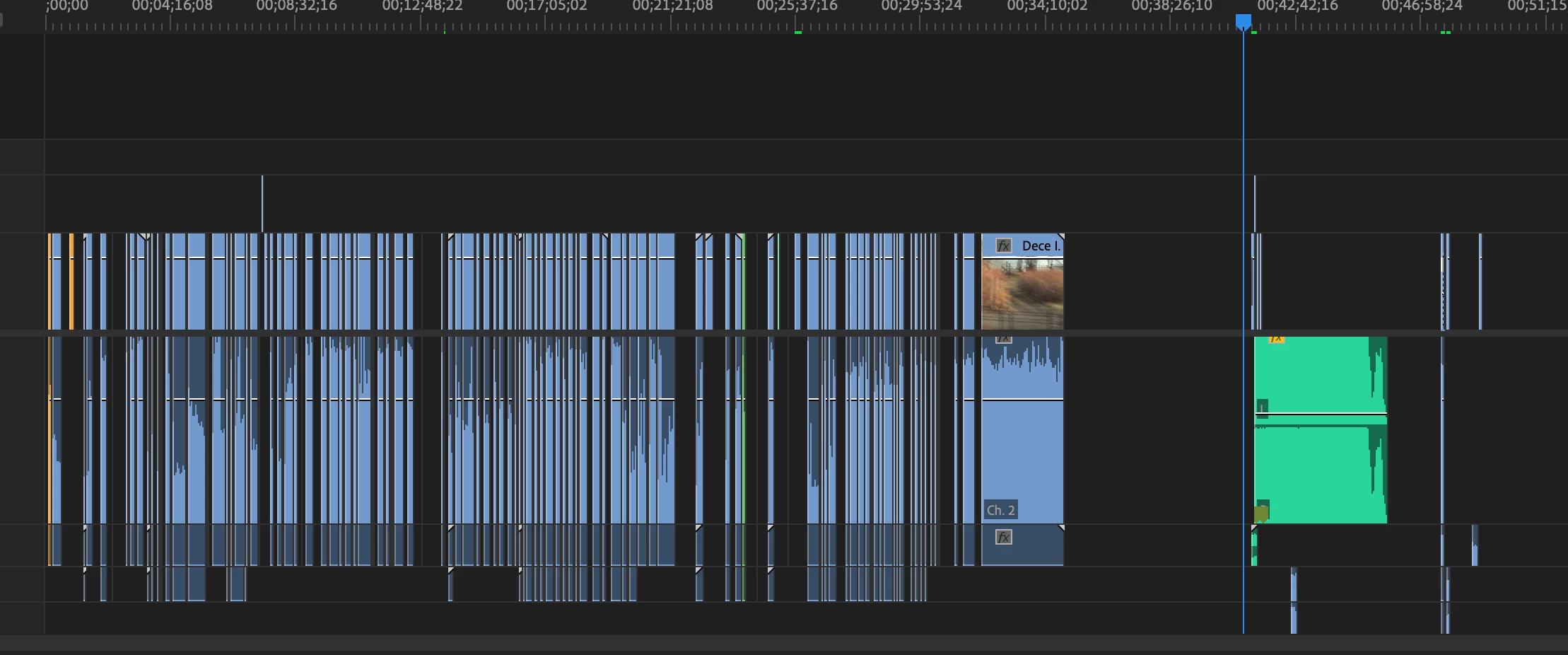
I have been adding clips to a timeline that I have captured from a miniDV tape. For some reason, only some of the clips are appearing in the sequence when others are not (screenshot attached for reference). I tried to Render In and Out in case that may reveal the clip in the sequence, but to no avail. For what it may be worth, I have my project and all of its content located on an external drive.


This is my first time using video that was not borne from an SD card so I am at a loss, and further confused by why some clips are present when others are not


Tips or resources on efficient workflow when dealing with tape-captured footage are also welcomed ;^)

This topic has been closed for replies.
Correct answer Peru Bob
quote

why the colored sequence line only appears on a few clips and not the entirety of clips in the timeline


By @Luca Lotruglio


  • Green: This segment of the sequence has a rendered preview file associated with it. Playback will play using the rendered preview file. Playback at full quality is certain to be in real time.
  • Yellow: This segment of the sequence does not have a rendered preview file associated with it. Playback will play by rendering each frame just before the CTI reaches it. Playback at full quality will probably be in real time (but it might not be).
  • Red: This segment of the sequence does not have a rendered preview file associated with it. Playback will play by rendering each frame just before the CTI reaches it. Playback at full quality will probably not be in real time (but it might be).
  • None: This segment of the sequence does not have a rendered preview file associated with it, but the codec of the source media is simple enough that it can essentially be treated as its own preview file. Playback will play directly from the original source media file. Playback at full quality is certain to be in real time. This only occurs for a few codecs (including DV and DVCPRO).


from here:

https://blog.adobe.com/en/publish/2011/02/20/red-yellow-and-green-render-bars

3 replies

PECourtejoie
Community Expert
Community Expert
December 7, 2022

Hello, how are the captured files named? 

For information on Capture: https://helpx.adobe.com/uk/premiere-pro/using/capturing-digitizing.html


Luca Lotruglio
Participant
December 7, 2022

I usually label them after the "Event X" where the title reflects the period that I used that portion of the tape, followed by a numeration to denote which portion (usually broken up in 8 min, such as "Phish IV".


Thank you for providing that resource, as well!

Ann Bens
Community Expert
Community Expert
December 7, 2022

Does not matter if video is from a SD card or tape.

Your screenshots do not tell us anything, what are we looking at?

Post screenshot entire UI. Header timeline, Project window with clip selected and Preview Area ON.


Edit: source patching?

Luca Lotruglio
Participant
December 7, 2022

Hi Ann!

I apologize for my earlier brevity. Here is a screenshot of the entire UI. Basically what I'm wondering about is why the colored sequence line only appears on a few clips and not the entirety of clips in the timeline

Peru Bob
Community Expert
Peru BobCommunity ExpertCorrect answer
Community Expert
December 7, 2022
quote

why the colored sequence line only appears on a few clips and not the entirety of clips in the timeline


By @Luca Lotruglio


  • Green: This segment of the sequence has a rendered preview file associated with it. Playback will play using the rendered preview file. Playback at full quality is certain to be in real time.
  • Yellow: This segment of the sequence does not have a rendered preview file associated with it. Playback will play by rendering each frame just before the CTI reaches it. Playback at full quality will probably be in real time (but it might not be).
  • Red: This segment of the sequence does not have a rendered preview file associated with it. Playback will play by rendering each frame just before the CTI reaches it. Playback at full quality will probably not be in real time (but it might be).
  • None: This segment of the sequence does not have a rendered preview file associated with it, but the codec of the source media is simple enough that it can essentially be treated as its own preview file. Playback will play directly from the original source media file. Playback at full quality is certain to be in real time. This only occurs for a few codecs (including DV and DVCPRO).


from here:

https://blog.adobe.com/en/publish/2011/02/20/red-yellow-and-green-render-bars