

Missing audio track in youtube video
Hi,
I am a new user of Adobe Premiere Pro. I created my first video film and exported it to youtube. And now I do have a curious consistent missing Audio track problem for iPhone 6S or older Apple Smartphone, some Android tablets and most of the Android Smartphones.
When I watch my youtube video Kaffee Drucker - gesprächsstoff - Kommunikation durch Kaffee - YouTube with desktop Computers everything is fine. It works on an iPhone 7 also fine.
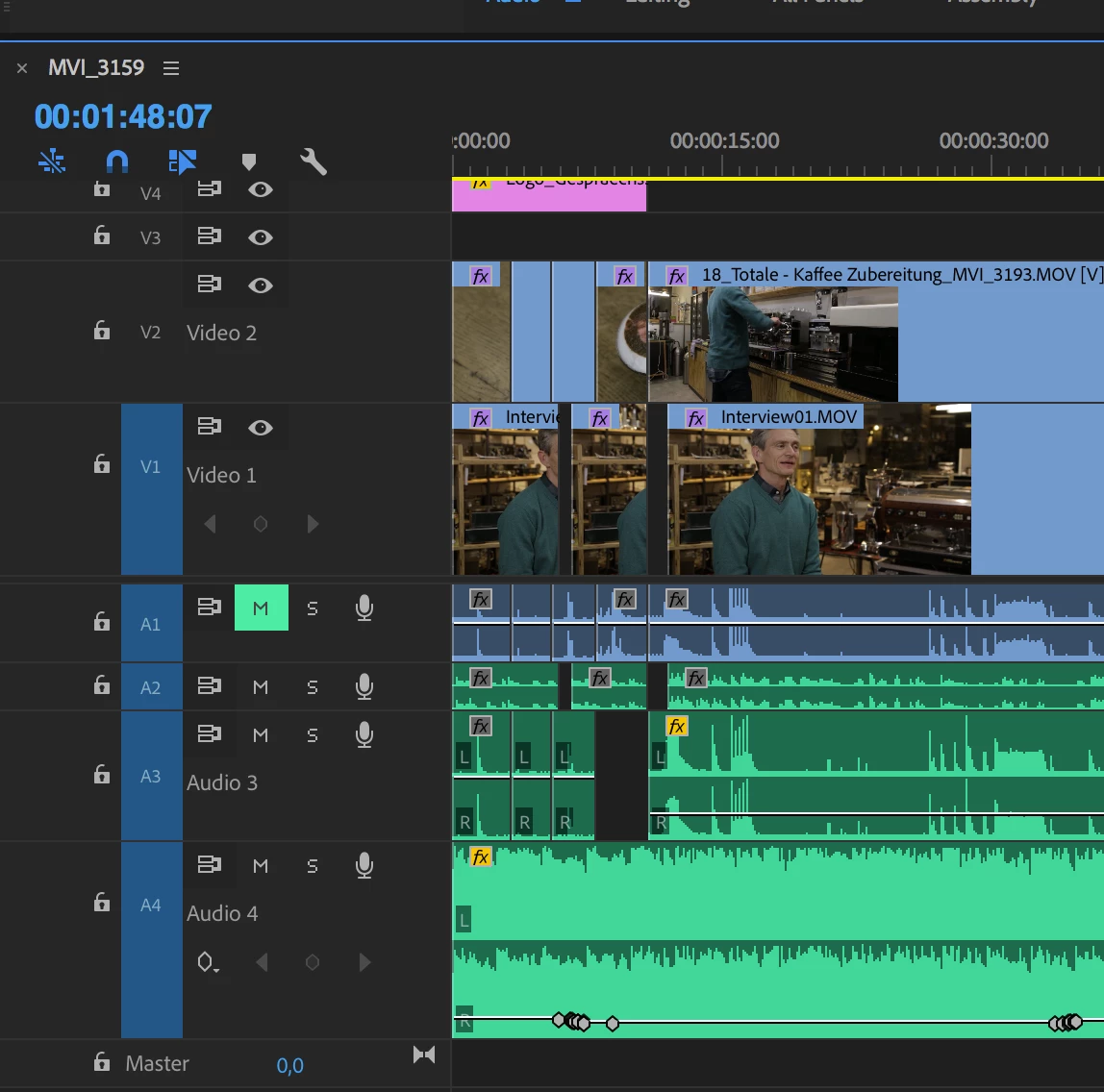
But when I watch the same video with an iPhone 6S or lower, the Audio track of the Interview person is gone (see Audio track line 3 in the screenshot below). You can't hear it. You only hear the Audio track line 2 and Audio track line 4. The Audi track line 3 seems to disappear. And the same error happened on a couple of Android Smartphones and Android tablets but not on all Android systems.
I structured my Audio tracks in the following way:
- Audio track line 1 - That is the original audio sound file of my Canon EOS 6D camera
- Audio track line 2 - That is the atmosphere sound of the Video in track line 2 (separate recorded wav audio file)
- Audio track line 3 - That is the separate recorded sound of the interview person (wav audio file) - This track has the problem described before
- Audio track line 4 - That is a separate music audio file
It would be great, if somebody of you have an idea, what the problem could be. Because the international Adobe support hotline was not supportive at all.
 AdChoices