Answered
missing font premiere pro
i cannot solve missing font in premiere cc 2018, and I've tried on typekit also can not,, why?
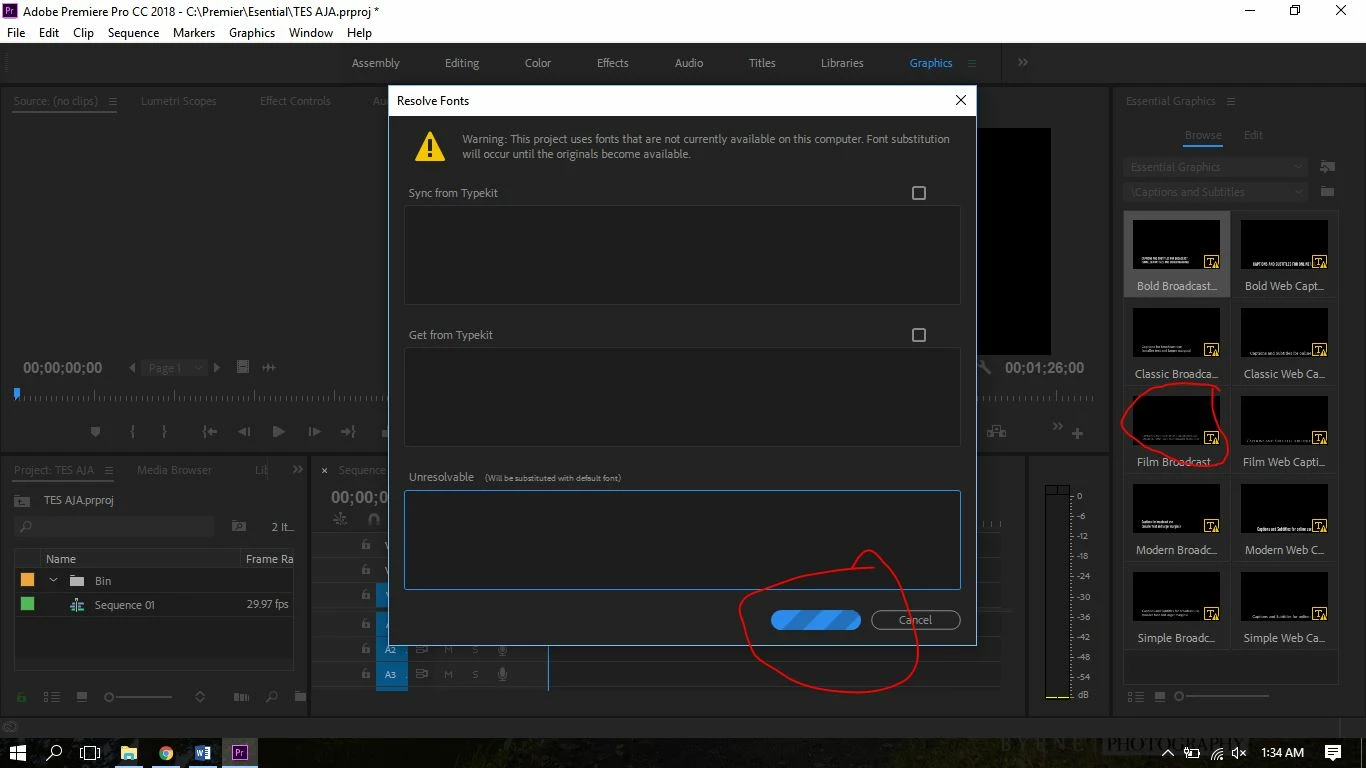

i cannot solve missing font in premiere cc 2018, and I've tried on typekit also can not,, why?
I hope those are useful to people who hit a particular issue, but what i see in the Andri's screenshot... that looks like something different. The resolve font dialog is not recognizing the font it needs to resolve, which makes me think that the CC desktop App app is not running or that the system is offline.
@andri did you say you cannot sync fonts directly from typekit either? If so it would explain the empty dialog and would not be a graphics or Pr problem. The thing to do in that case is figure out why Typekit is not connecting for you, and that is out of me areas of knowledge.
Thanks jstrawn,
andrymunz13 I work for Typekit. If you're having trouble syncing fonts, I'd be happy to help. Please take a look at this troubleshooting document: https://helpx.adobe.com/typekit/kb/troubleshoot-font-syncing.html
If that doesn't help, there are instructions at the end of that doc to send us diagnostic information so we can look into further. Please send an email to support@typekit.com if you need any help.
Cheers,
Benjamin
Already have an account? Login
Enter your E-mail address. We'll send you an e-mail with instructions to reset your password.
 AdChoices