
Participant
April 3, 2023
Question

Missing sequence

  • April 3, 2023
  • 3 replies
  • 2219 views

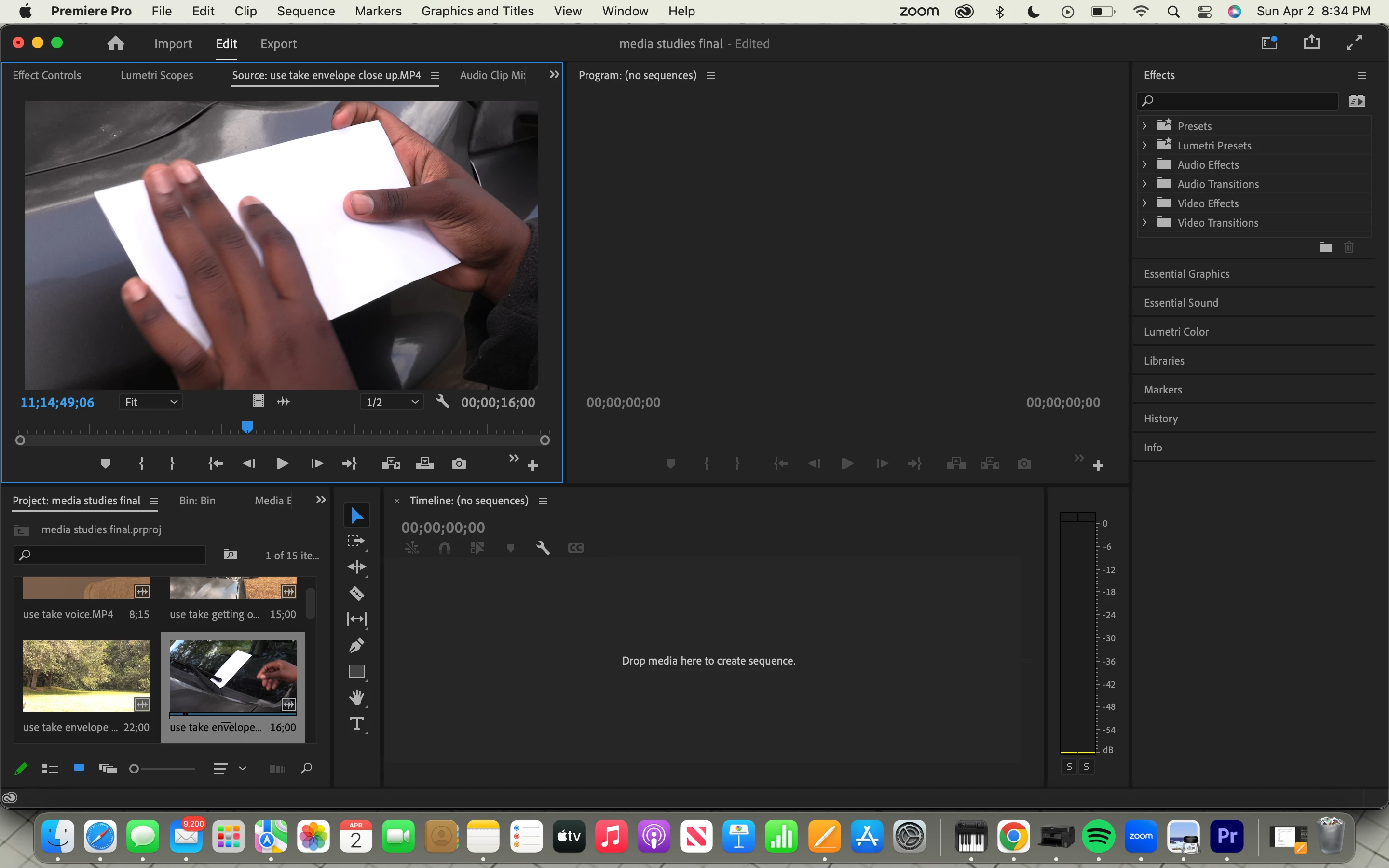
Hello. I am very new to adobe premiere pro. I went to go finish one of my projects (that I am turning in tomorrow) and my entire sequence was gone. Additionally, I tried checking the project pannel and there was nothing there in terms of the sequence. What should I do? Again, I am very new to this program so I do not know all the lingo for the program, as I am still learning to use it. Any advice someone can give would be very helpful. Thanks.
This topic has been closed for replies.

3 replies

Averdahl
Community Expert
Community Expert
April 3, 2023
quote

Any advice someone can give would be very helpful.


By @ella29208648xx3r


In the Project panel you can just type in the word sequence in the search field and all your sequences will show up in the Project panel. This is a convinient way to find all sequences that seems lost but have just been closed by mistake.


This will only find sequences in the current project.


Peru Bob
Community Expert
Community Expert
April 3, 2023

Click this tab.

Is the sequence there?

R Neil Haugen
Legend
April 3, 2023

Sequences are simply metadata within the Premiere project file. There's no file on disc of any sequence, so I hope you saved before exit.


And as you didn't full-screen the Project panel, "we" can't see the rest of it. I assume you have either full-screened that or scrolled?


Also, there's a keyboard shortcut to "hide" things, and another to "show hidden". You may have accidentally hidden that sequence.


Right-click in the Project panel and I think one of the options is "show hidden". Try that.


Neil

Everyone's mileage always varies ...