
Inspiring
September 13, 2019
Question

Missing Transform Icon

  • September 13, 2019
  • 1 reply
  • 3017 views

In the User Guide regarding adjusting the position of a clip it says "Select the clip in the Program Monitor or click the Transform icon next to Motion in the Effect Controls panel. The handles and clip anchor point appear in the Program Monitor which allow you to adjust the position of the clip."
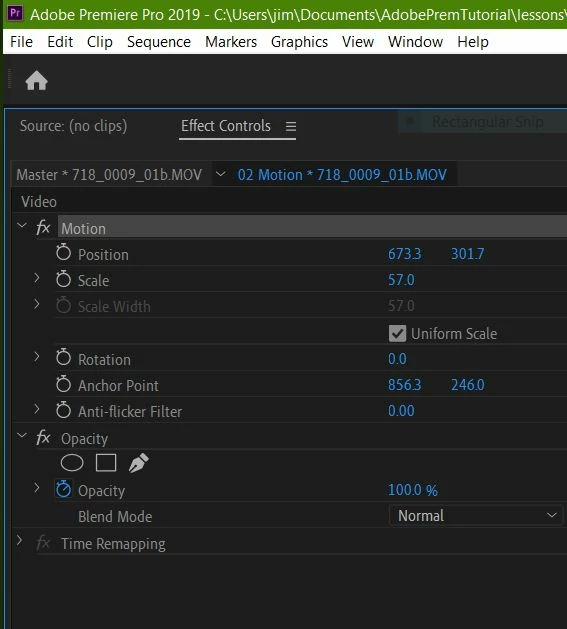
How do I get the transform icon to appear?

Thanks, Jim

    This topic has been closed for replies.

    1 reply

    Community Expert
    September 13, 2019

    Selecting the word motion like you have done should allow you to go back to the program monitor and move/change/transform your layer which I’m assuming is what you need to do.

    Inspiring
    September 13, 2019
    Thanks. I'm completely new to Premiere Pro so I'm just trying to learn some of it. As far as I can tell, not having the icon doesn't seem to stop me doing anything. I just saw that there was supposed to be one! Does it do anything? I can get the handles and clip anchor to appear by resizing the program monitor panel.
    Community Expert
    September 13, 2019
    The icon isn’t necessary as long as you select the property in the Effect Controls Panel. I may be wrong but I think that I mainly see the icon on Effects that have been applied.