
Copy link to clipboard
Copied
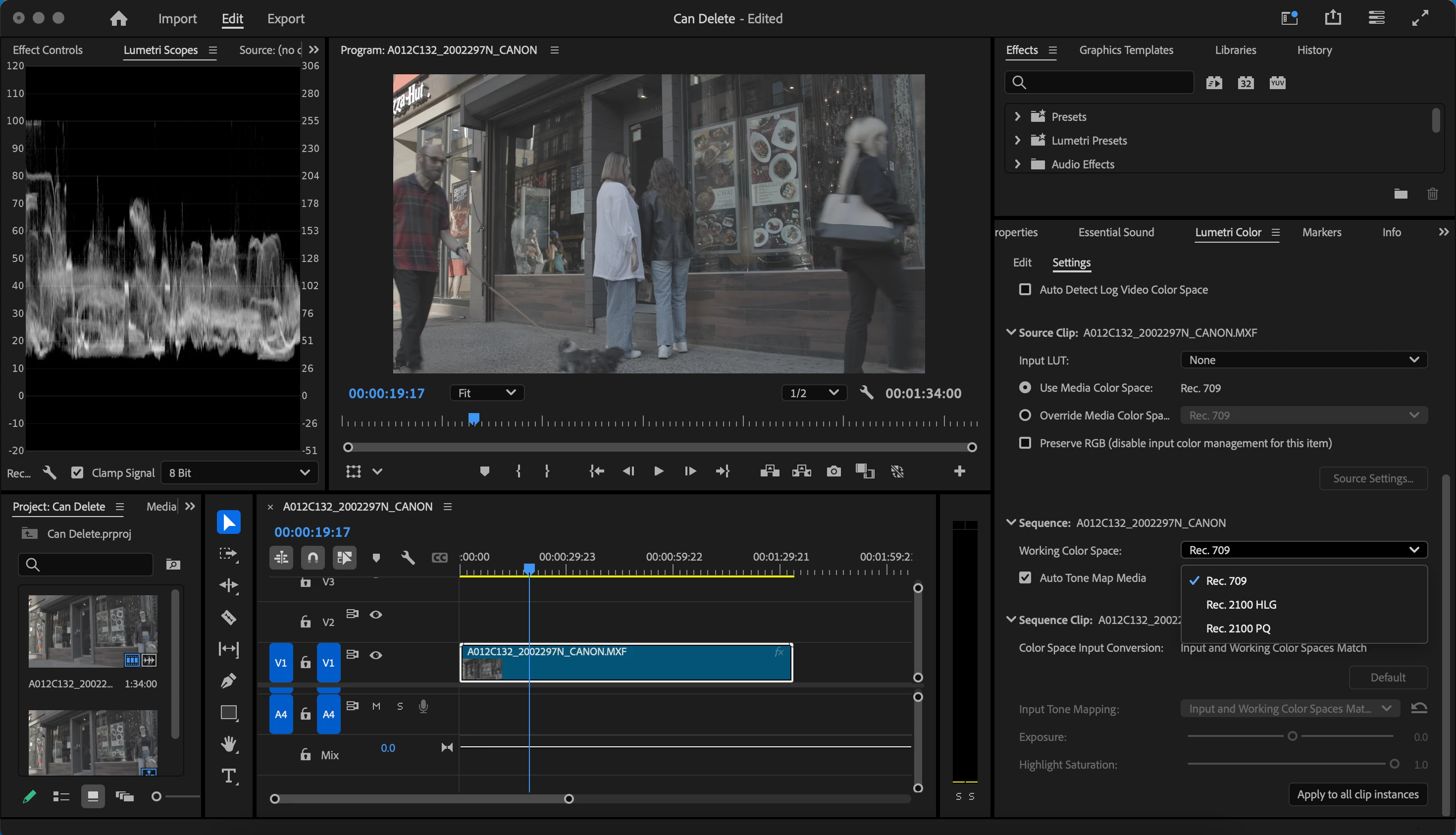
In settings tab under the color panel, the new Wide Gamut options for "working color space" are not present. I was expecting what I saw in some of the beta release videos, however I am only getting the older tab. See below for photos and hardware specs, any help would be appreciated:
Photo of what I expected:
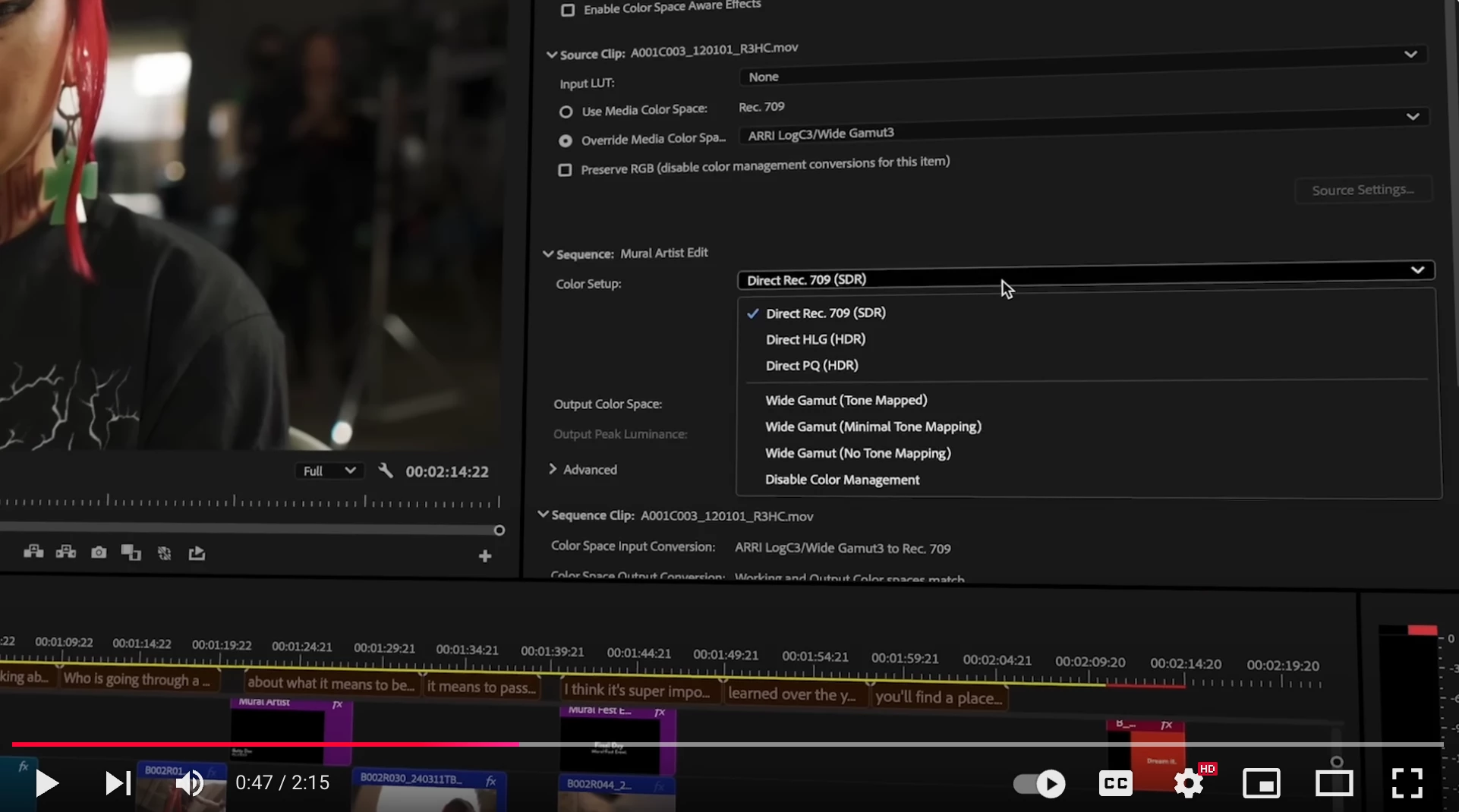
Photo of what I am currently seeing:
Hardware specs:
Macbook air M2 2022
8Gb
Mac OS 14.6.1
Premiere Version:
25.1 Build 73
@dailee_7568 the new color management workflows are still in Beta, and haven't graduated to the release version yet.
Copy link to clipboard
Copied
@dailee_7568 the new color management workflows are still in Beta, and haven't graduated to the release version yet.
Copy link to clipboard
Copied
Ah I see, thanks for clarifying!
Copy link to clipboard
Copied
I have the same problem. If it´s not released yet, why does it come up in "Learn" when I open up Premiere, and, when I click on "Learn More", why do they write "Color management improvements are now available for testing and feedback. Try it now in Premiere Pro!" in "Overview of color management improvements" at Adobe?
Copy link to clipboard
Copied
I have the same problem. If it´s not released yet, why does it come up in "Learn" when I open up Premiere, and, when I click on "Learn More", why do they write "Color management improvements are now available for testing and feedback. Try it now in Premiere Pro!" in "Overview of color management improvements" at Adobe?
Copy link to clipboard
Copied
Because it is available in the public beta. Which you can install alongside your regular Pr.
Copy link to clipboard
Copied
Ok, thank you! That's what I thought, but I didn't find other versions in Premiere in Creative Cloud. I guess I didn't look good enough ... but now I know the reason, thanks! 😊
Copy link to clipboard
Copied
Edit: (... didn't find other versions OF Premiere ...)
Copy link to clipboard
Copied
There's a tab for the public beta apps in the CC Desktop app.
Copy link to clipboard
Copied
Thank you, appreciate it! 😊
Find more inspiration, events, and resources on the new Adobe Community
Explore Now