
Known Participant
January 15, 2017
Answered

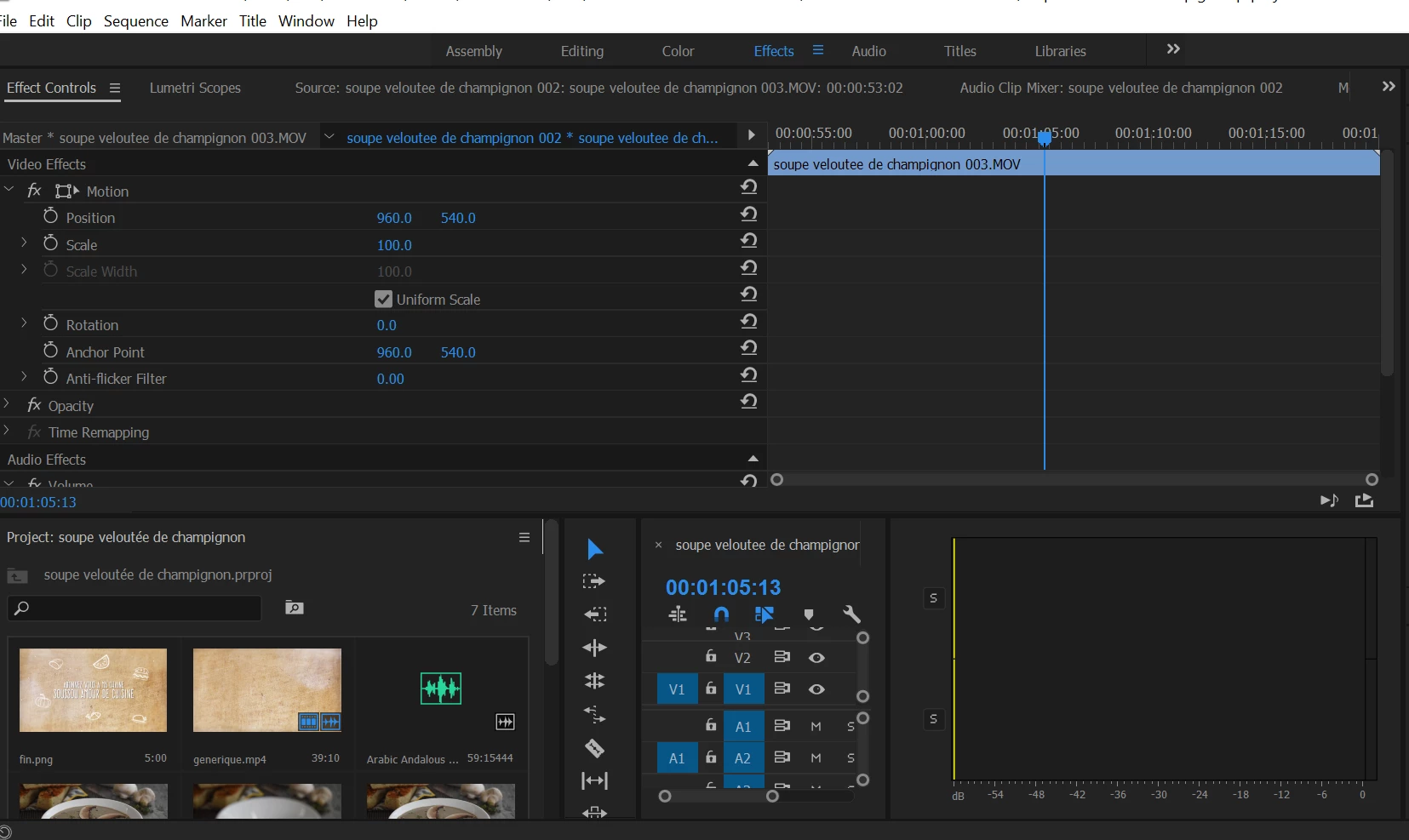
missing window on premiere pro
  • January 15, 2017
  • 1 reply
  • 23572 views

Hello,

and thank you for your help, as you see I have a missing window on my premiere pro, when I want to scale a video, or a picture, I can't see what i'm doing, as the window that will show me what is happening disappeared... I really appreciate  your help. Thank you.
    This topic has been closed for replies.
    Correct answer Ann Bens

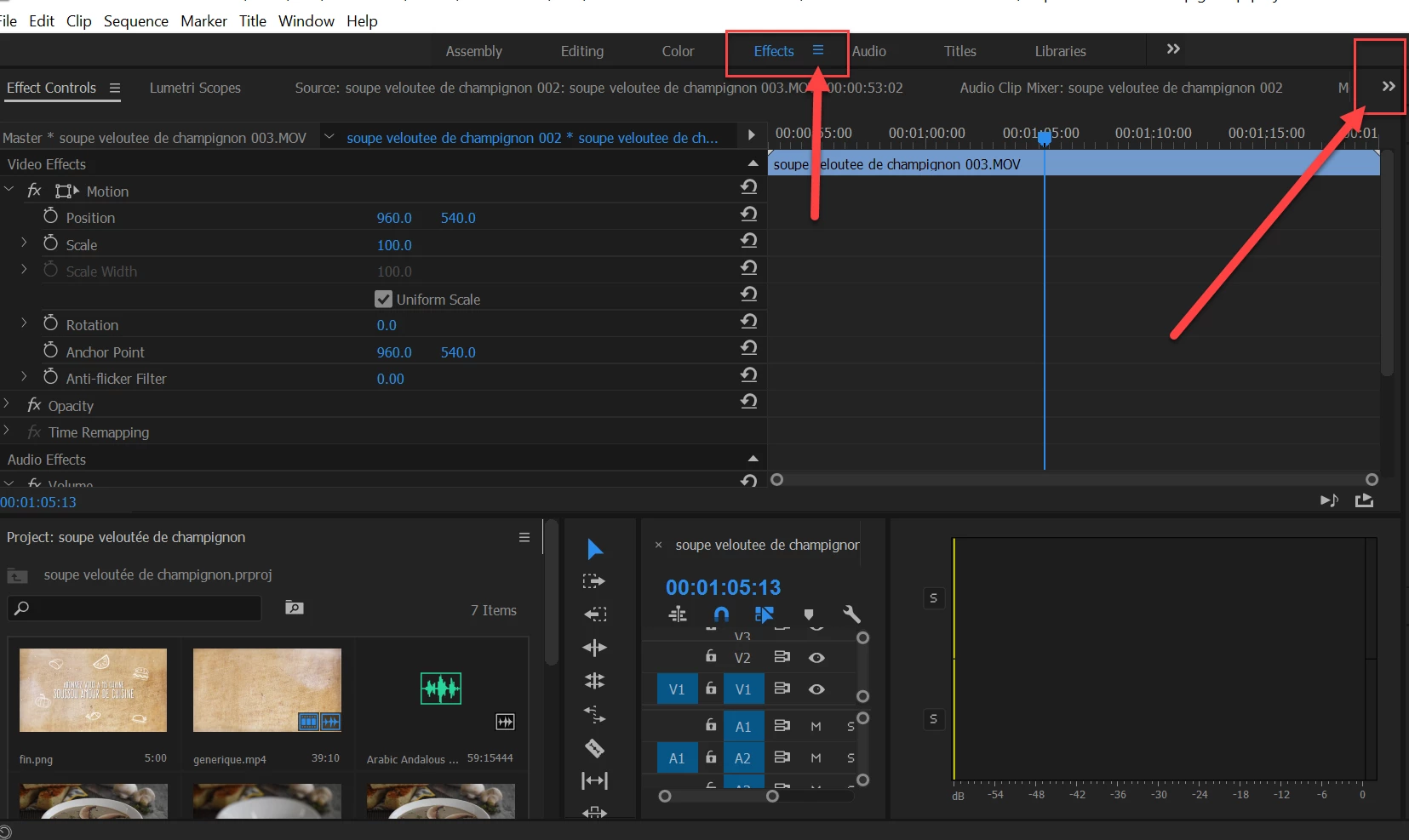
    Or go up to the blue Effects in top of the screen. Hit the hamburger menu and Reset to Saved Layout.

    That will give you your Program Monitor back.

    On a side note your screen is too small to work properly with Pr.

    1 reply

    Picmention Matthias
    Inspiring
    January 15, 2017

    You can turn on and off Viewports under the Window tap or right click on your viewport "Effects" in the upper area and chose reset viewport. Also you can drag and drop windows and rearrange them. For example drag your preview window next to your effects windows - then you see them both

    Known Participant
    January 15, 2017

    Where exactly, I'm trying I can't find, where shall I click exactly... can you show me on the picture above?