
Answered
Mogrt on timeline doesn't appear on Program Monitor or Export
I create a mogrt in After Effects: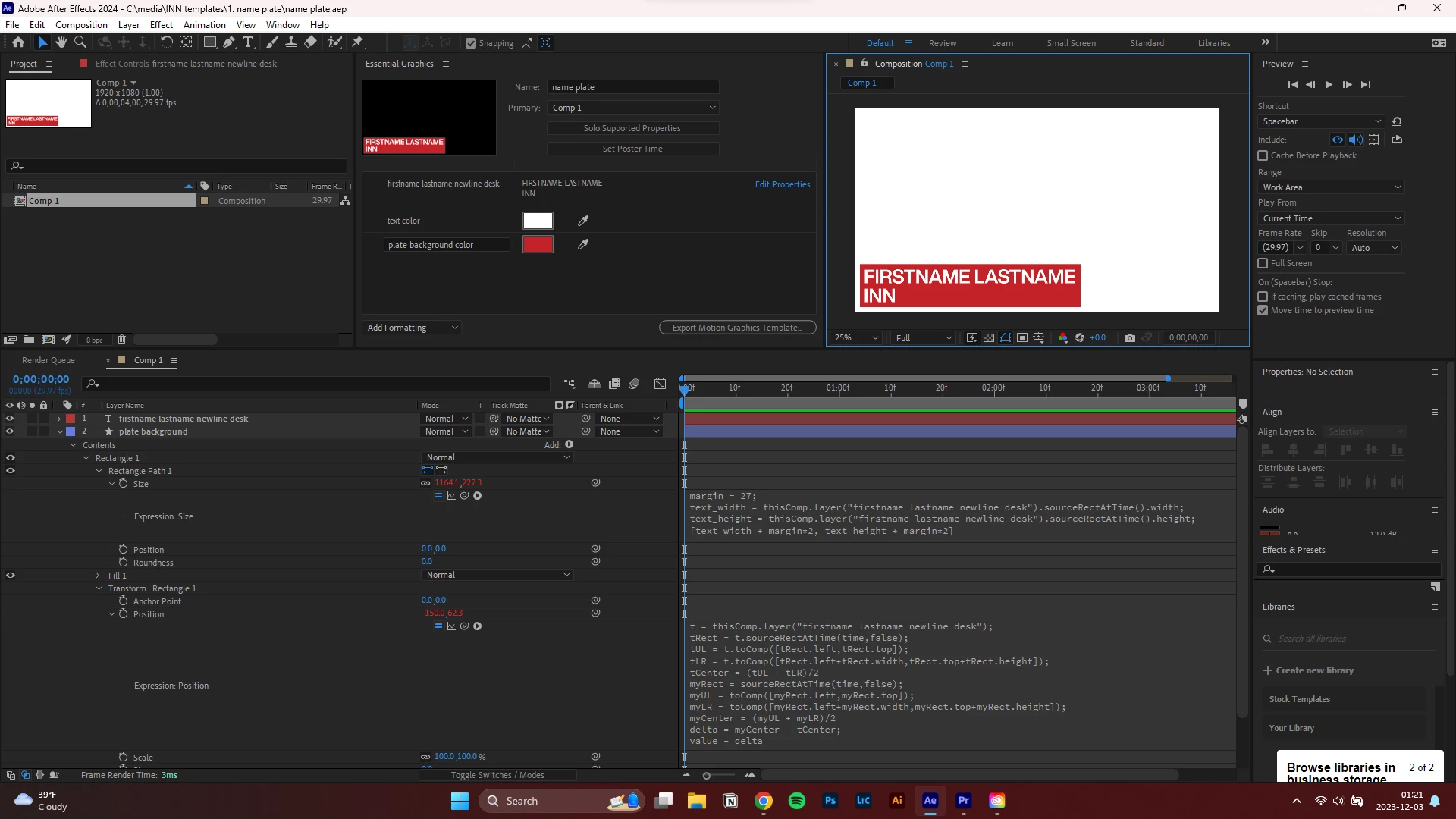 I import the mogrt in Premiere Pro. The mogrt is on the timeline, but does not contribute to the Program Monitor: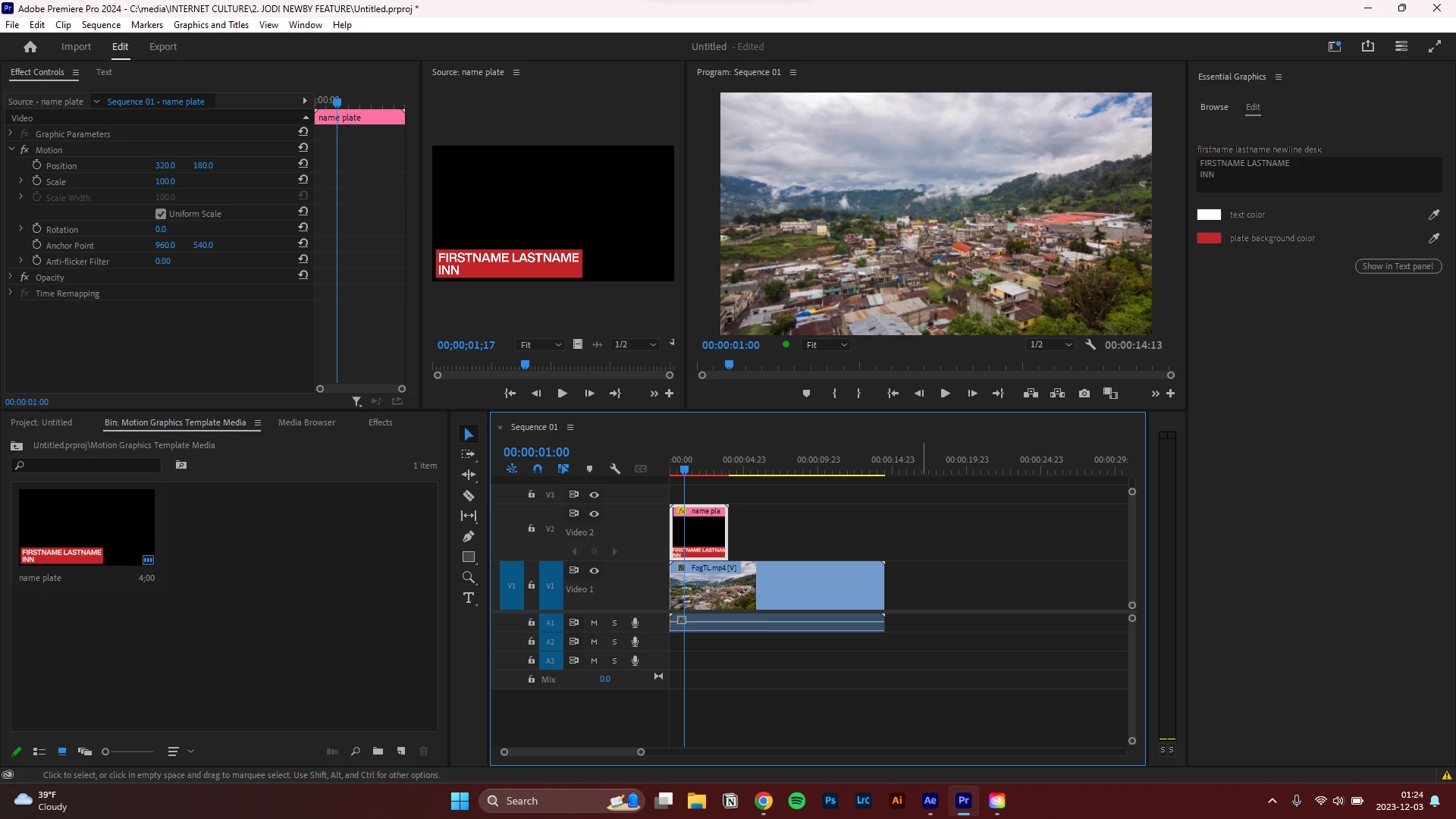
It does not contribute to the Export either.
I note that changing Properties in the Essential Graphics panel in Premiere does not change the appearance of the mogrt Source Preview or mogrt timeline Video Head Thumbnail: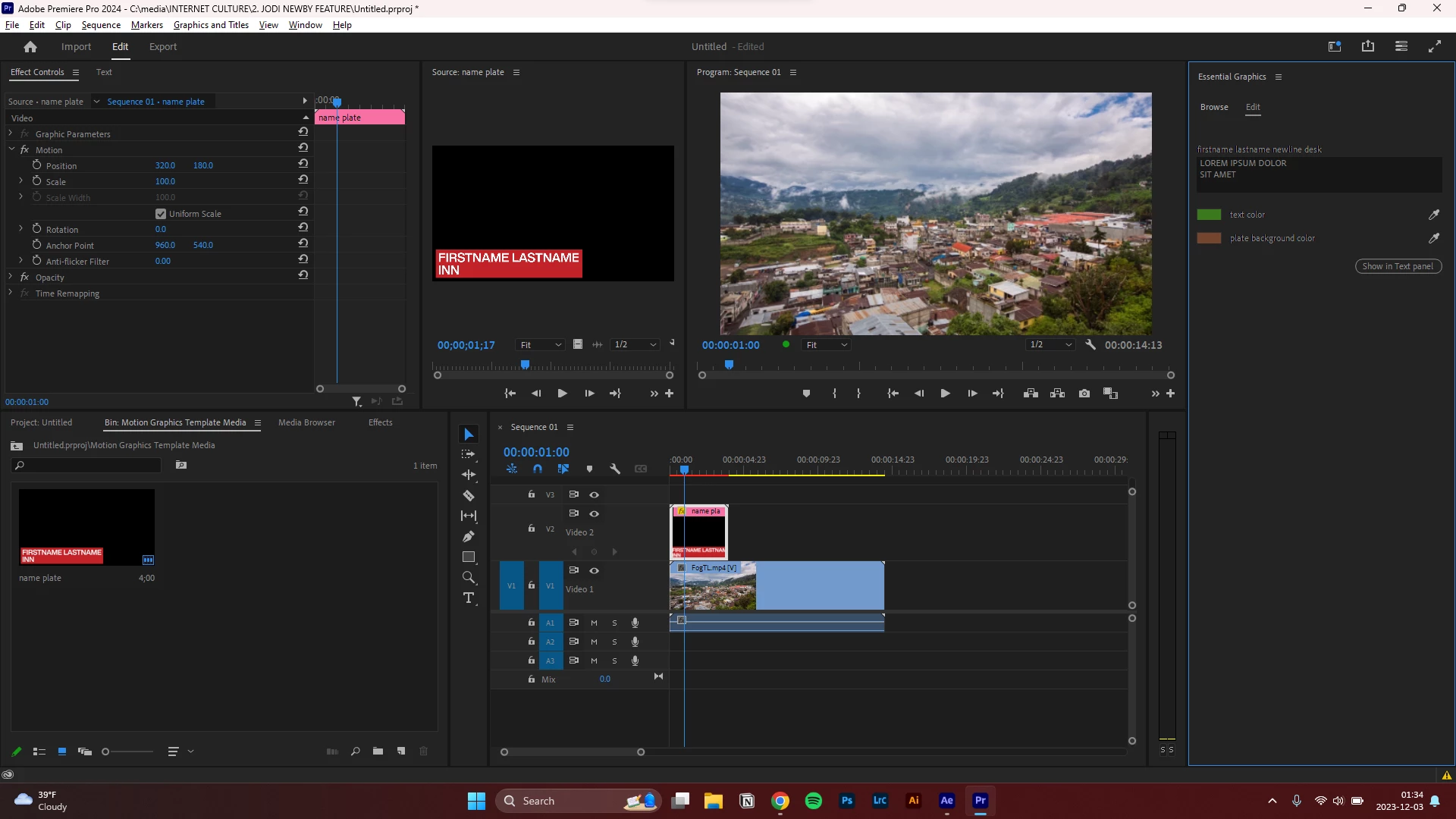 Changing Properties in the Essential Graphics panel in After Effects works as expected:
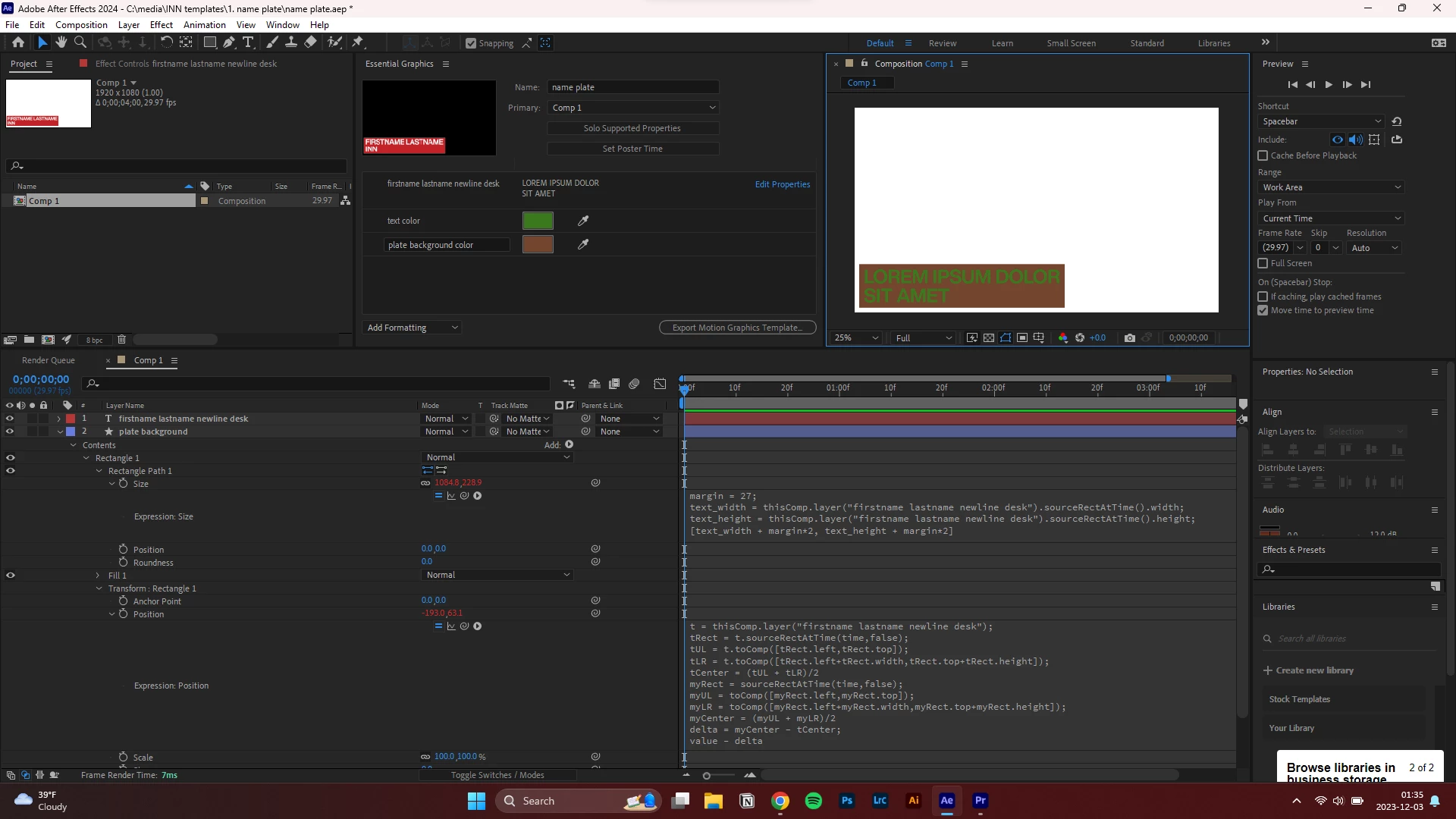 Thanks for the help!
 AdChoices