
amriphoto
Inspiring
July 24, 2022
Question

MOGRT - Resize Text relative to anchor point

  • July 24, 2022
  • 1 reply
  • 332 views

Hi all,
I'm working on a video where I will reuse text graphics, so I thought it might be a good idea to create a MOGRT.
I have "parented" most of the elements to my text line 1, so that when I change that, the rest would move with it.
Here is the current "design"

My problem is: If I change the font or the font-size, the size of the font will resize towards the top of the frame. That's not what I want.
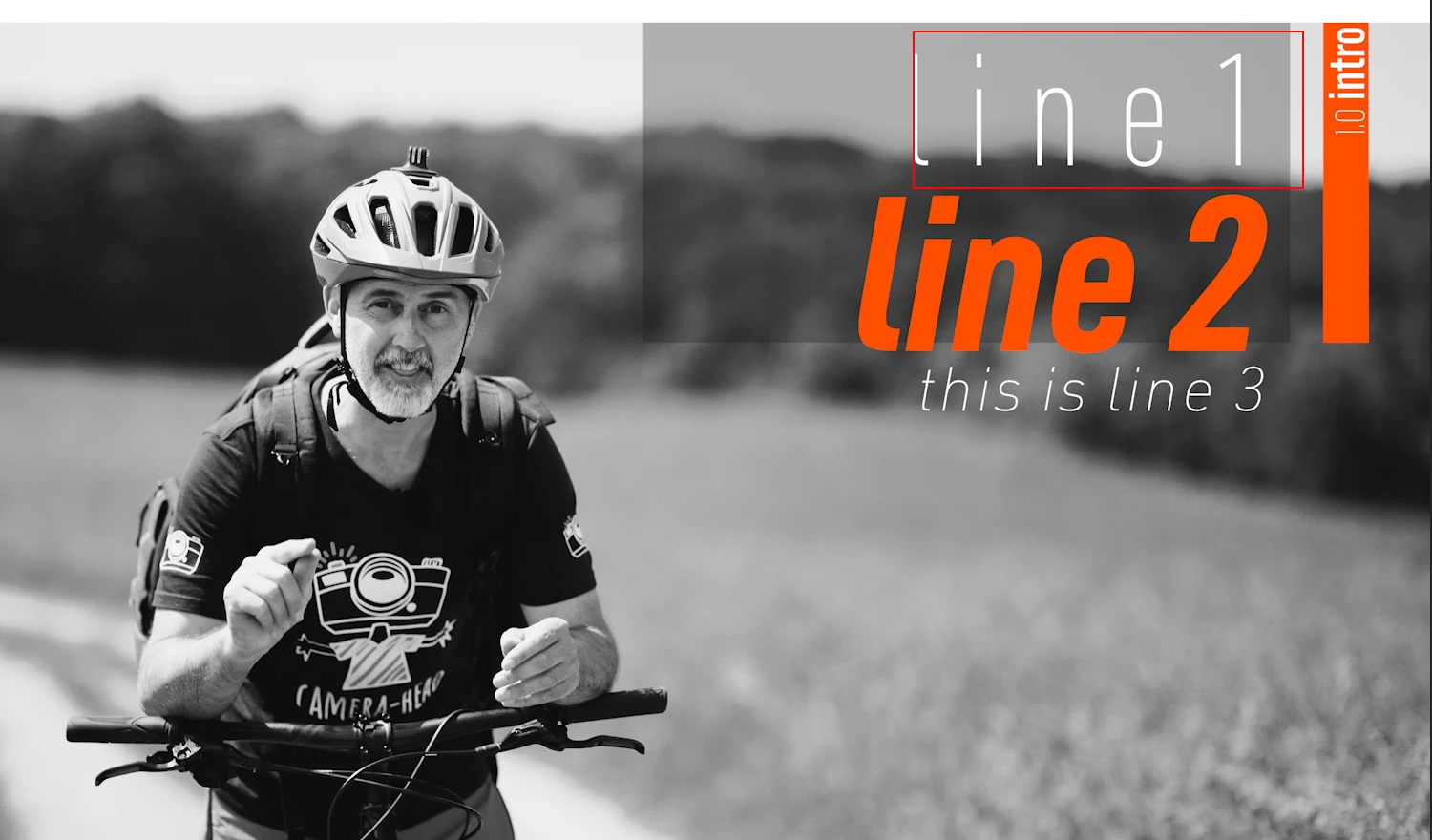

What I rather want would be that the text changes relative to the anchor point, like I would get when using the "objects resize option" rather than the font-size.


I hope that makes sense.
I'm creating the MOGRT in premiere pro, not in after effects.

Thanks in advance for any help!


This topic has been closed for replies.

1 reply

Stan Jones
Community Expert
Community Expert
July 24, 2022

How are you "parenting"? Screenshots of the settings might help.


The text size of Line 1 is different in each of the 3 options. I can't tell what you are going for.


Here's a thread that may have similar issues:

https://community.adobe.com/t5/premiere-pro-discussions/essential-graphics-with-text/m-p/13014469#M417142


Stan


amriphoto
amriphotoAuthor
Inspiring
July 24, 2022

Thanks for your reply and the link, Stan. Unfortunately that is After Effects and I'm using Premiere Pro only for this.

With parenting I meant the "Responsive Design - Position" - sorry, I'm used to that parenting lingo from other software.
Here is a screenshot of line 2 - that is "parented" to line 1 in regard to position

Here are two screenshots that will hopefully explain it better.
Here I used the scale to increase the size - that worked well:


Here on the other hand, I used the font-size instead and that completely destroyed the layout and moved the complete MOGRT up for whatever reason:


Stan Jones
Community Expert
Community Expert
July 24, 2022

Sorry; parenting should have been clear enough here.


It appears to me that the layout is changing with scaling as well; line 3 moves down anytime there is an increase in the top line? The rectangle is parented to the top of line 1?


Stan