
zopfan
Known Participant
January 25, 2020
Question

mono single track should play only in left or right. But plays in both.

  • January 25, 2020
  • 4 replies
  • 4609 views

Presume/Suppose that I've a stereo audio clip in which dog barking is in my left channel and right channel contains cat sounds.


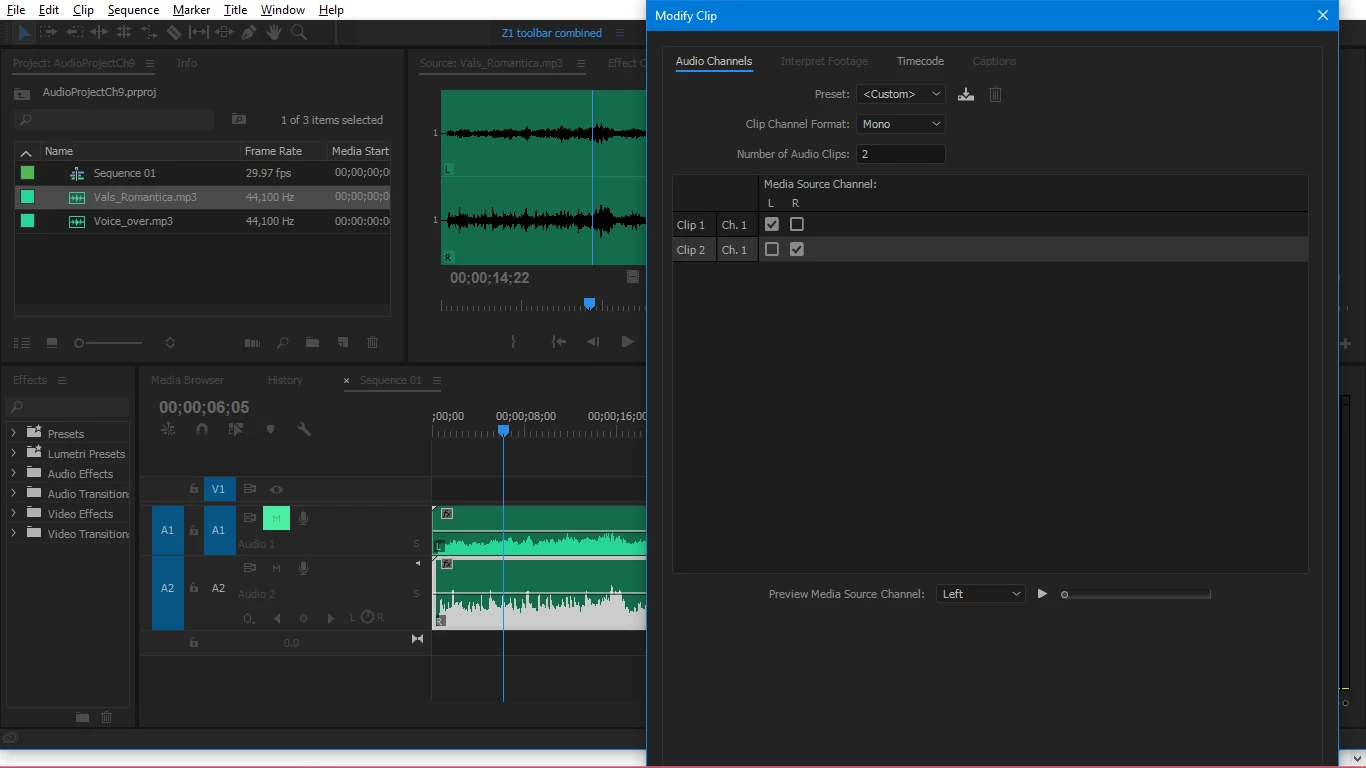
Now when in Project Panel> Clip> Modify> Audio Channels> Mono> 2 Channels> on 2 tracks.

And drag that file on 2 separate mono tracks on my timeline. But when I play, both dog and cats sounds play in both speakers. I can't make it play dog in left and cat in right speakers. Cat will also play in both speakers (unless I mute one speaker manually from some windows control), and dog will also play in both speakers.

In below screen shot, its not actually cats and dogs, but sound is stereo. But problem is that both speakers play same sound. Both level meters go up/down, or show sound, even when I mute one audio track (as showing in SS).
What goes?
This topic has been closed for replies.

4 replies

Community Expert
January 26, 2020

What you have is sometimes refered to as 'Split track mono'. Often this is boom mic on one channel and lavalier mics on the other, or for theatrical productions camera mic on one and mixer op on the other. In these cases for the final mix you would want both tracks to come out of both speakers.

In the verly early days of NLE and DAW the timelines only had mono tracks and any stereo imported material ended up on two tracks with the track faders ganged together and the pan pots were used to route left and right. This, as you have noticed, has now changed with a selection of mono, adaptive and multi channel tracks which often causes confusion ( and level inconsistancies). Somtimes the old way of doing things was easier.


zopfan
zopfanAuthor
Known Participant
February 2, 2020

Thank you for your time/answer. But one, I don't think mine is a case as explained in your last answer.


And two, I've moved on as I have discarded that project and started afresh with somewhat new clips. And haven't encountered that problem with new clips as yet. If I face that again, I'll pay more attention this time to the cause of problem and report back.

Thanks again.
you people are wonderful.

Community Expert
January 25, 2020

I can only suggest what has been said before, use the pan controls in the Track mixer, pan one mono track left and the other right.

Stan Jones
Community Expert
Community Expert
January 25, 2020

Curious. What do you hear if you use the "preview" in the modify clip window? Are the tracks separate?


Stan

zopfan
zopfanAuthor
Known Participant
January 25, 2020

In that dialogue box's bottom, there is a drop down in which I've to choose whether I want to choose 'Left' channel's preview or right's.

But whatever I choose, I hear sound in both speakers.


Note: Don't think that there is something wrong in my hardware setup. Because if I mute one channel/side by clicking any of the two small round icons just below left/right 'Audio Meters', then one speaker does go mute.

Averdahl
Community Expert
Community Expert
January 25, 2020

But whatever I choose, I hear sound in both speakers.


Be ware of that none of the changes you do will affect clips already on the Timeline. So is you want to hear changes, drag the clip to the Timeline once again.

Richard TOULON
Legend
January 25, 2020

Open you Track mixer and maybe use Pan.

zopfan
zopfanAuthor
Known Participant
January 25, 2020

In CC2017, I couldn't find 'Pan' command in the 'Audio Clip Mixer' panel.

Richard TOULON
Legend
January 25, 2020

Try AUDIO TRACK MIXER not audio Clip mixer.