
Answered
More than one mask doesn't work
Hi
I'm using an M1 Mac with Pr 2023.
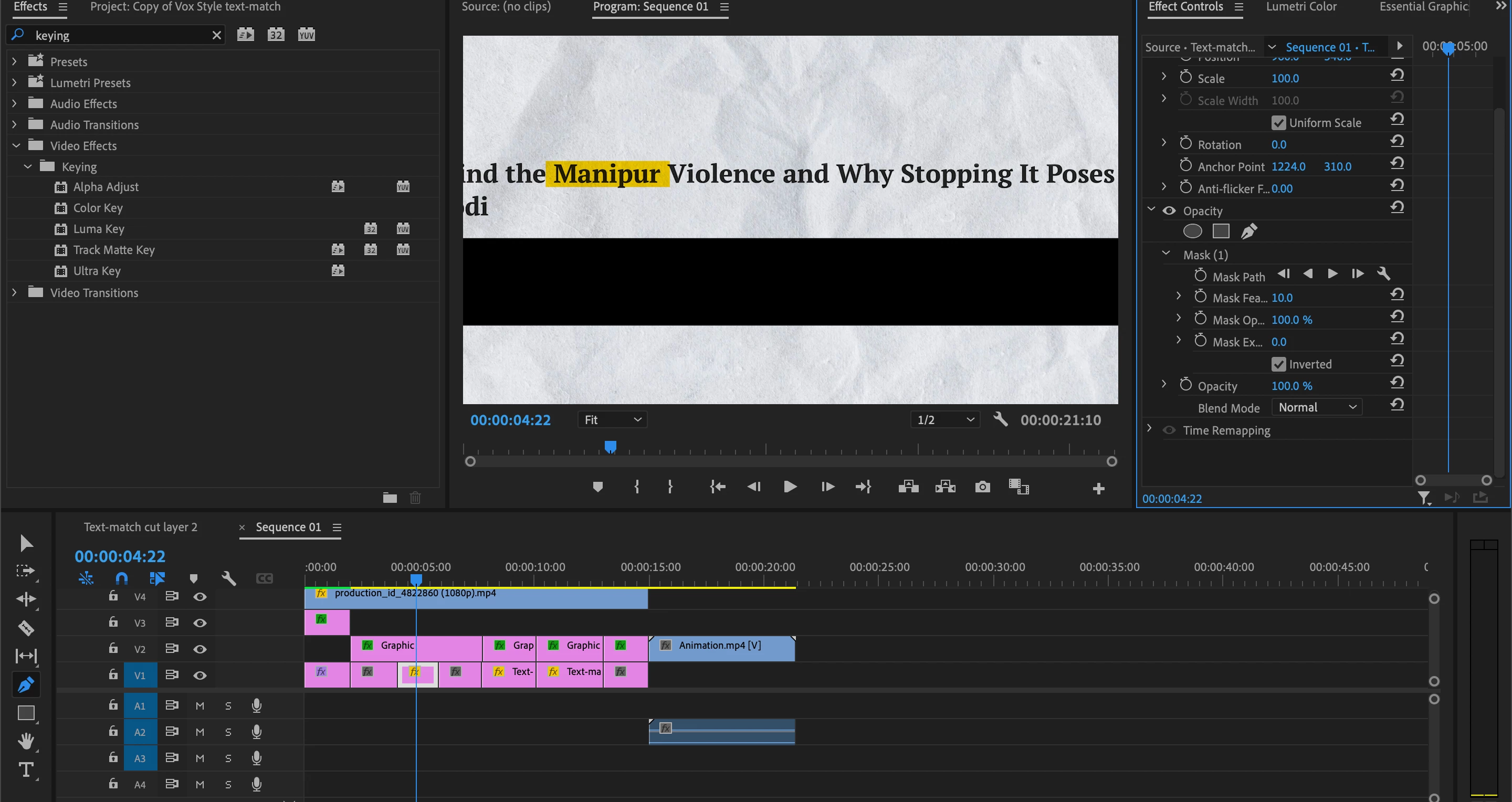
I'm trying to use two masks to hide the two black rectangles above and below the text.
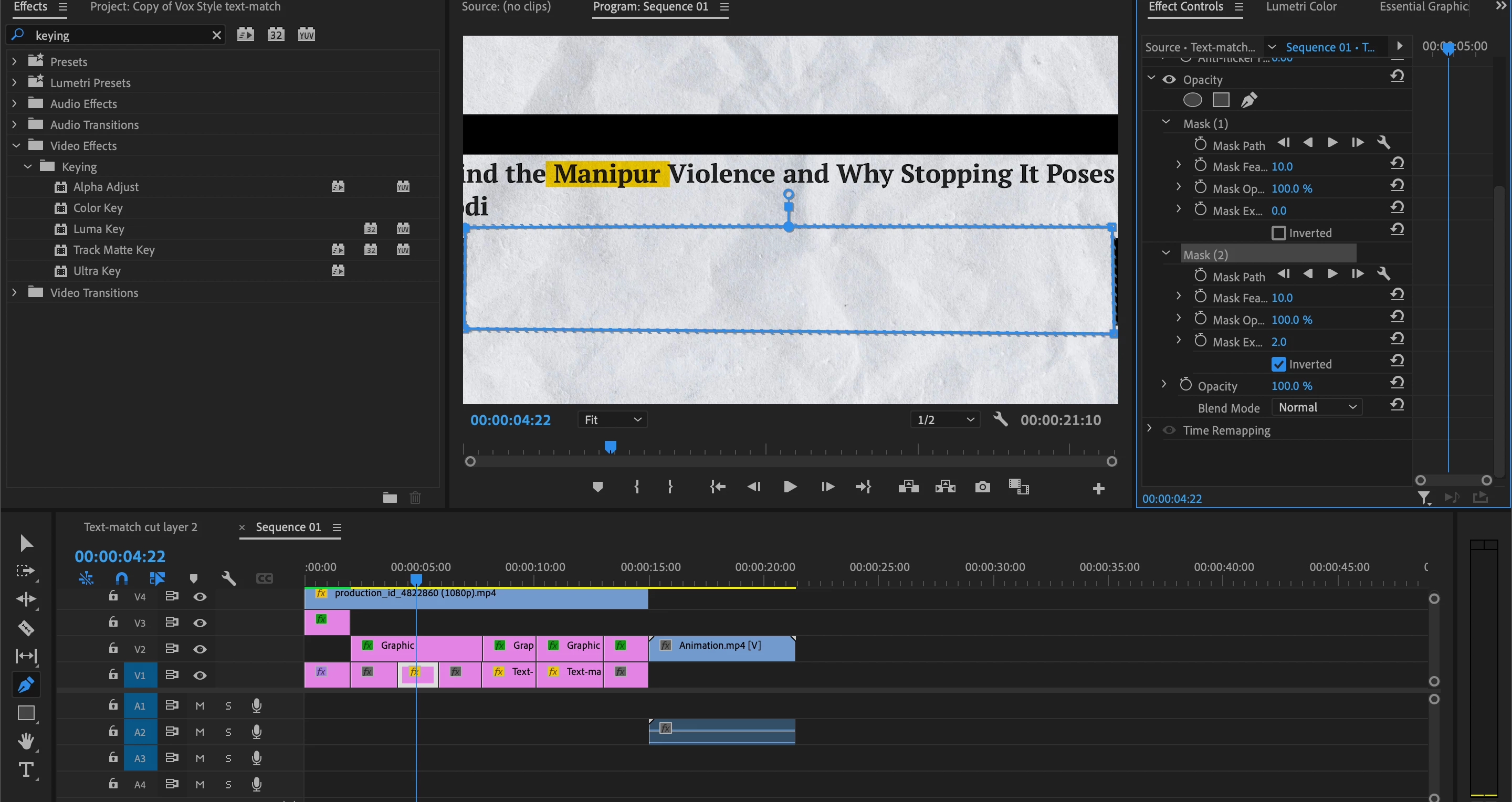
I used the pen tool to create a mask path(Mask1) and it did its job. But when, on the same clip, I use the pen tool to create another mask(Mask 2) for the black rectangle below then instead of masking the area, Mask 1 comes undone and selecting and deselecting the invert mask option either makes the other masked area visible or hides the text.
Can't one layer have more than one mask? And what is the correct way to use them to have the desired effect?
Thanks
 AdChoices