
Cobra
Inspiring
January 28, 2022
Answered

Moving a clip to another position overwrites other audio clips although there are other empty slots

  • January 28, 2022
  • 2 replies
  • 831 views

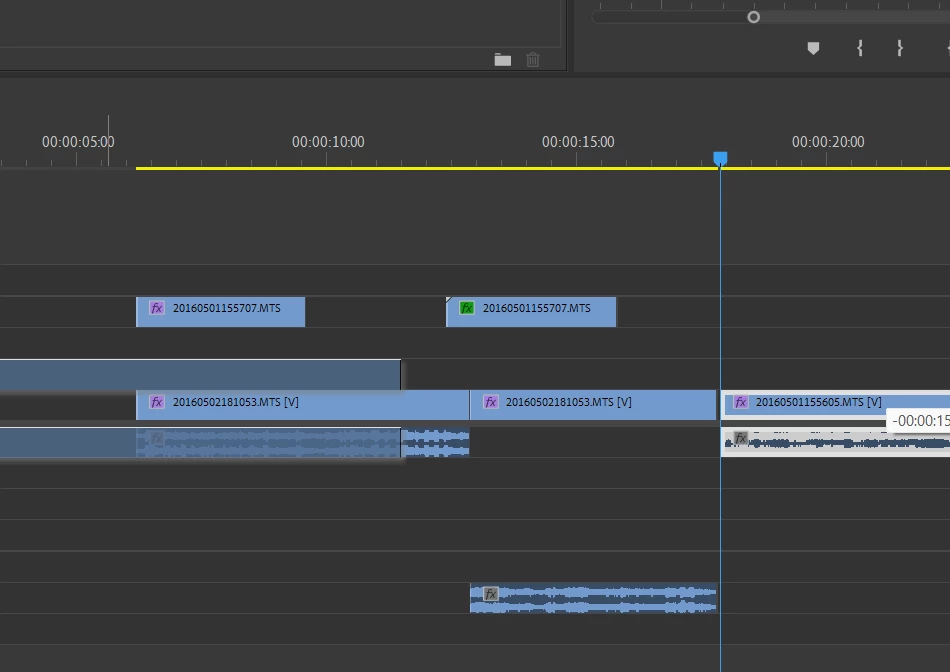
When I am moving a clip to another position, Premiere Pro in a weird way it does not fill up the empty spots that are available in other tracks and decides to place the audio track on top of already accupied space. Is there any option to avoid this behaviour? I tried moving it around in different video tracks but the audio track is uncontrollable and goes wherever it wants overlapping other audio clips. 


This topic has been closed for replies.

2 replies

R Neil Haugen
Legend
January 28, 2022

Premiere has no way of knowing what you want done, other than as Peru Bob's reply notes, using the Track targeting.


Many users of course have tracks set as say 1-3 are dialogue, 4-5 ambiance, 6-9 fx, 10 music, something like that. With track-based effects and mixing. They would NEVER EVER want Premiere to change the track a clip's sound is on, of course.


So ... it's largely this way because of user preference.


Neil

Everyone's mileage always varies ...