
Question
Moving multiple clips from multiple tracks into one track automatically
Hello,
Does anyone know how can I move multiple clips from multiple tracks into only one track automatically?
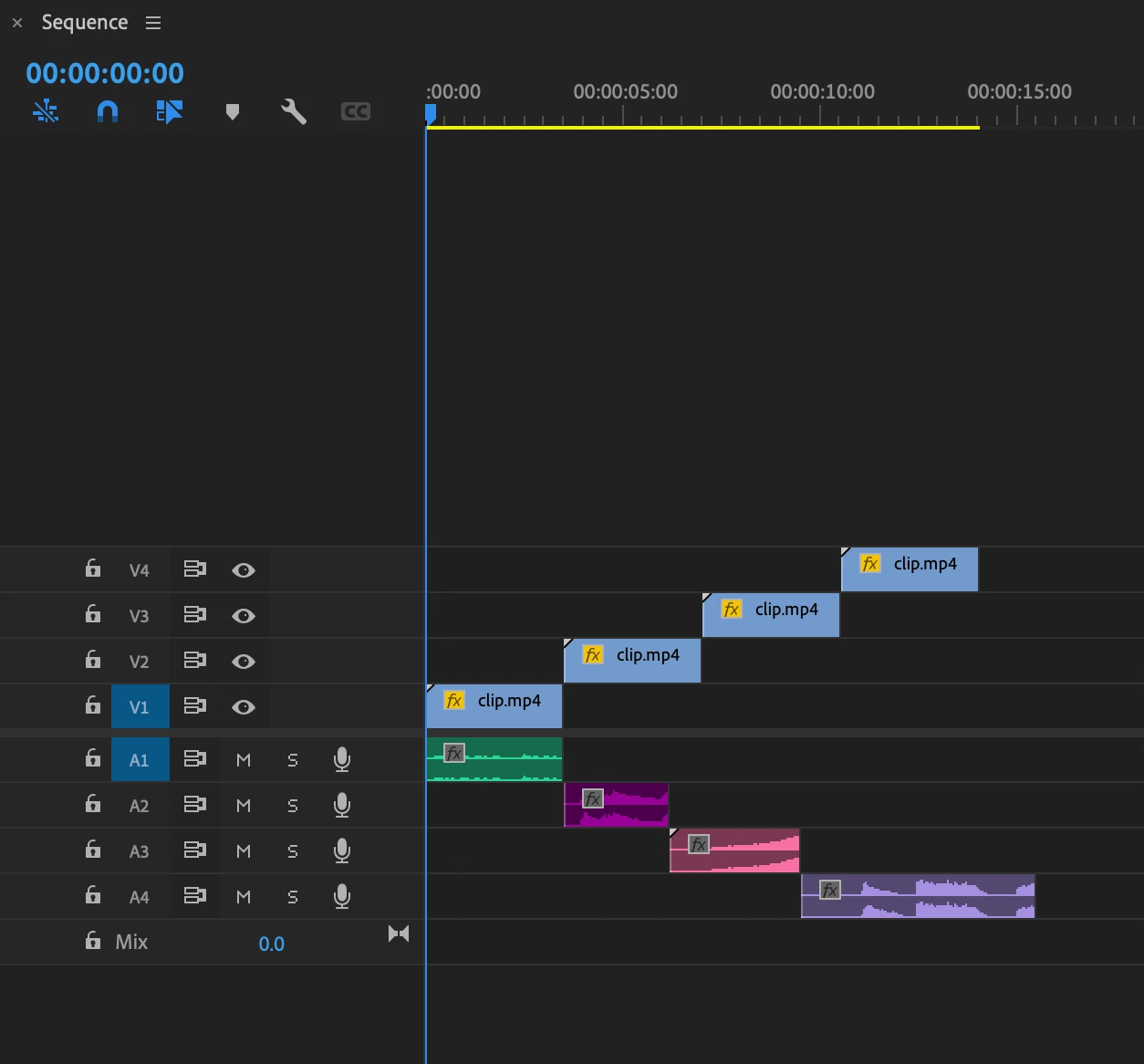
I'm on a Mac and, for example, in this timeline I'd like to have all the audio clips in the A1 track and all the video clips in the V1 track. I know I can drag the clips with the mouse or use ALT + arrow up/down, which is fine for a situation with just a few clips, but how can I move many clips at once to one track? Does something like selecting all the clips at once and choosing 'move all clips to track A1/V1 exist somewhere inside Premiere?
 AdChoices