
Participant
October 31, 2023
Question

MP4 dont have an audio attached

  • October 31, 2023
  • 3 replies
  • 430 views

Whenever i upload a file into the project it doesnt add the audio. It's an mp4 and I checked if there was sound before i uploaded it to premiere pro

.
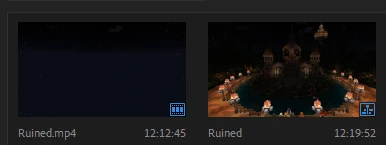
 

I've tried to clear the cache but that didn't work.
Any ideas?

This topic has been closed for replies.

3 replies

Ann Bens
Community Expert
Community Expert
October 31, 2023

Most likely, the file uses an audio codec Premiere does not understand.

Convert with Handbrake or Shutter encoder before importing (not uploading) into Premiere.

Participant
October 31, 2023

Not sure what these programs are

Community Expert
October 31, 2023

Could you open the file using the MediaInfo program and post a screenshot of the results in Tree view.

Kevin-Monahan
Community Manager
Community Manager
October 31, 2023

Hi @Mick279948399q64,

Here you go. This should solve your issue: https://community.adobe.com/t5/premiere-pro-discussions/can-t-drag-video-into-timeline-premiere-cc/m-p/6000512

It's called Source Patching. Let us know if it works for you.

Thanks,
Kevin

Kevin Monahan - Sr. Community and Engagement Strategist – Adobe Pro Video and Audio
Participant
October 31, 2023

No, my mp4 files dont have any audio when they are imported into premiere pro. As in, they dont show any audio icon either.

Kevin-Monahan
Community Manager
Community Manager
October 31, 2023

Hi @Mick279948399q64,

Got it. You're having trouble importing the footage, not editing it to the Timeline. Thanks for the correction. Which camera shot this footage? Let me know. That would be helpful info. A screenshot of the clip properties might help. Right-click > Properties. Do you have info on your CPU, GPU, RAM? Sequence Settings? I hope to help you with more info.


Thanks,
Kevin

Kevin Monahan - Sr. Community and Engagement Strategist – Adobe Pro Video and Audio