KShinabery212
Community Expert
Community Expert
March 13, 2022
Question

MSVCP110.dll missing....

  • March 13, 2022
  • 1 reply
  • 948 views

Today, I streamed how to edit using Adobe Premiere Rush on Behance Live.


I left Rush open and came back a few hours later.... and suddenly my computer began acting funny.

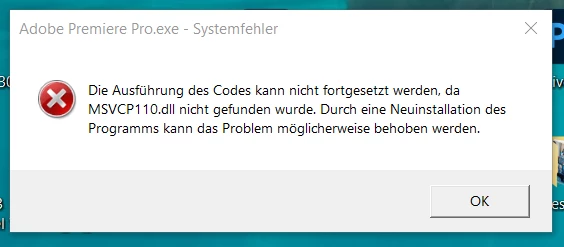
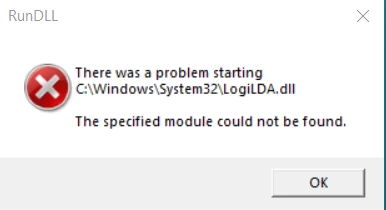
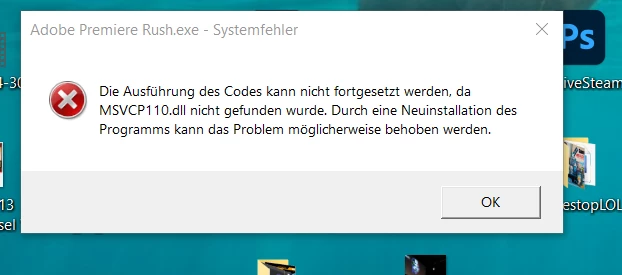
Now Premiere Pro and Premiere Rush are no longer working. 

I am getting these messages.


How can I fix this????


I need to edit the videos... but it seems all the solutions online are over my head. I did try to reinstall Premiere Pro and nothing changed.  I still see the MSVCP110.dll when I do a search.  So, how do I fix this????
 

This topic has been closed for replies.

1 reply

Ann Bens
Community Expert
Community Expert
March 14, 2022

Really? Posted the answer a dozen times: Its a windows issue.


Install!!

Latest supported Visual C++ Redistributable downloads | Microsoft Docs

then re-install Premiere.

KShinabery212
Community Expert
Community Expert
March 14, 2022

I figured it out.  The solution to the problem is simpler.


I have the latest version of Visual C++.  But it can easily be damaged.


You have to look up all the C++ files.  There are a few.  Then you need to click the MODIFY button.  This allows you to repair the files.  Once you have done this to all the files... you then need to restart your computer.


There is no need to reinstall Premiere Pro or Rush.  Once you restart your computer the fix should correct everything.


Let's connect on LinkedIn. https://www.linkedin.com/in/kshinabery/
Ann Bens
Community Expert
Community Expert
March 14, 2022

I think that solution is also posted on the forum.