
Inspiring
April 30, 2025
Answered

Multi-cam audio tracks like video tracks?

  • April 30, 2025
  • 1 reply
  • 272 views

Hi there, I am sure way back in the day I was able to enable multi-cam and switch between Camera 1,2,3, etc. AND independently be able to switch between Audio Track 1, 2, 3, etc.).  It's very possible I'm crazy, but I am sure I was able to switch between audio just like video, but I only have [1] as the audio option.
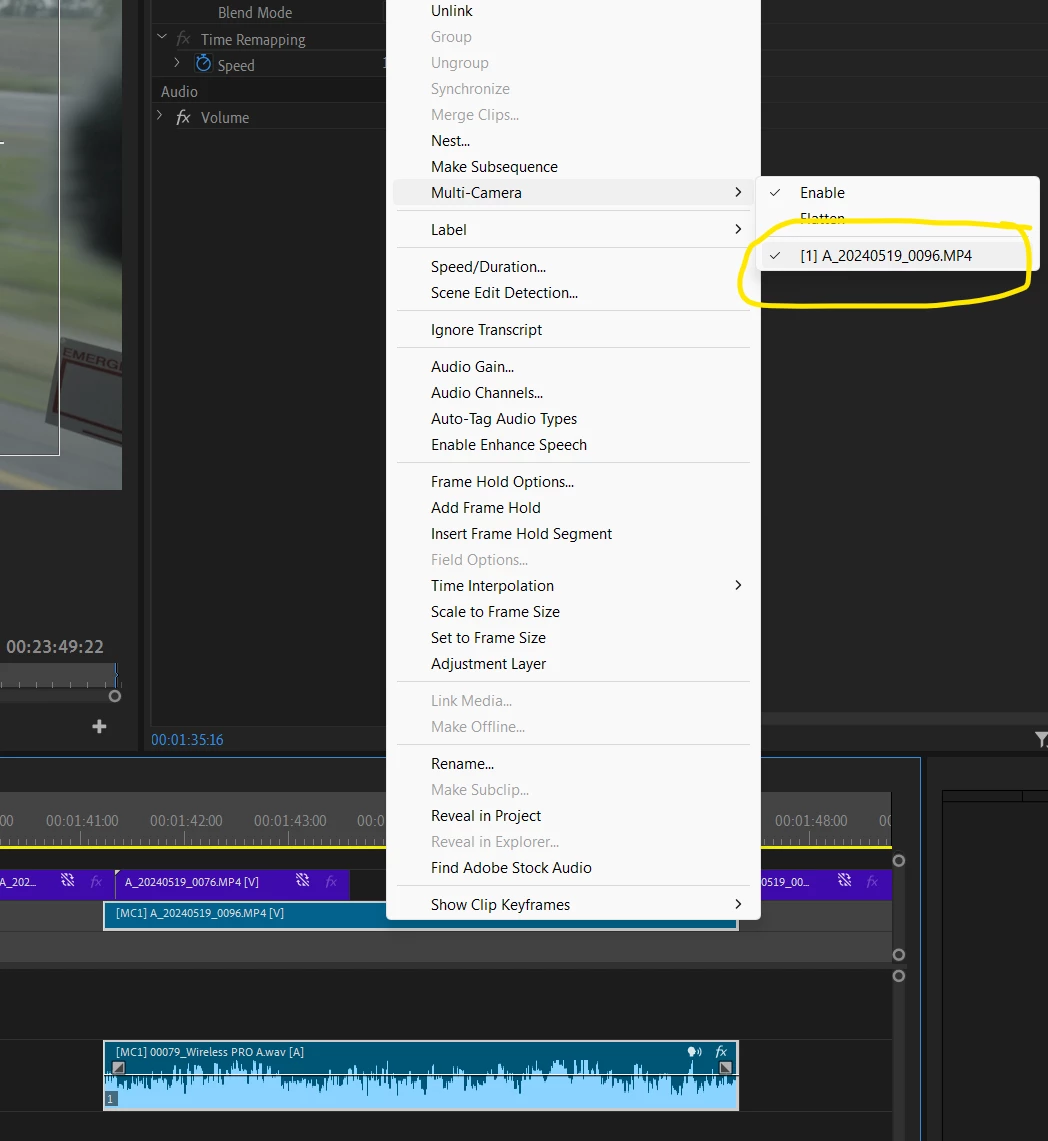
 

I know there are ways to get all audio tracks from the multi-cam sequence into the new sequence, but I can't keep them linked and so when there are multiple different interviews, getting out of sync is very easy.


I'm going through the premierepro.net multi-cam page now, so I might figure it out.  But if you know what I'm talking about, I sure would appreciate some input.

Thanks!

Correct answer Stephen.Pickering

Hi Kevin, I believe we found that you can only select different audio tracks IF you ALSO have multiple video tracks.  So, adding an additional video track (even if it's empty) in the nested/layered video then allowed us to select different audio tracks.

1 reply

Kevin-Monahan
Community Manager
Community Manager
April 30, 2025

Hi Stephen,

Thanks for the message. Please let me know if this discussion answers your question: https://adobe.ly/4jVb51D


Let me know if it does.


Cheers,
Kevin


Kevin Monahan - Sr. Community and Engagement Strategist – Adobe Pro Video and Audio
Stephen.PickeringAuthorCorrect answer
Inspiring
May 29, 2025

Hi Kevin, I believe we found that you can only select different audio tracks IF you ALSO have multiple video tracks.  So, adding an additional video track (even if it's empty) in the nested/layered video then allowed us to select different audio tracks.