Participant
October 17, 2023
Answered
Multi-camera view only shows one camera
- October 17, 2023
- 2 replies
- 4259 views

 Hello @Trenton Gauthier, AIA,
I see you're having trouble setting up your multi-camera edit.
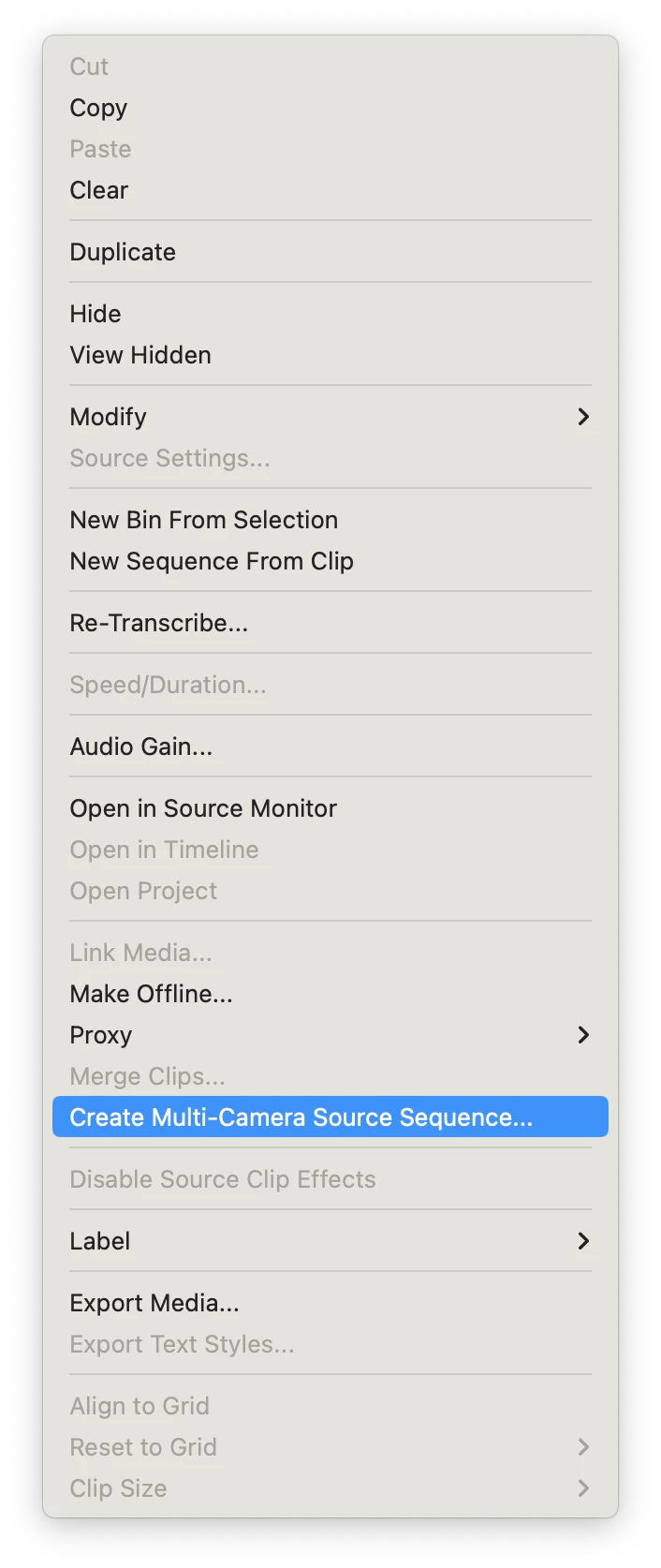
Try this: right-click on the sequence and choose "Create Multi-Camera Source Sequence." Then the sequence should open in the Timeline ready for your edit.
Please also make sure to click the Settings (wrench) icon in the Program Monitor and choose "Multi-Camera."
You can then edit your multi-camera sequence.
I hope that solves the issue for you.
Thanks,
Kevin
Thank you for the response. Your instructions replicate the steps that I had already taken to arrive where I was. However, I was able to work through to an editable multi-cam view by:
1) Deleting my existing standard sequence that was open in the timeline
2) Reruning the Create Multi-Camera Source Sequence command on my "Processed Clips" folder
3) With nothing loaded in the timeline, dragging the new XXX.mp4multicam sequence on to the blank space where the timeline previously was.
From this, I conclude that multicam sequence nesting on the timeline has changed. The most obvious approach (which no longer works) is to open a project, create a multicam sequence, and then drop it onto the default sequence that's already open. Instead, users should delete the default sequence using the pancake menu next to the sequence name in the timeline viewer and then drag the multicam sequence into the resulting blank space.
Already have an account? Login
Enter your E-mail address. We'll send you an e-mail with instructions to reset your password.
 AdChoices