
Multiple colors keying
Hi,
I'm pretty new here, i had a look around and i can't seem to find the solution to my problem.. although it seems logically not impossible (excuse my bad english 🙂 ).
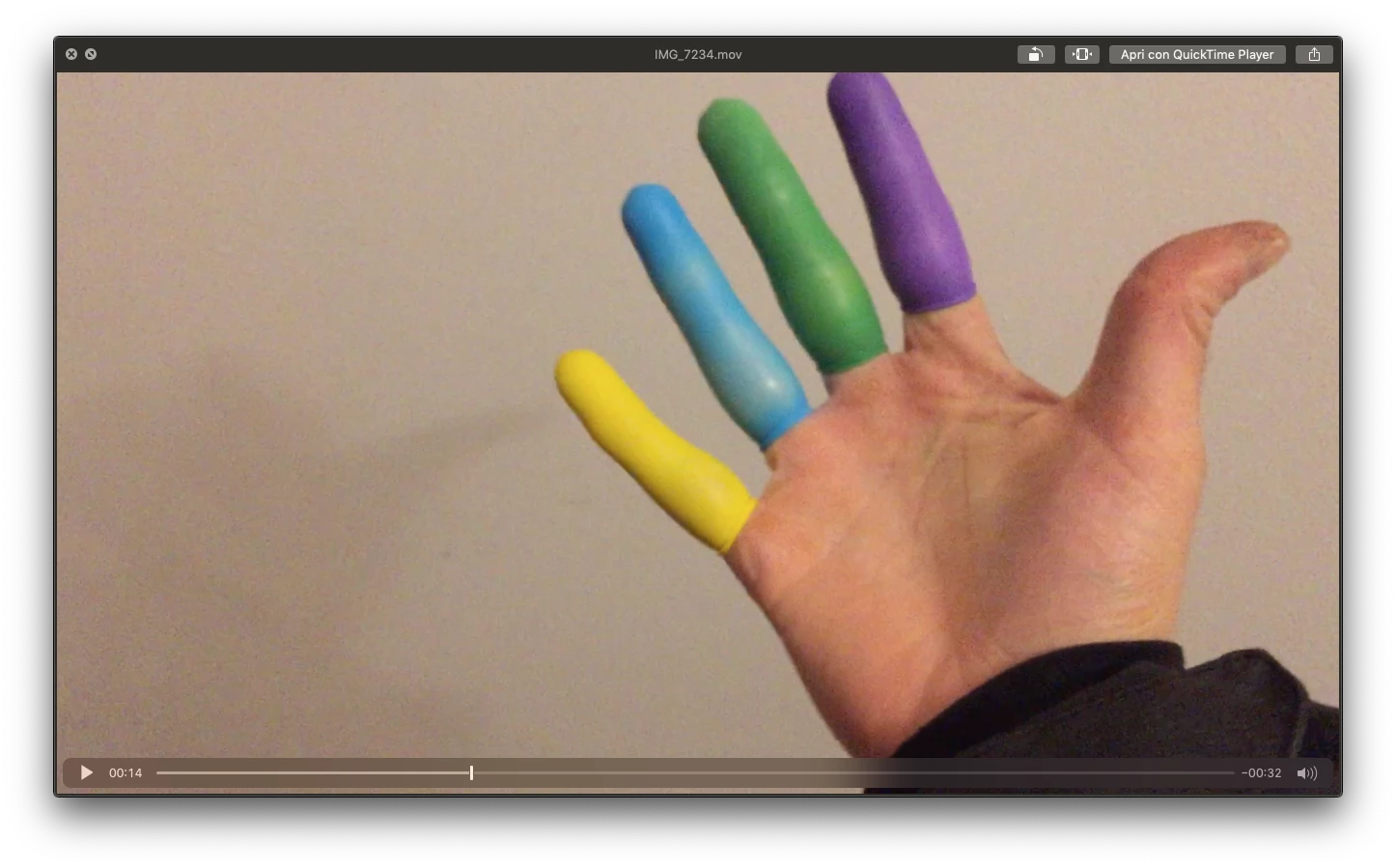
So my aim is to key out different colors in a video i shot and replace them with different images/video (have a look at the frame of the video down here)... the half-solution i found was to key out a color (just like you do for a normal green screen), NEST the scene and proceed to keying out another color, NEST the scene and so on.. the main problem is that the second-third-fourth keying will effect also the all the previous SUBSTITUTED colors/scenes, this way i'm allowed to put, say, into the pinky only yellow images, in the ring finger only blue images etc... otherwise the keying screws up everything... I hope that's understandable!
The only way around it i can think of, is to find a blend mode that's kind of "TRANSPARENCY TO COLOR" (if such a thing exists) and put the layers ON TOP of the main scene and make each one fo them "VISIBLE only to a certain color" of the background (which would be the main scene)...
I'm really going with the logic here.. i hope my question is understandable and i hope the solution exists!
thanks again
Massimo
:
 AdChoices