
laurah96986742
Participant
January 4, 2018
Question

My audio is present visually, but is mute when I put other audio clip over?

  • January 4, 2018
  • 1 reply
  • 490 views

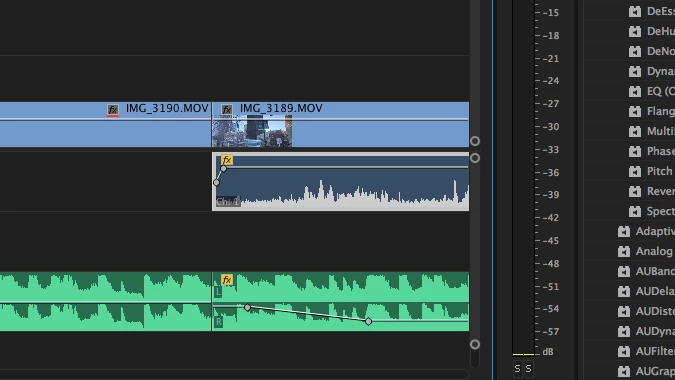
I want to have two audio clips going at the same time- one as background music (audio 2), and the other (audio 1) as audio from clips of me talking. When I fade out of audio 2, audio 1 has no sound at all. I've tried adjusting the volume levels for both 2 is at the softer level like I selected, but I cannot hear audio 1 still. Help?

I've inserted a screenshot of how my workspace looks. Audio one is still present but making no sound. Audio 2 lowered in volume like I wanted.
    This topic has been closed for replies.

    1 reply

    R Neil Haugen
    Legend
    January 4, 2018

    We need to see the left end of the sequence, the control block. Have you set one for mute or solo? Or is one of the tracks disabled?

    Past that, is there a track mixing or routing setting you've made?

    Neil

    Everyone's mileage always varies ...
    laurah96986742
    Participant
    January 5, 2018

    Neil, here's a look at more of my workspace. Any ideas?

    Legend
    January 13, 2018

    I am still! Any ideas? As I mentioned before, this is my very first project so I apologize for the silly questions.


    What camera was used to record the footage of you talking?

    What operating system and version are you using?