
Participant
April 30, 2020
Answered

My project wont load, timeline is blank, program blank

  • April 30, 2020
  • 1 reply
  • 4420 views

after opening a project, the bar at the bottom says (All media loaded.) and it is the correct media.

yet my timeline, program, media browser, effect controls, etc. are all blank
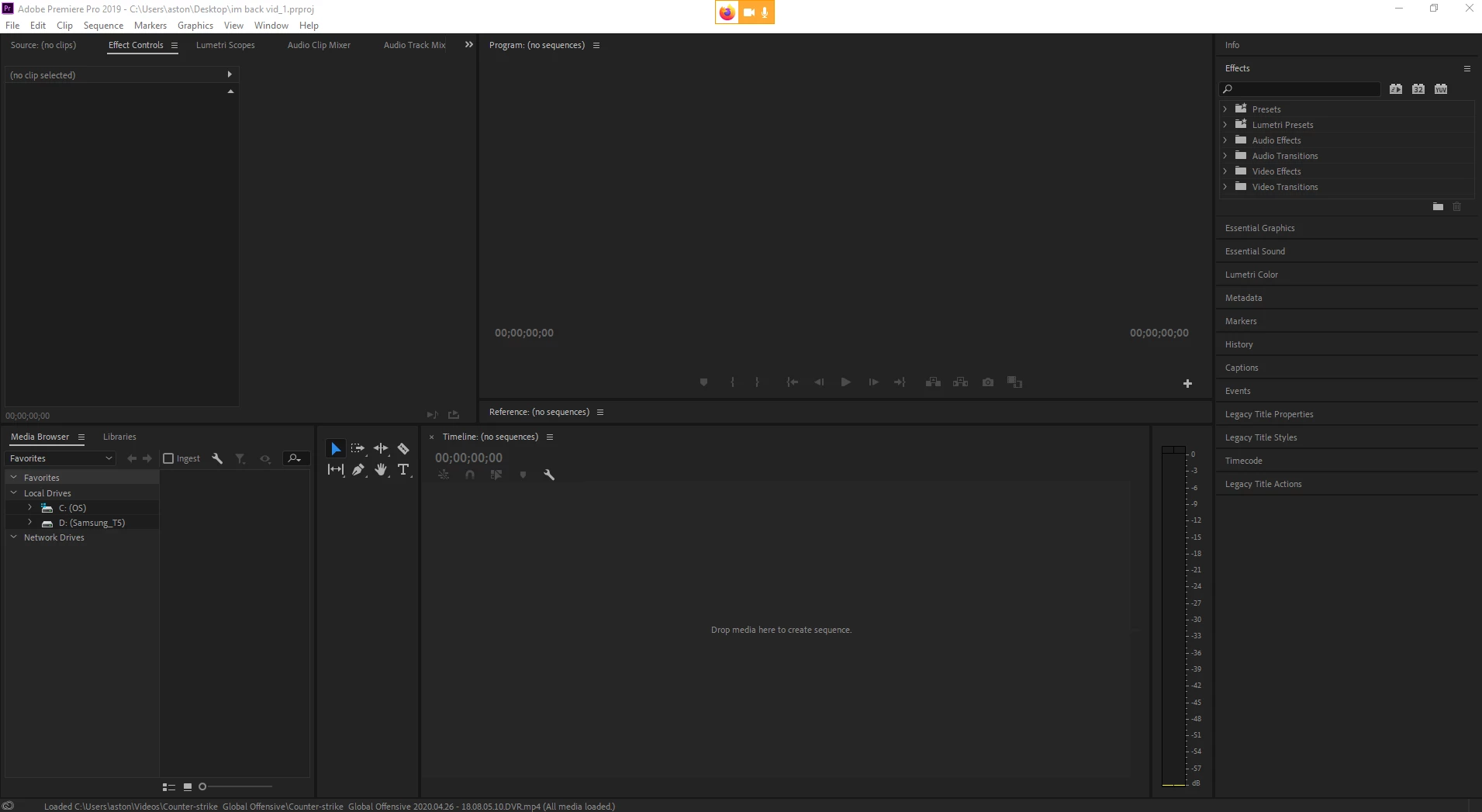
my file was working yesterday but not today, i can attach a gif of me trying to open the file if needed

please help
This topic has been closed for replies.
Correct answer Ann Bens

1 reply

Community Expert
April 30, 2020

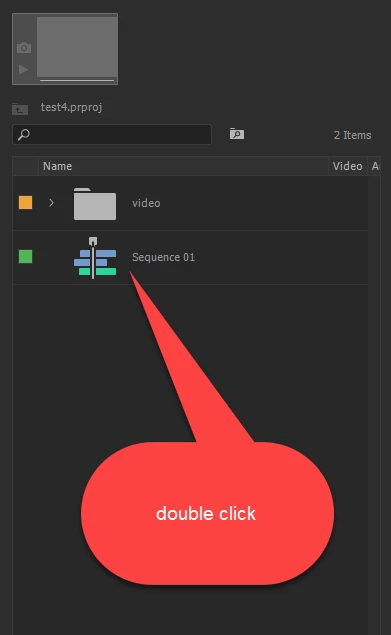
Open your Project Panel (pic below) and hopefully you'll see your media and sequences inside of there. You can reopen your sequence and continue working.


juceeAuthor
Participant
May 1, 2020

hey thanks for the help, but this did not fix my issue

nothing is still in my timeline, i had worked on this before and all the clips and captions and such were layed out how i wanted, but now it seems they are all dumped in my project but not in my timeline.

Participant
November 11, 2020

Hello @Phillip Harvey I'm having the same isue here, I did everything (enabled the project panel, check the auto saving files) ... but stil can't see anything in my project panel, it's empty. (see the image attached). What am I missing here?


Regarding the auto saving preferences: the project is saved under adobe Creative Cloud, the auto saving preferences is/was activated but not the save backup project to Creative Cloud. Is that why there's no backup saved?


I noticed the lock icon on the project name in the project panel... what is this? 🙂