
angelosk43387871
Participant
October 13, 2018
Answered

NEED HELP ASAP! Video won't show up on preview screen!!

  • October 13, 2018
  • 3 replies
  • 2703 views

Hello!

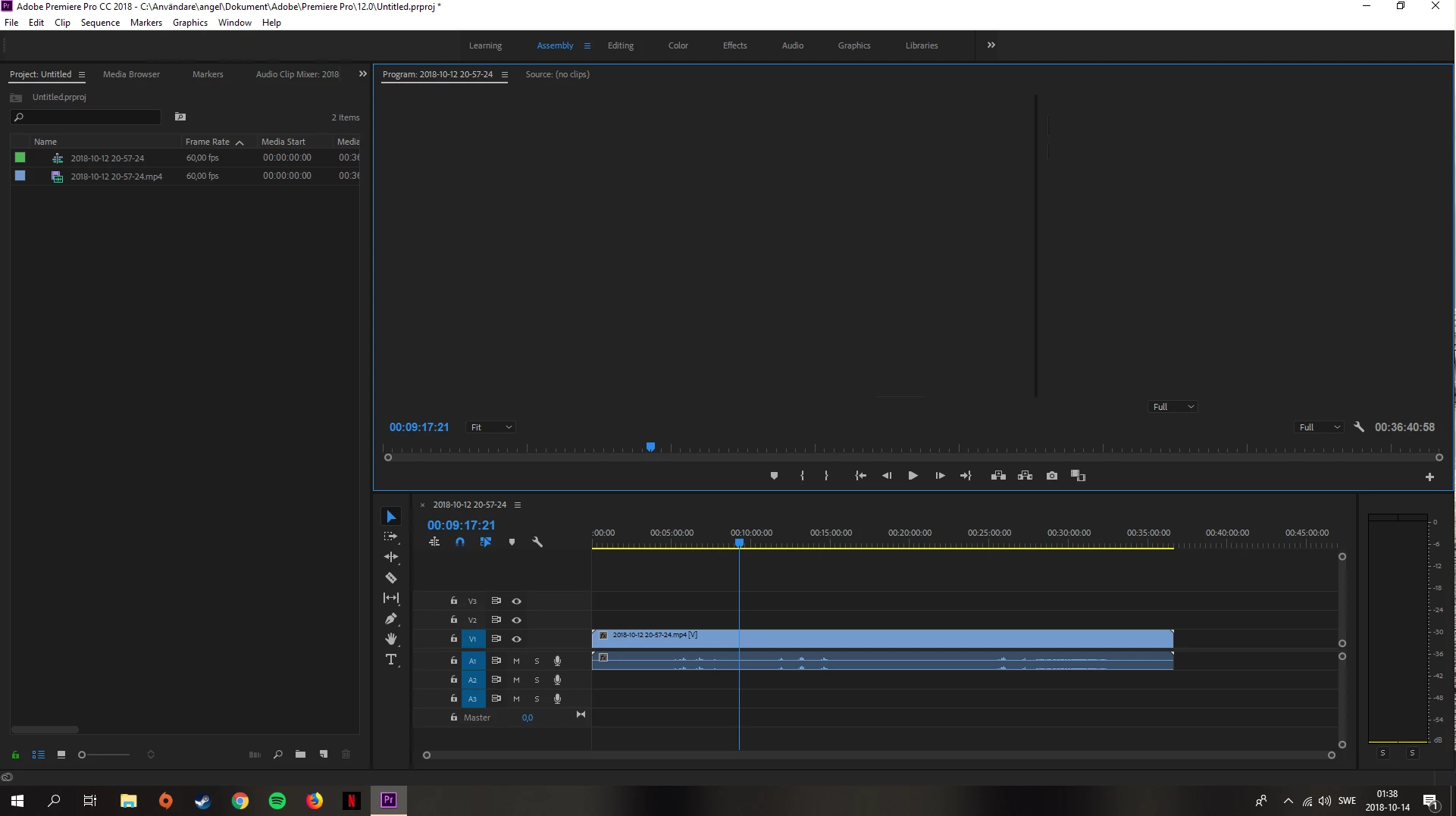
So yesterday I updated my drivers using nvidia geforce experience and today when I tried to edit a video of mine the video and sound got imported to premiere pro successfully but then they won't show up on the preview screen! I get no error message but when i press "play" the time on the timeline doesn't change but I can hear the sound of the video. I even tried adding an older video that earlier worked but now even that won't show up. I need help as soon as possible as I need to edit this video before monday.

My setup:

Intel core i7 (8th gen)

Nvidia Geforce 1070

16GB DDR 4

(Everything is fully updated)

Is it because of the updated graphical drivers? it only happens when I use premiere pro which i think is weird.

// Angelos
This topic has been closed for replies.
Correct answer angelosk43387871

So for me the solution was that I need to use the premiere pro program on my primary screen, then it works just fine!

3 replies

angelosk43387871
angelosk43387871AuthorCorrect answer
Participant
October 19, 2018

So for me the solution was that I need to use the premiere pro program on my primary screen, then it works just fine!

Participant
October 21, 2018

That's not a real solution. You CAN use the program monitor without any problems on your second screen, the only thing you have to do is to deinstall those useless apps installed by the VGA driver i described above.

Participant
October 15, 2018

Solved. Just need to deinstall Sonic Radar and Sonic Studio (some kind of gamer crap included in the nvidia update).

Ann Bens
Community Expert
Community Expert
October 16, 2018

I am surprised: Sonic radar and studio are installed by asus and they are for audio.

Participant
October 18, 2018
John T Smith
Community Expert
Community Expert
October 13, 2018

Since you say the problem started after you updated your driver, it seems clear that you need to go back a version or two from the nVidia site

angelosk43387871
Participant
October 14, 2018

I tried going back to the old drivers now and it didn't work, still have the same problem.

Inspiring
October 14, 2018

Try going to the menu Window > Workspaces > Reset to Saved Layout.

MtD