Known Participant
November 1, 2021
Question

NEW HGL/ rec709 colour space on new program

  • November 1, 2021
  • 2 replies
  • 1685 views

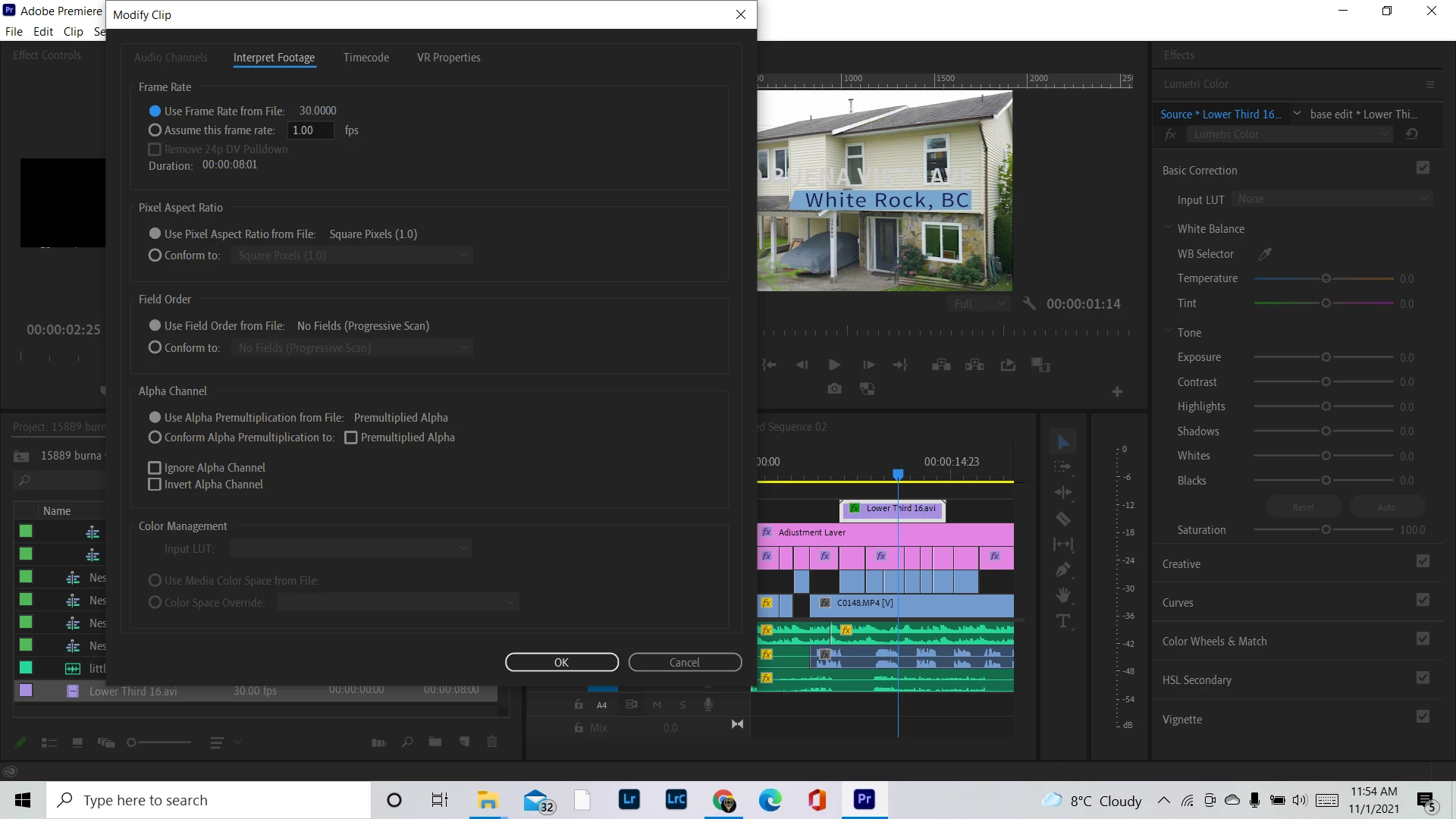
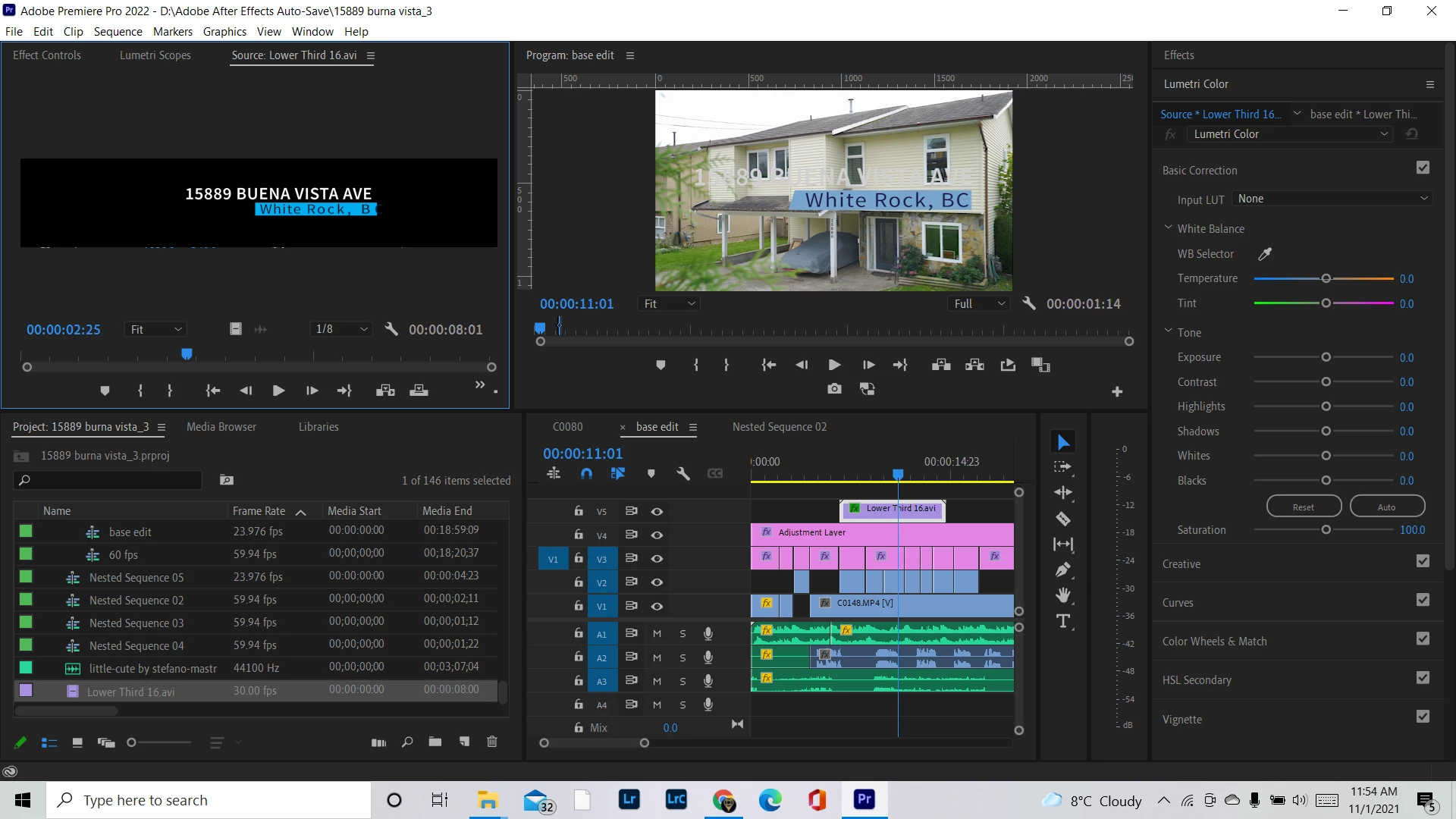
This has been redicouls.... finally i have my timeline looking somewhat close to my normal files by using modify>inturpt footage and changing the colour management and matching my sequence settings colour space to that. BUT my logos and assets that i created in after effects the colours change and don't match clients branding..... Im getting — and Ive been playing with this for hours. 


Photos 


Moderator note: Please do not use profanity here. It is against our community guidelines. We also have minors reading here, so please be mindful of that in the future. Thank you.

This topic has been closed for replies.

2 replies

Known Participant
November 1, 2021

This is the most B******t, went back re exported 10 versions on After effects switching codexs to get the option for rgb+aplha and the option to interput the animation to HGL 2001.... NOW MY LOGO FOR THE COMPANY COLOUR IS ALL MESSED UP AND I DO NOT HAVE THE OPTION TO INTURPT AND COLOUR MANAGEMENT THE LOGOS 


adobe do you see the ISSUE? the colours are not the same 

Legend
November 1, 2021

I have the same problem when I created the project earlier before the v update.22 all colors and contrast coincided with the Premier project. Now I have a color imbalance in the text effects. I suggested to modify or remove this function. It does not work as clearly as we would like. Or the developers did not provide for making such an opportunity in AE. This function is needed where you work with graphics and send it via a dynamic link. There is no such support now. This Modify clip function is adapted only for the Premier Pro environment. Write to the developers to be eliminated.

 And it should be like this:

Known Participant
November 1, 2021

omg i dare you to try to export as a h.264 now... you'll see that the exposure is messed up 

Inspiring
November 1, 2021

@defaultnoq4p56x7655 

Seems like you exported a .AVI from After Effects?


I suppose (based on what I'm seeing), that .AVI files do not support color management in Premiere. Without a profile tag Premiere can recognize, I believe Premiere will treat the clip as Rec709.


In AE: What color space did you edit your motion graphic in? Maybe check to ensure that your working space in AE, as well as any color conversion settings you have setup on export in AE, all match your intended working space in Premiere Pro.

Known Participant
November 1, 2021

Thank you i back tracked and switched it to QuickTime and switched codex to get the rbg+alpha channel to have a transparent background.... all this stuff isn't simple and I've been editing for years now....


BUT now i have clients logos that i pull onto the timeline and the colours are all messed up and there is no option to switch the colour management... wich is a way bigger issue. 

Inspiring
November 1, 2021

@defaultnoq4p56x7655  I think you missed what I was getting at.


Codec aside, more specifically I want you to see what your working color space is in AE (Project Settings), as well as if you have and color management taking place at export (Color Management tab of the Output Module settings). Changing it to QuickTime alone doesn't necessarily change anything with color space.


My point is: if you're in a color managed Rec 709 working space in AE, and exporting a Rec 709 clip, and importing that Rec 709 clip to Premiere Pro, and in a color managed Rec 709 working space in Premiere... everything should look consistent (and of course, assuming you're exporting a Rec 709 clip from Premiere and viewing it back in a Rec 709 playback space after - keeping in mind, not all playback destinations are Rec709).


That's just an example of course though, you know your own production envirionment best. If you're working with HDR footage and deliverables, you will have a slightly different pipeline, but the concepts are still all the same.