Known Participant
June 7, 2024
Question

New Look For Premiere?!

  • June 7, 2024
  • 2 replies
  • 1631 views

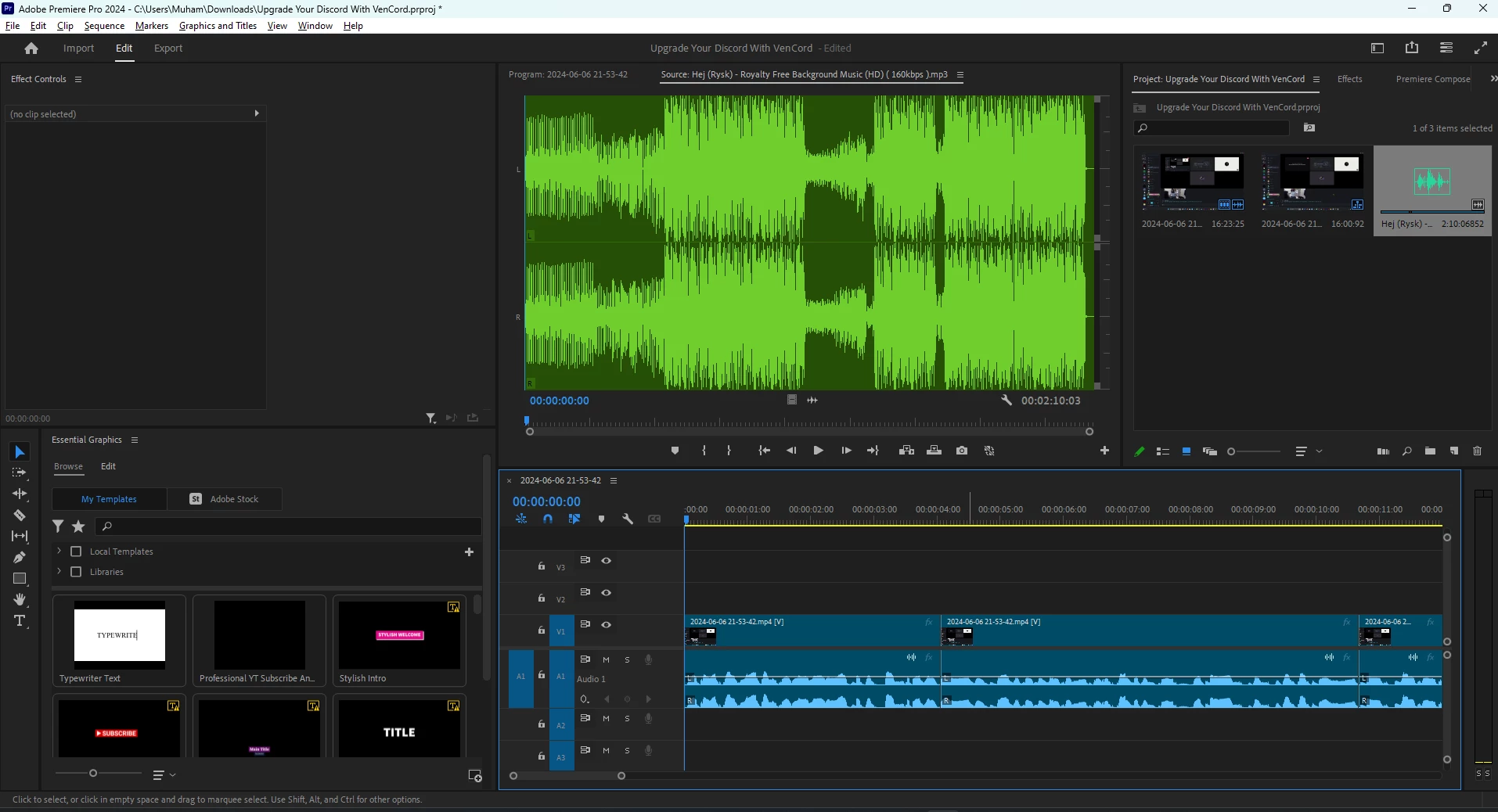
Why Does My Premiere Look Different, Where's The Old Look Of Premiere And Can I Change It? I'm Using Version 24.4.1 Build 2

This topic has been closed for replies.

2 replies

Peter J Kovacs
Inspiring
June 7, 2024

Yes, they did change the label colors. But you can go back to the previous color palette in:

Preferences  -> Labels -> Label Color Presets -> Classic

Imran8519Author
Known Participant
June 7, 2024

Thanks. So ive got the colours back but the timeline clips still look a little weird. As you can see in this image, this was what clips originally look like, and the photo in my post, the clips are the newer ones, do you know how to change that as well. 

Peru Bob
Community Expert
Community Expert
June 7, 2024

What is different that you want to change?

Imran8519Author
Known Participant
June 7, 2024

So the image ive posted (in this reply) was the original clips that i used to use and what it has alwys looked like. The photo in my post is the new one that ive screenshotted. ive got the colours back but the clips still look plain and not what this image has. 👉

Peter J Kovacs
Inspiring
June 7, 2024

Looks like the FX badges are turned off... just click on that little wrench icon to turn it back on: