
Participant
June 7, 2022
Answered

No option to select LOCATION to export

  • June 7, 2022
  • 23 replies
  • 14871 views

Such a funny bug. Adobe Premiere Pro 2022 doesn't show the location path option at all when I am trying to export anything. Not sure where the issue is. 
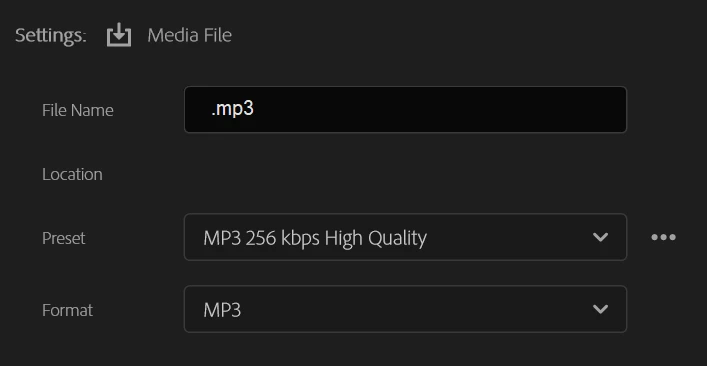


And of course when I click export, I get the following error which is obvious. 
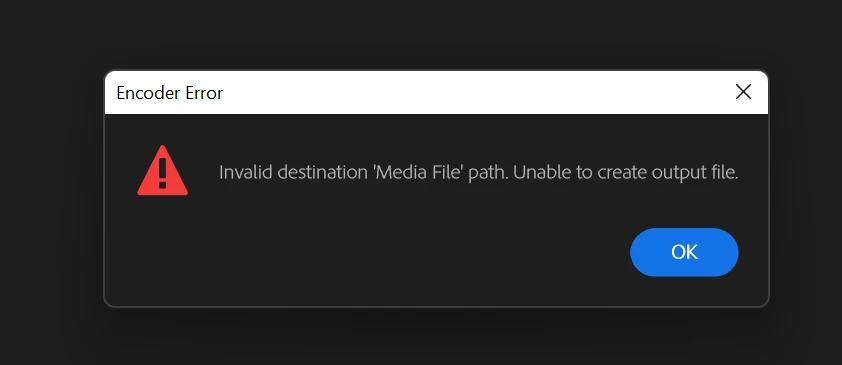
 

Anyone has a solve to this?

Correct answer Ann Bens

Issue has been fixed.


EDIT: this issue has NOT been fixed.

23 replies

Participant
September 21, 2022

Same - it's related to specific sequences. Opening the project on 2022.5 on MacOS and Windows, same problem. Older sequences in same project export fine.

Participant
June 27, 2022

Did you find out how to fix it? I am also having the same issue 😞


Ann Bens
Community Expert
Ann BensCommunity ExpertCorrect answer
Community Expert
June 27, 2022

Issue has been fixed.


EDIT: this issue has NOT been fixed.

Participant
June 27, 2022

I am still experiencing the same issue. So it has not been resolved.

Ann Bens
Community Expert
Community Expert
June 7, 2022

Might not be the cause but the mp3 file does not have a name.

Try:

FAQ: How to reset (trash) preferences.

Participant
June 7, 2022

Even if I type a filename before the .mp3, the location area doesn't show up. 

Tried using multiple export settings, MXF/MP4/MOV/WAV, nothing works. How can I export without selecting the path where I want it to be exported to. 

Ann Bens
Community Expert
Community Expert
June 7, 2022

Ah now i see what you mean: its a known issue. Will be corrected in the near future.

Meanwhile you can use the beta which already has been updated.