
No Premiere Support for RTX 2070
So I have an RTX 2070 with the latest 461.09 driver installed.
I was editing yesterday with that same driver and encountered no issues, however today when I boot up Premiere I'm getting the following error message.
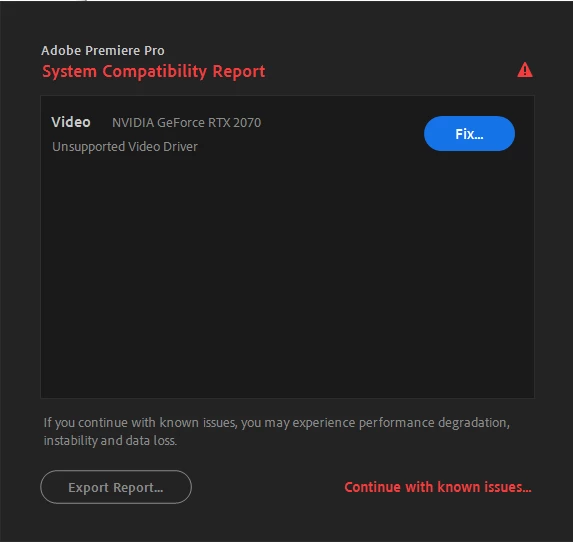
From reading the link I'm sent to from the 'fix' button it seems like Premiere wants me to install the 460.89 driver. But there's also a bunch of advice about creating a system image, which seems pretty complicated and time consuming. I would prefer not to have to do this, for obvious reasons...
I guess my question here, really, is: Do I need to permanently have the old 460.89 driver installed if I want to use premiere? It seems from what I've read that Nvidia isn't going to be releasing drivers for the 2070 that are Premiere compatible, which seems absurd.
Or is there a way for me to just install 460.89 and have my system revert to that while I'm using Premiere, and then pivot back to the updated driver when I want to use this computer for gaming etc. ?
Is the incompatibility message with 461.09 just because this is a pretty new driver / is this actually going to be a real problem for me?
I don't really want to leave my Nvidia drivers permanently un-updated unless it's absolutley necessary to run Premiere.
Anways I know this is a lot of question asking here, but any guidance on the best way to deal with this would be might appreciated.
Thanks folks,
A
 AdChoices