Answered
Not seeing "Delete all media cache" ?
I have Premiere CC 13.1.5 installed and can't see "Delete all media cache"when I go to media cache.
I am opening the program but not a project as per instructions.
Thank you.
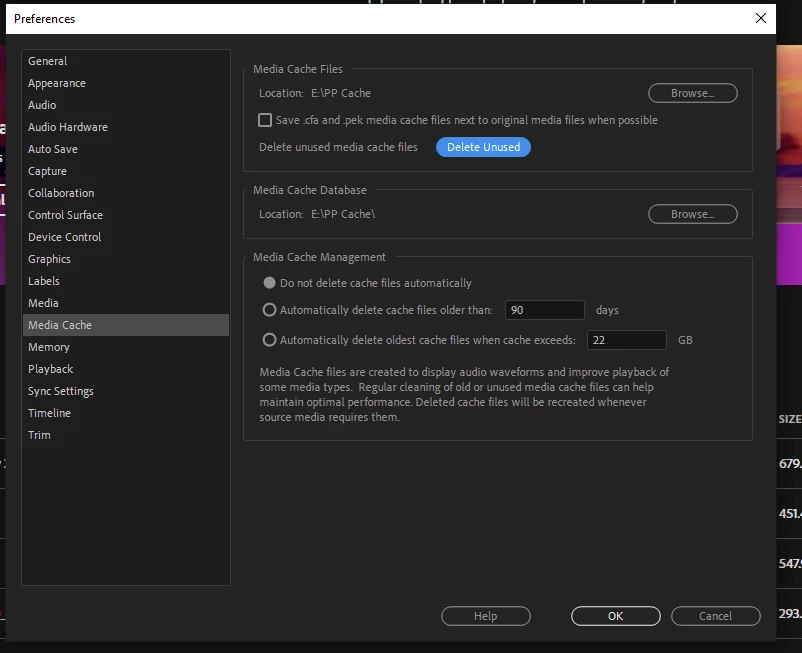

I have Premiere CC 13.1.5 installed and can't see "Delete all media cache"when I go to media cache.
I am opening the program but not a project as per instructions.
Thank you.
I can confirm for you that there is a difference between 2019 and 2020, where 2019 shows 'Delete Unused' versus 2020 shows 'Delete' (and you are subsequently prompted if you want to delete all or unused.)
What I would do is go into your Media Cache folder and delete the files inside there. Have Premeire closed when you do this, and when you re-open it will start to recreating the files.
Already have an account? Login
Enter your E-mail address. We'll send you an e-mail with instructions to reset your password.
 AdChoices