Answered
Nothing in lumetri color window in Premiere Pro CC 2021
When I try to open the lumetri color window in Premiere Pro CC 2021, it shows nothing (see the screen cap below). Can anyone help me to solve this problem?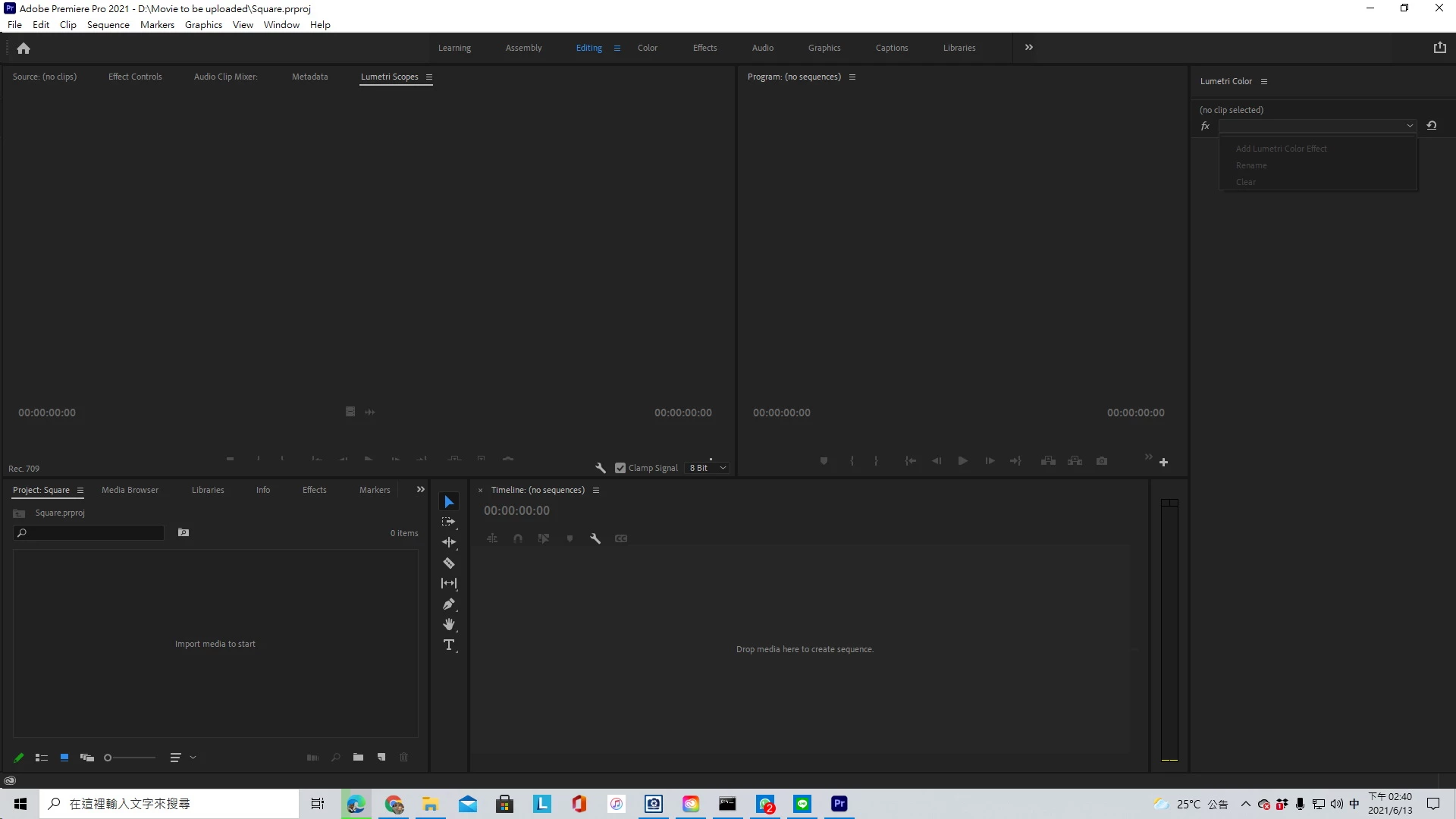

When I try to open the lumetri color window in Premiere Pro CC 2021, it shows nothing (see the screen cap below). Can anyone help me to solve this problem?
Do what it says: select a clip (after you imported media and made a sequence)
Already have an account? Login
Enter your E-mail address. We'll send you an e-mail with instructions to reset your password.
 AdChoices