
Participant
November 15, 2025
Question

Odd GPU Acceleration Bug?

  • November 15, 2025
  • 3 replies
  • 126 views

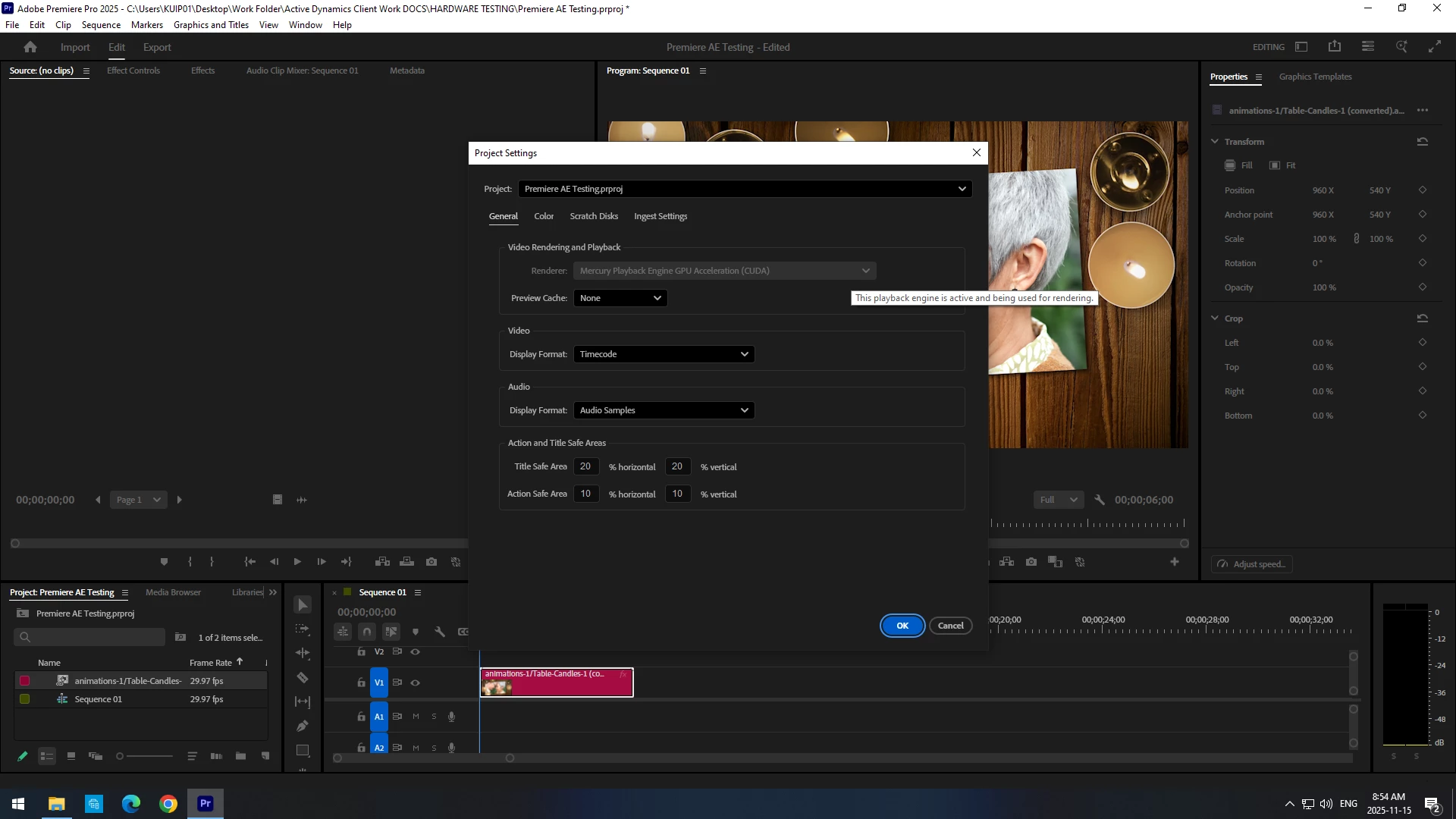
Hello to all. I'm having an odd issue in my Premiere project setting where I cannot select anything for my renderer/playback. The dropdown menu doesn't open at all and the wierd thing is that GPU acceleration is auto selected but greyed out - I can't open the dropdown to select anything...


I don't necessarily have a problem with premiere auto selecting GPU but I'm not positive if my GPU is being utilized in certiain instances. Has anyone seen this issue before? I'm running Version 25.5 and my GPU is a Geforce RTX 4070.


I just need to confirm if my GPU is being utilized correctly or not.
 

    3 replies

    Community Manager
    November 17, 2025

    Hi Erin276063640zrp,


    The option to switch the Renderer is only available on systems that support both CUDA & OpenCL. If your setup includes only NVIDIA GPUs, the CUDA Renderer will be used automatically, & the option to switch will appear greyed out. Please be assured CUDA based Renderer is being used & this simply indicates that no alternative renderer is available. Also, beginning with version 25.2, the option to switch to Mercury Playback Engine Software Only has been removed. Please refer to this link to learn more about it. Let us know if you have any questions.


    Thanks,
    Sumeet

    Ann Bens
    Community Expert
    Community Expert
    November 15, 2025

    No its not odd. Feature has been changed.

    Software rendering update

    Averdahl
    Community Expert
    Community Expert
    November 15, 2025

    Yes, it works as expected. The option to switch between GPU/CPU was removed a while ago but if you hold down the Shift key when you launch Premiere Pro you can disable the GPU there and thus using only CPU when rendering/exporting to test and see if there is any difference.


    Participant
    November 15, 2025

    Thanks, really appreciate the info.