
Inspiring
October 9, 2023
Answered

Only SOME clips not visible in the timeline? Urgent help!

  • October 9, 2023
  • 1 reply
  • 305 views

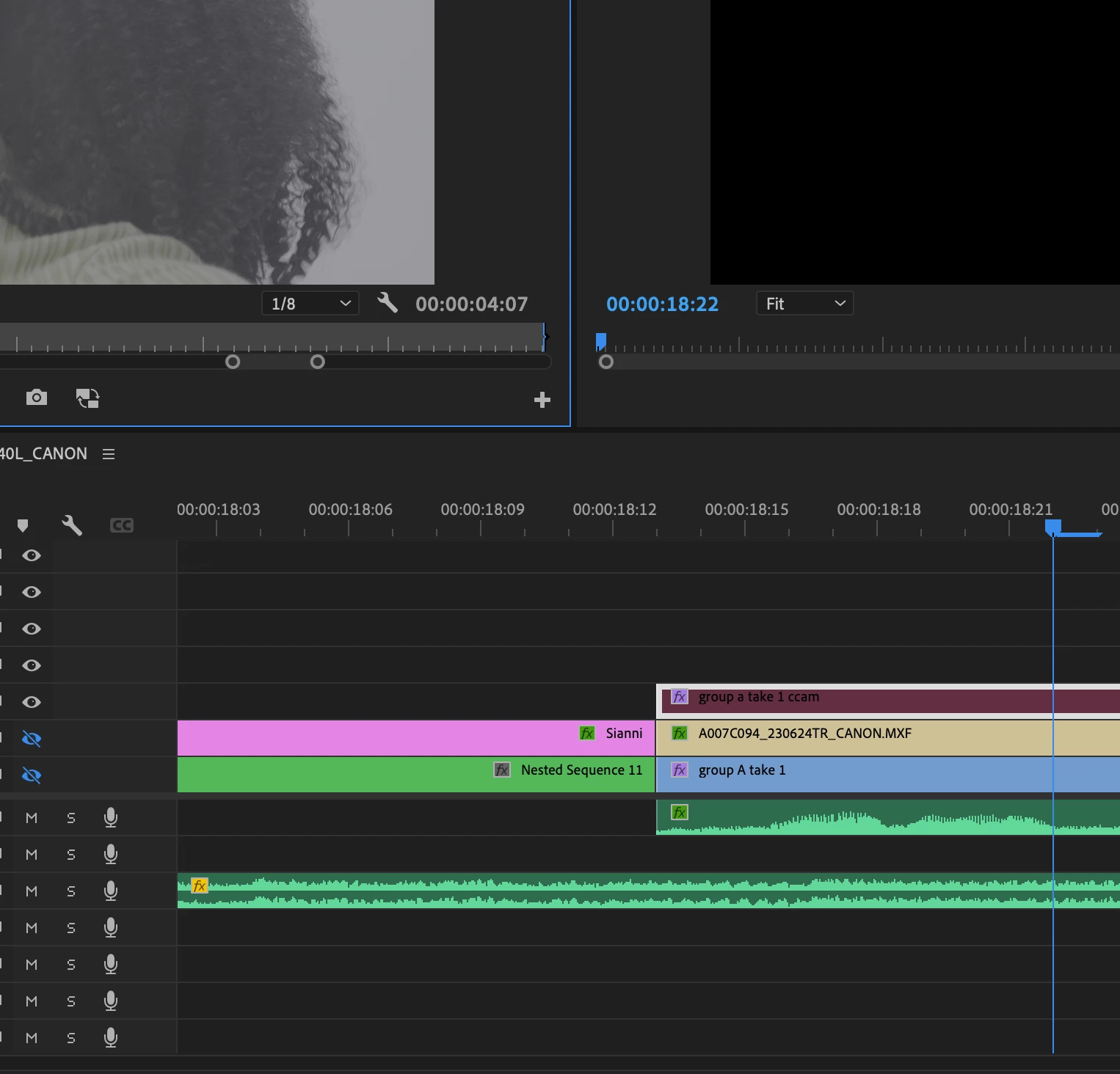
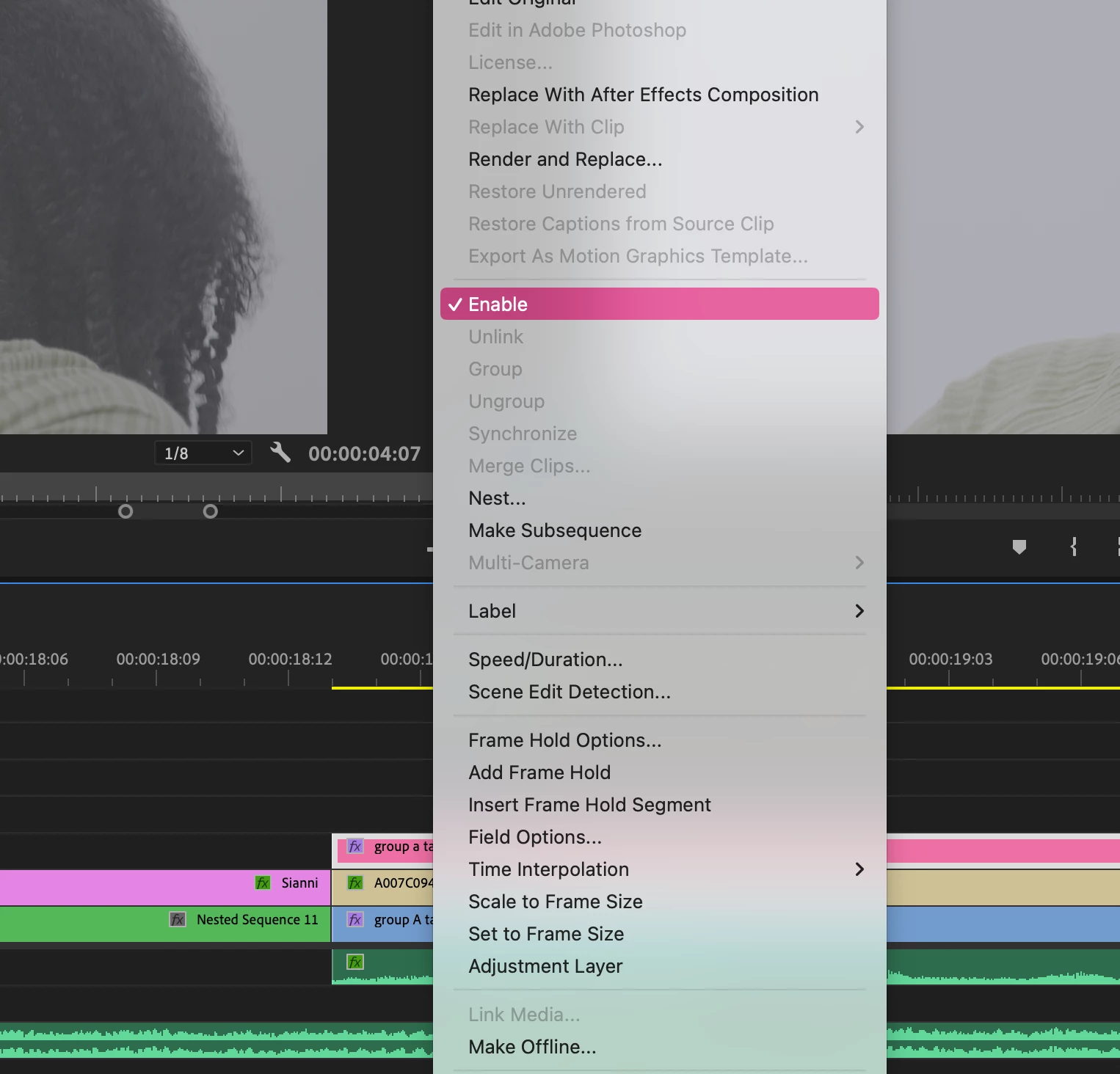
I have several sources, all with linked media and running fine in the project, and all clips are labeled different colors. Except, all throughout the timeline there's a handful of clips that are darker in color, and those clips are not visible when scrubbing the timeline. Does anyone know a quick fix for this? I'm not able to re-link media. In the picture, only the V3 track is visible to isolate this clip (highlighted), yet it's still not appearing and the screen remains black. When double-clicking the clip, the source opens in the source moniter just fine. Am I missing something?
This topic has been closed for replies.
Correct answer Lauryn Kenney

FIXED - I had to go back and toggle "enable" for all the clips individually, this was a shared project so I didn't know they were disabled. I'll keep this up in case it helps someone!

1 reply

Lauryn KenneyAuthorCorrect answer
Inspiring
October 9, 2023

FIXED - I had to go back and toggle "enable" for all the clips individually, this was a shared project so I didn't know they were disabled. I'll keep this up in case it helps someone!

Ann Bens
Community Expert
Community Expert
October 9, 2023

Disabled clips are always have a very dark color in the timeline.