
Participant
June 20, 2025
Question

Opacity Discrepancy

  • June 20, 2025
  • 1 reply
  • 351 views

My coworker and I have the same settings in the Properties panel, but our text background looks very different. Both of these are at 50% opacity. My coworker's captions always come out darker and I can't figure out why! We're having the same issue with drop shadows - his are always much darker than mine. If I open his projects on my computer, they still show darker than mine. Is there some color or graphics setting that is causing this? Please help! Thank you!
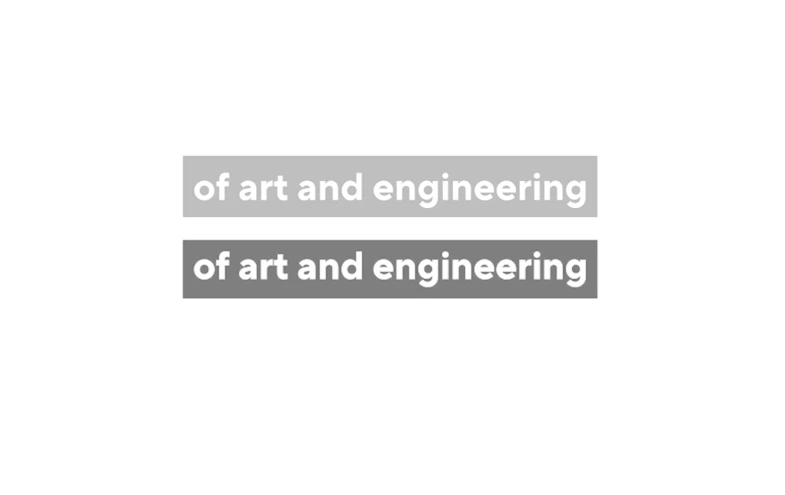
 

1 reply

Community Manager
June 20, 2025

Hi there,


Welcome to the community! For both the projects/sequences, could you please share a screenshot showing the options in the Properties panel & a detailed screenshot of the options under the Window > Lumetri Color > Settings tab? It will help us diagnose the issue properly.


Thanks,

Sumeet

Participant
June 20, 2025

Thank you for helping me. Here are all the settings!

Community Manager
June 20, 2025

Thanks for the details. Have you tried applying the same Linked style that’s applied to your coworker’s text layer to see if it helps?


-Sumeet