
Participant
August 22, 2023
Answered

Opacity not working?

  • August 22, 2023
  • 3 replies
  • 6003 views

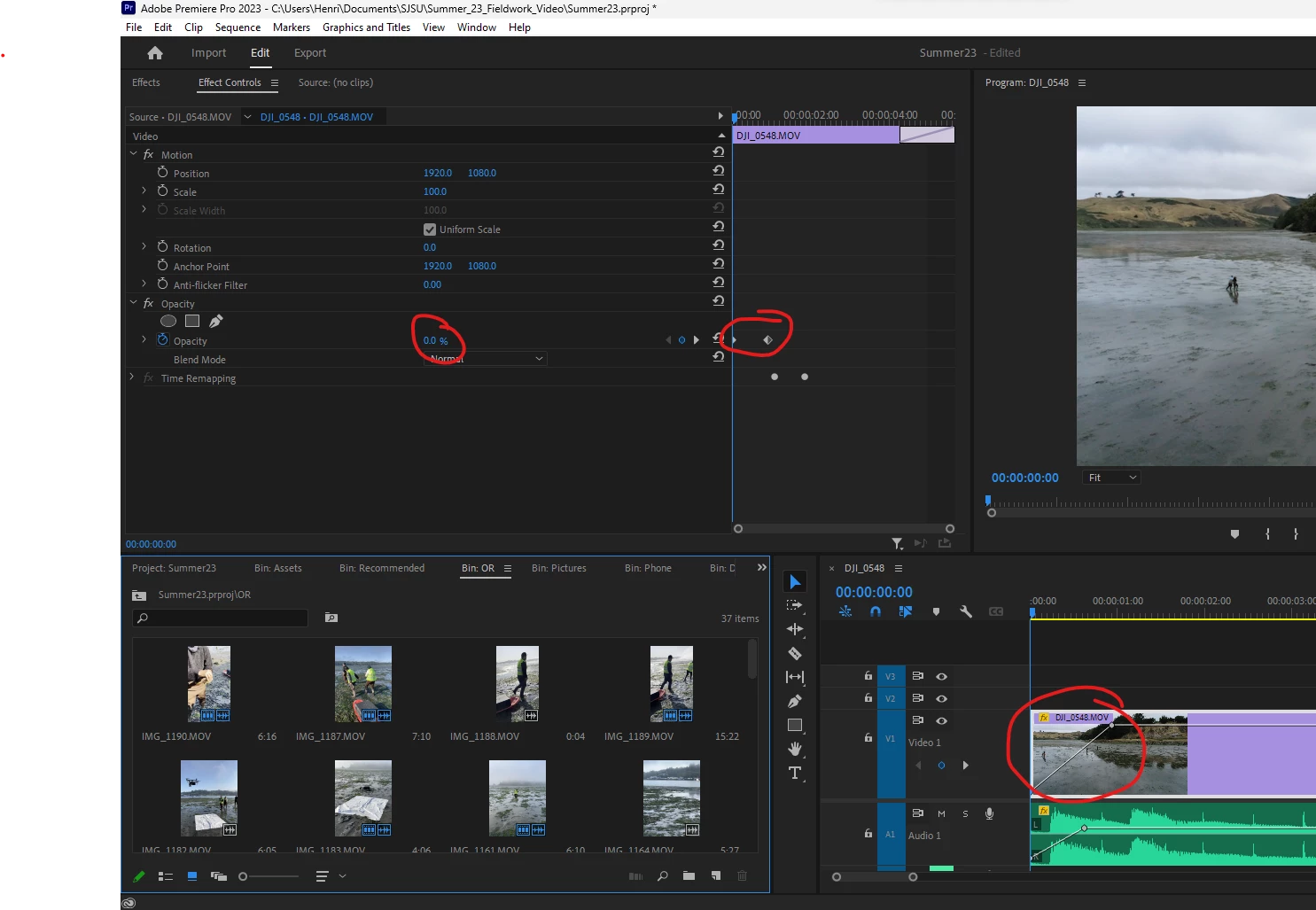
Any ideas why this opacity automation on a clip in my timeline is not working? Attached screenshot shows the automation should be correctly applied, yet the image is still 100% visible as shown...

I have applied the same technique on another clip in this timeline with no problem.

There are no other video layers.
Correct answer Ann Bens

Yes and it worked - maybe not technically solved but a simple enough workaround. Thanks!


Its not a workaround. Its how other properties act on Timeremapping.

3 replies

Participant
September 23, 2023

If the Opacity fx above is turned off then you cannot adjust the opacity. If the fx button has a slash thourgh it, click it and the it turns that effect back on...and now it all works. 

Ann Bens
Community Expert
Community Expert
August 22, 2023

Wild guess:

If this is not the issue.

I see timeremapping > nest clip then apply opacity keyframes.


When posting a screenshot please include the entire UI.

Participant
August 22, 2023

Tried toggling this button with no success.

Ann Bens
Community Expert
Ann BensCommunity ExpertCorrect answer
Community Expert
August 23, 2023

Yes and it worked - maybe not technically solved but a simple enough workaround. Thanks!


Its not a workaround. Its how other properties act on Timeremapping.

Community Expert
August 22, 2023

Try clicking on the Opacity stopwatch to REMOVE all keyframes.... and then try again without any keframes and see if lowering the opacity works on the entire clip.... then try using your keyframes again.
Sometimes it can just be a little buggy and clicking off and doing it again should work.

Hope this helps!
Mark

headTrix, Inc. | Adobe Certified Training & Consulting
Participant
August 22, 2023

Thanks - this works, but re-adding keyframes still doesn't work as it should...

Community Expert
August 22, 2023

so opacity works, but when you add a keyframe the opacity turns back to 100%?

headTrix, Inc. | Adobe Certified Training & Consulting