Also, is there a shortcut key to move the start of a clip to the playhead position ?
There is not one specifically for that - although it would be nice at times - but what you can do is type the timecode you want the clip to jump to while it's selected and it will jump to that. (This would also be kind of an alternative to your copy and paste situation, though it's still not the automated method you were hoping for.)
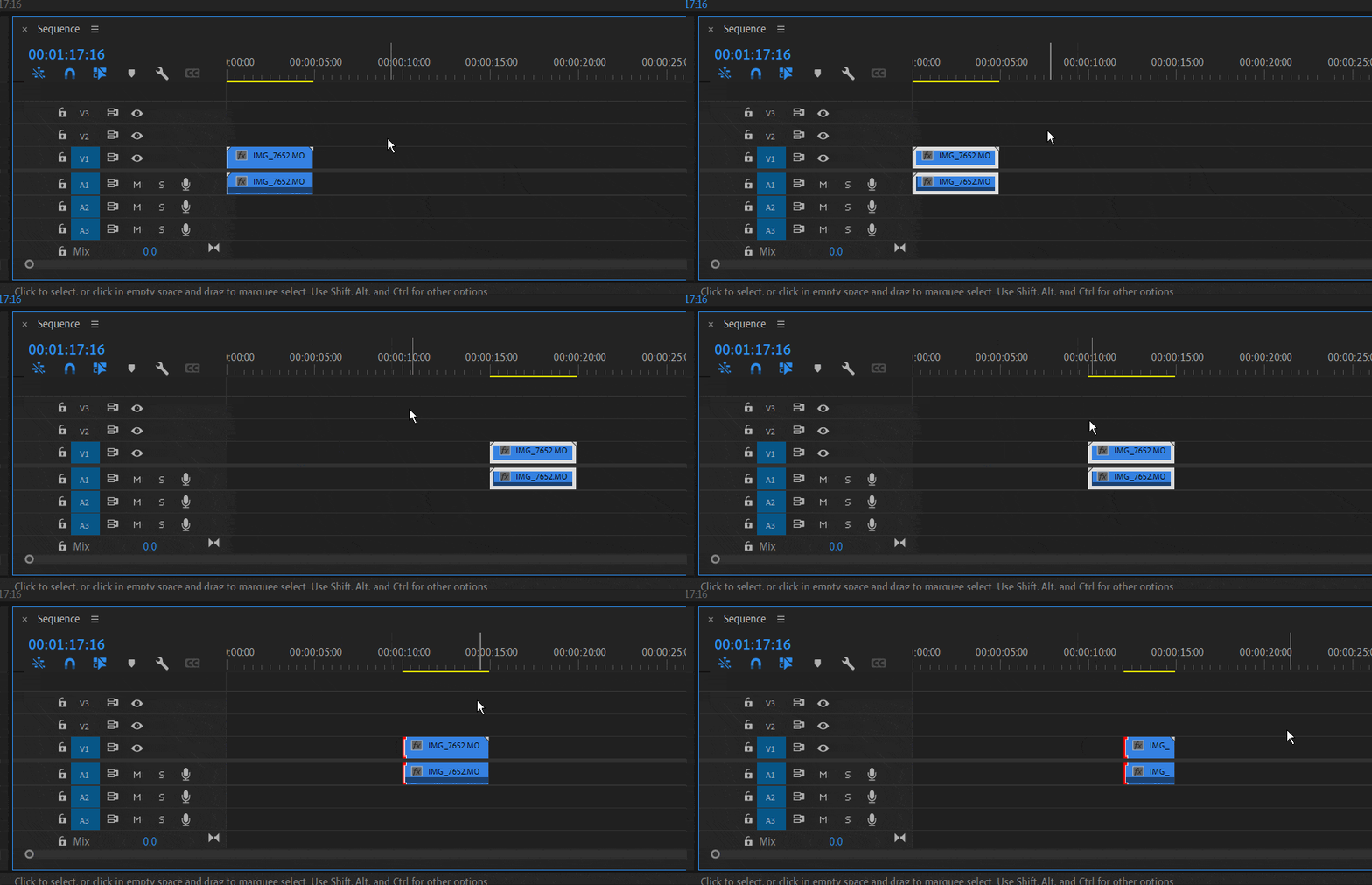
Timecode commands must be typed with the Numpad to use them automatically, otherwise you'd have to select the timecode box to type into that. Examples of things you can do with timecode on the numpad for precision editing (shown in gif):
- Move a selected clip to a specific timecode, (like moving this clip to 15:00)
- Use the +/- keys and a timecode on a selected clip to change it's location in the timeline based on timecode, (like moving the selected clip 5 seconds backwards)
- Use the +/- keys and a timecode while selected on an edit point to adjust it by timecode, (like moving the head 2 seconds forwards)


 AdChoices