Participant
June 15, 2024
Answered

Polywav files with exactly 2 tracks are incorrectly interpreted as stereo instead of mono.

  • June 15, 2024
  • 2 replies
  • 522 views

I work with Polywav files with up to 4 tracks.
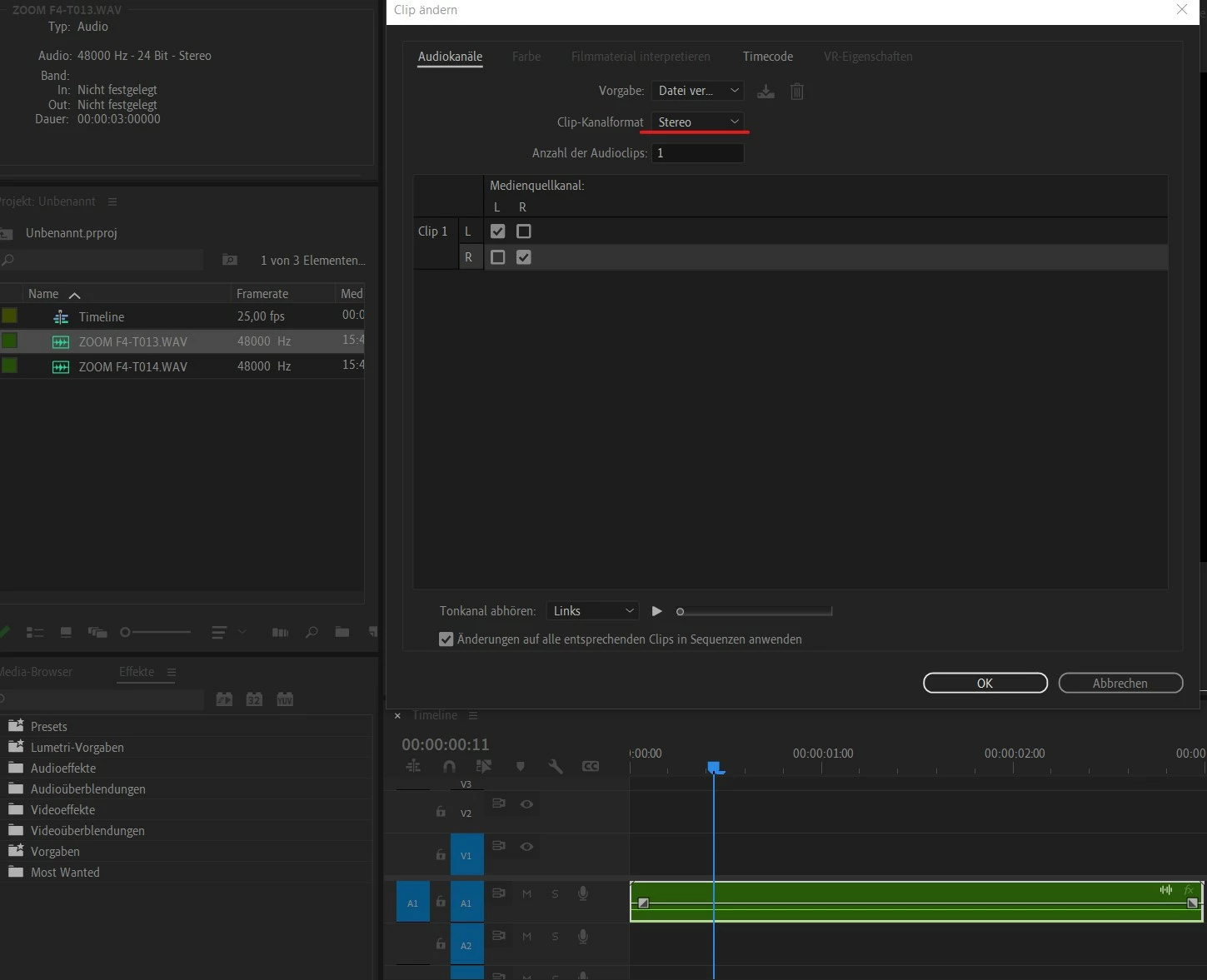
Whenever a file has exactly 2 tracks, Premiere interprets this file as stereo (wrong) and not as 2 mono tracks (as it should be):
 

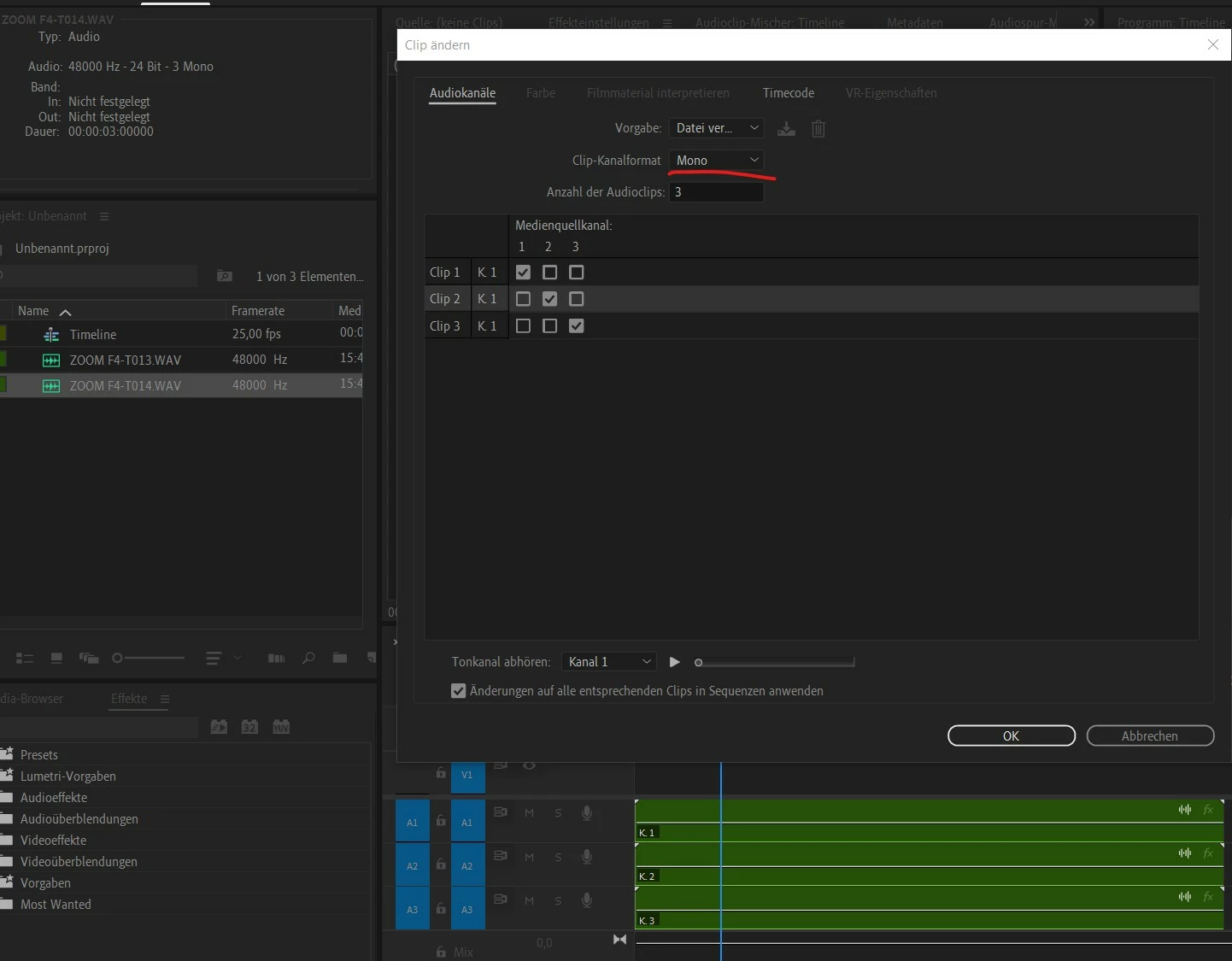
If, on the other hand, the file has 1, 3 or 4 tracks, then these are interpreted as mono as normal (and as they should be):
 

What is the reason for this? This really bothers me, because when I edit a lot of audio clips in Premiere, I can't see directly whether the files are interpreted as mono or stereo, but have to click on them individually or sort them accordingly using the metadata display. Unnecessary work steps for me.

If it matters, I work with a Zoom F4, as I said, with polywav files and would like to keep it that way.

This topic has been closed for replies.
Correct answer Averdahl
quote

...Unnecessary work steps for me.

If it matters, I work with a Zoom F4, as I said, with polywav files and would like to keep it that way.


By @Alex K2


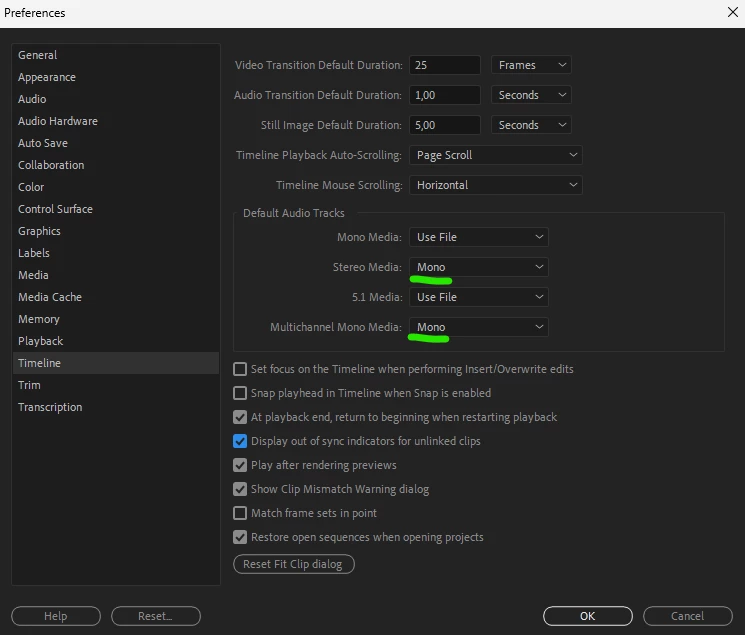
You can go to Edit > Preferences > Timeline and change to Mono for "Stereo Media" and/or "Multichannel Mono Media". This setting will not affect already imported media but will for example import a stereo clip as two mono streams.


2 replies

Averdahl
Community Expert
AverdahlCommunity ExpertCorrect answer
Community Expert
June 15, 2024
quote

...Unnecessary work steps for me.

If it matters, I work with a Zoom F4, as I said, with polywav files and would like to keep it that way.


By @Alex K2


You can go to Edit > Preferences > Timeline and change to Mono for "Stereo Media" and/or "Multichannel Mono Media". This setting will not affect already imported media but will for example import a stereo clip as two mono streams.


Alex K2Author
Participant
June 15, 2024

Bull's eye, thank you very much!

Averdahl
Community Expert
Community Expert
June 15, 2024
quote

Bull's eye, thank you very much!


By @Alex K2


You´re welcome! 🙂

R Neil Haugen
Legend
June 15, 2024

How are your audio preferences set? Use file, stereo, mono, what?

Everyone's mileage always varies ...