
Participant
February 15, 2023
Answered

Poor color quality on video after exporting

  • February 15, 2023
  • 1 reply
  • 803 views

Hi, 


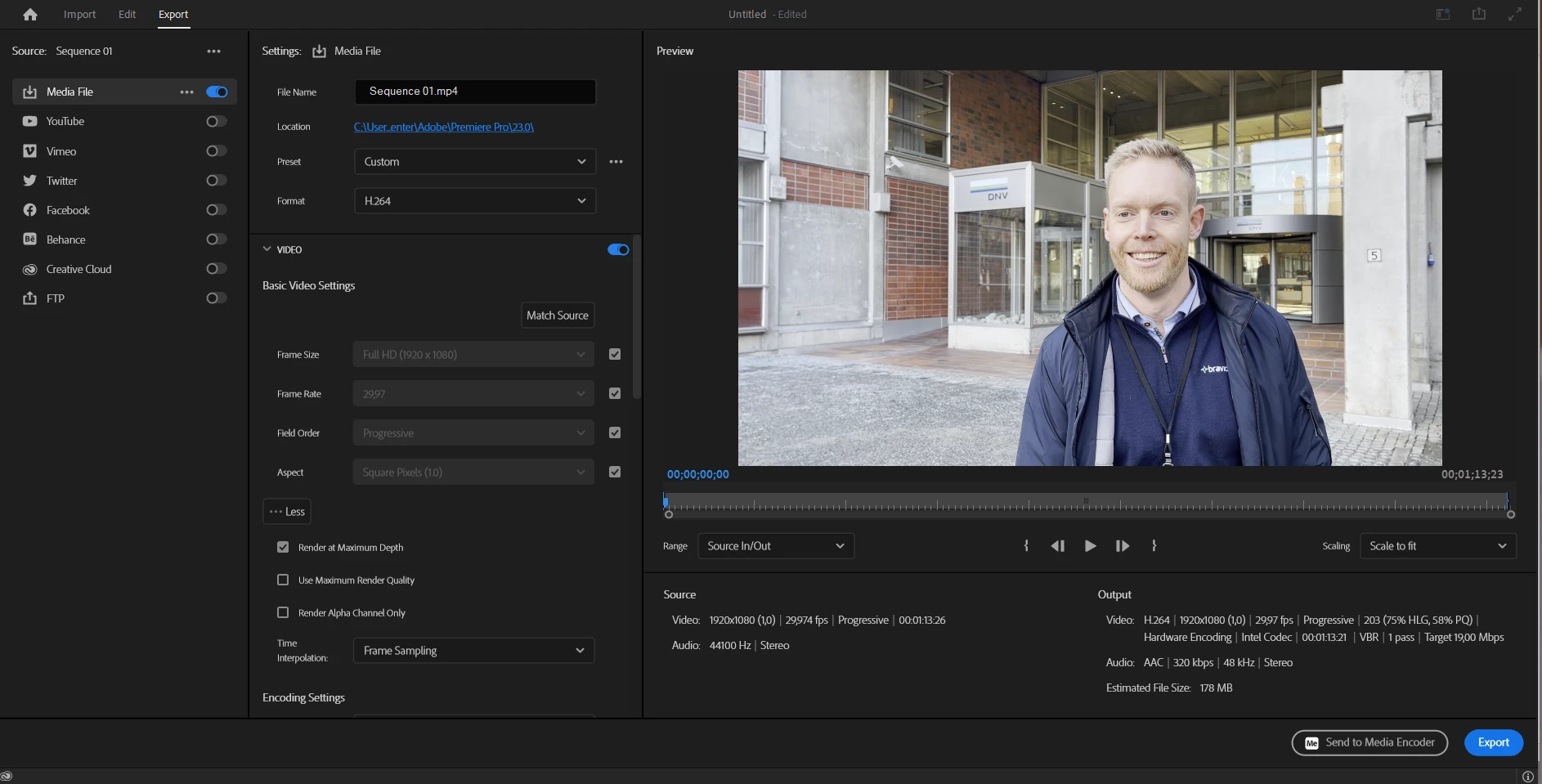
I have a video I'm trying to export from Premiere Pro 2023. I'm rather new in the program and I can't seem to figure out why the video looks of good quality in the program, but when I've exported it, it looks discolored and awkward.

From what I can see I have source and outsource settings matched, but am I maybe using the wrong settings?

The video has been filmed with iPhone 12 and iPhone 12 pro max (?).

The video is supposed to be published online (youtube, Instagram, Facebook etc.) when it's done.


I don't know if it matters but I'm working on a HP laptop. I usually work on MacBook Pro, but we only use HP at my workplace.


Pictured below are my settings.
 

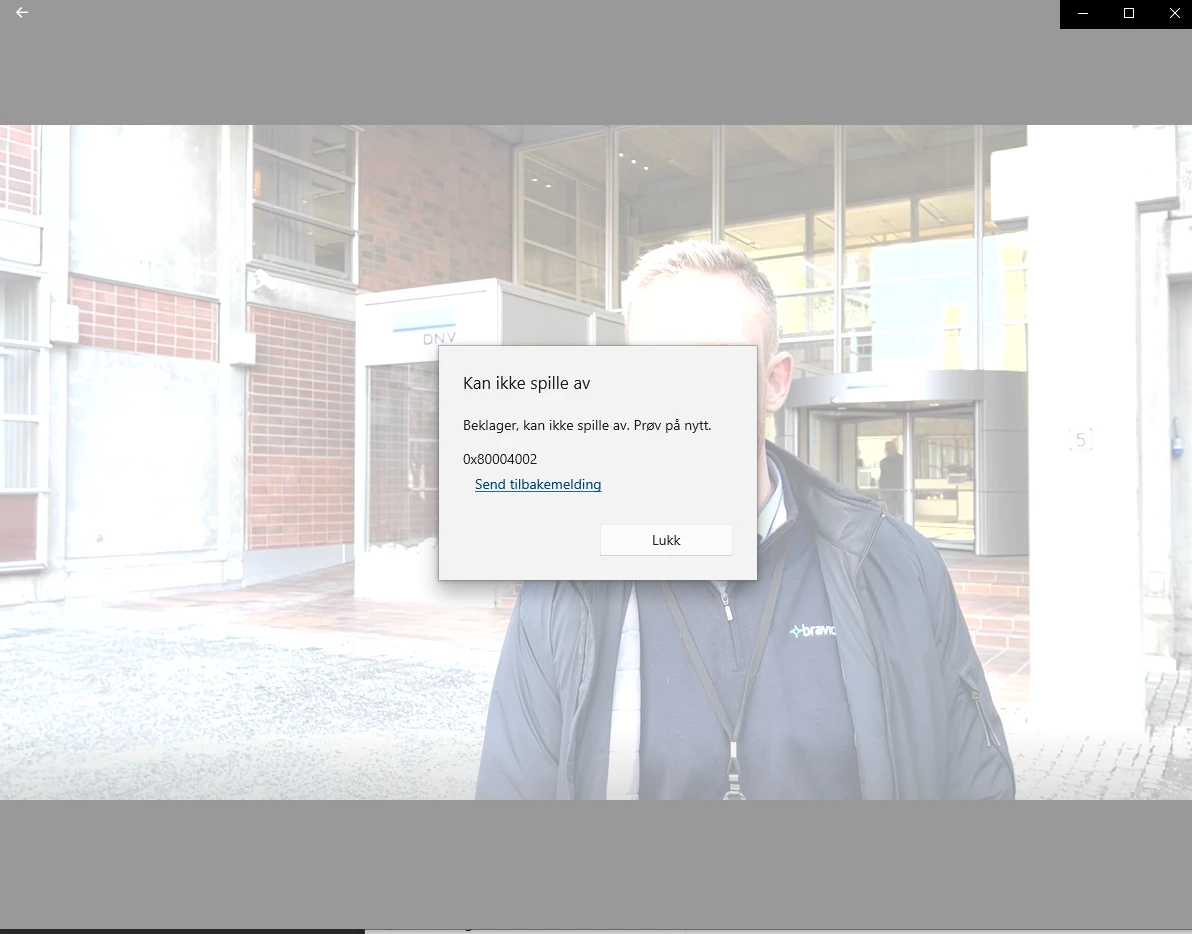
This is the only picture I'm able to get of the video after exporting as I seem to have an issue with playing the video on my computer (new issue, it worked last week). But it's visible that the white tones are too white - I mean look at the mans forehead and the walls of the building.
 

Thanks for all help!

This topic has been closed for replies.
Correct answer R Neil Haugen

Your clip is probably in HLG color space, a form of HDR. You're using it on an SDR/Rec.709 sequence.


You need to select one or more similar clips in the Project panel bin, right-click/Modify/Interpret Footage, setting the Override-to option to Rec.709.


Then redo your color work on the sequence before exporting.


Neil

1 reply

R Neil Haugen
R Neil HaugenCorrect answer
Legend
February 15, 2023

Your clip is probably in HLG color space, a form of HDR. You're using it on an SDR/Rec.709 sequence.


You need to select one or more similar clips in the Project panel bin, right-click/Modify/Interpret Footage, setting the Override-to option to Rec.709.


Then redo your color work on the sequence before exporting.


Neil

Everyone's mileage always varies ...
Participant
February 16, 2023

Hi Neil,


Thanks a bunch, this seem to have solved the problem 😄 


Regards,

Henriette