
Poor quality video export despite using high-quality settings
No matter what I do, all my video exports have poor quality. Here's an example frame from the exported video, which is gross and pixelated:

Roughly the same point in the original video:
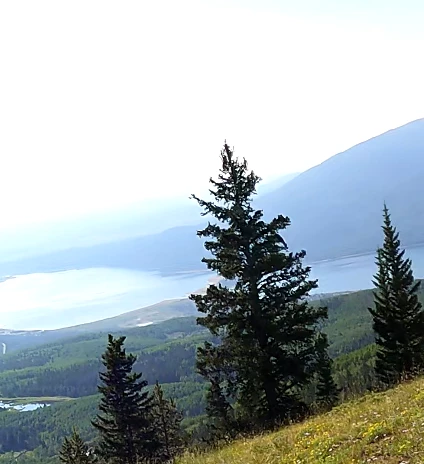
While the sequence consists of many videos and photos, the above video what was initially dropped into the sequence, so the sequence should have used this video for its default settings.
It was taken on a GoPro Hero 9. Here's the video's properties:
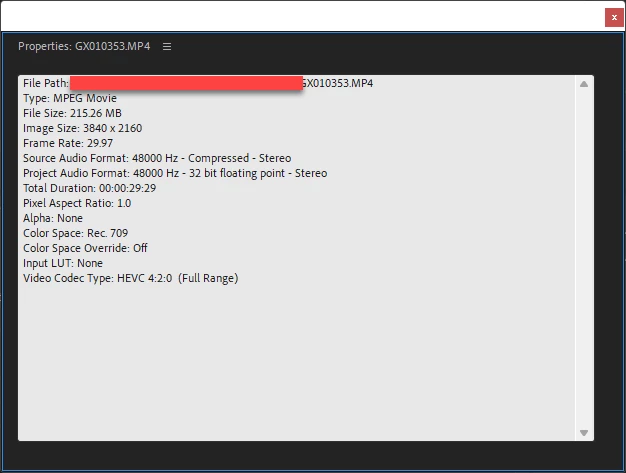
I also have videos from an iPhone 12 Pro Max and photos from I think three devices. They were all added to the sequence after that initial GoPro video.
Here's the sequence settings:
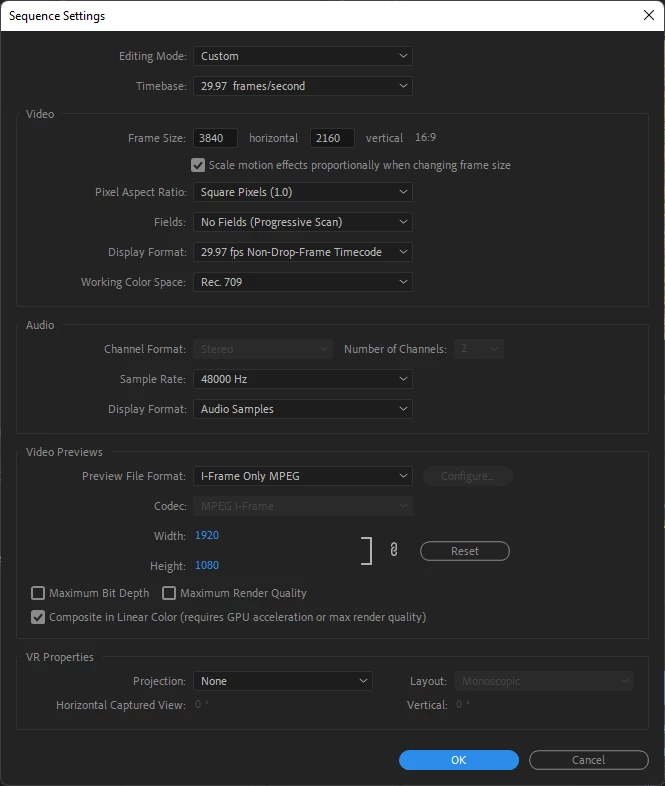
(Yes, I changed the color space of the iPhone videos.)
I've tried many different export settings. They all produce poor quality video. Here's an example:
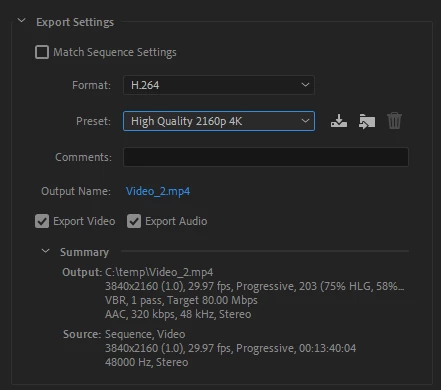
In addition to the above, I've also tried these:
- H.264 with Match Source - High bitrate
- MPEG2 with Match Source - High bitrate
In case it matters, I am using a Dell XPS 13 9310 running Windows 11, fully patched and updated. I am running Premiere Pro 22.2.0 (Build 128), which was updated just this morning.
 AdChoices