
Participant
December 13, 2022
Answered

Poor UX in New Project dialog

  • December 13, 2022
  • 2 replies
  • 423 views

Premiere Pro 2022 first -abysmal- impressions.

I have been using pro software including Adobe software for 30 years. I am getting started with Premiere Pro 2022 after skipping many versions and this is the first time I am completely stuck on the second click.

The UX design of the create new dialog is so poor that I can't get past the create new project dialog. The Create button remains greyed out no matter what I select...

No guidance, no logic, no common sense... Are there UX designers at Adobe??

So yes, I will open the manual. But really, how did Adobe came this low in usability?
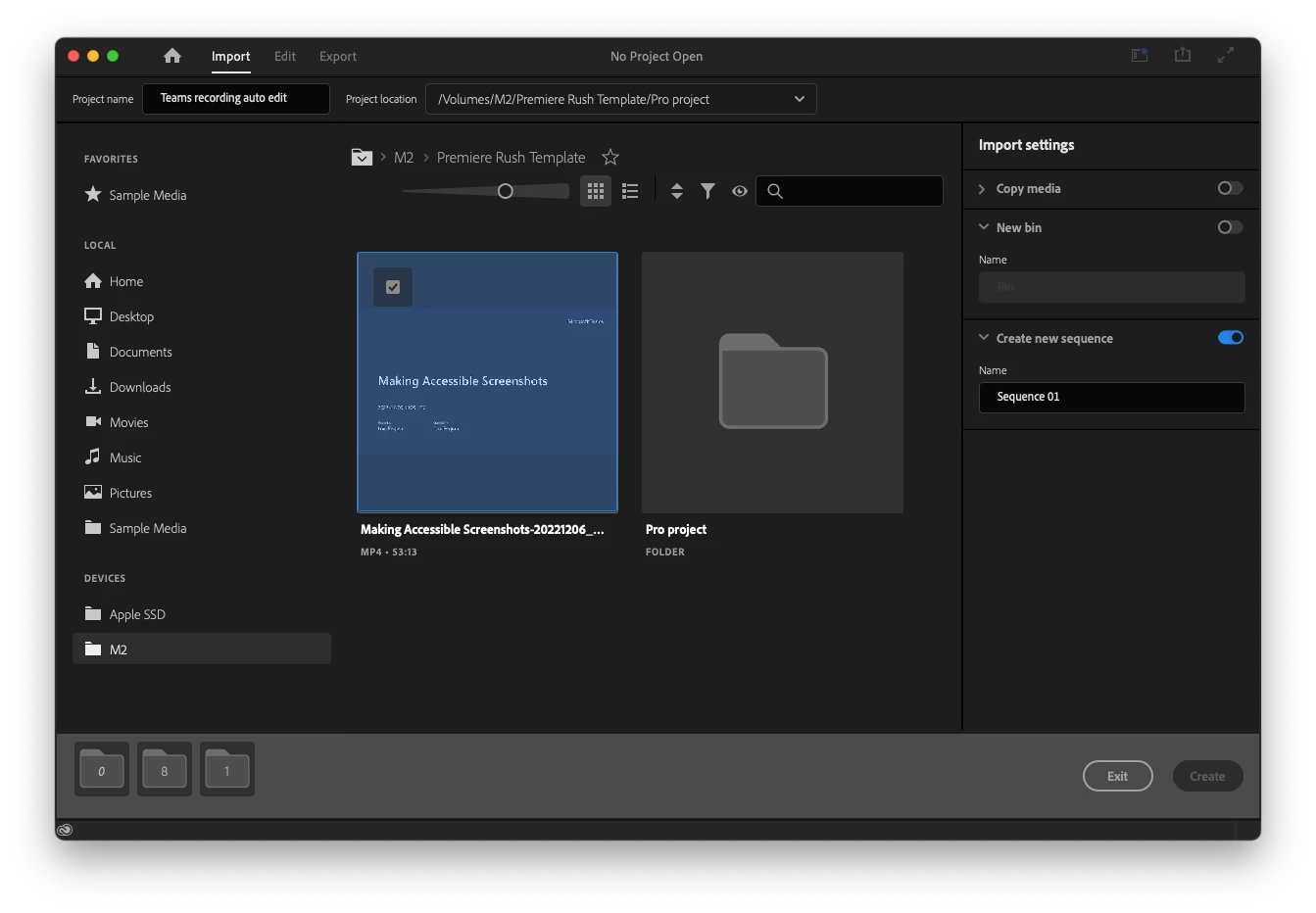
This topic has been closed for replies.
Correct answer Loic5FA7

Thanks for replying but it really is too late.

I’m not bothering with Premiere’s absurd interface. I use Final Cut Pro and Davinci Resolve.

Kind regards

2 replies

Kevin-Monahan
Community Manager
Community Manager
March 25, 2024

Hello @Loic5FA7,

Thanks for the message. I apologize for the lack of response to this bug report. Are you still having this issue? Please let us know.


I'll move your post to the Discussions board while we await your information.


Thanks,


Kevin

Kevin Monahan - Sr. Community and Engagement Strategist – Adobe Pro Video and Audio
Loic5FA7AuthorCorrect answer
Participant
March 26, 2024

Thanks for replying but it really is too late.

I’m not bothering with Premiere’s absurd interface. I use Final Cut Pro and Davinci Resolve.

Kind regards

Kevin-Monahan
Community Manager
Community Manager
March 26, 2024

Thanks for the response. We'll be here if you ever need us. Take care and happy editing!


Cheers,
Kevin

Kevin Monahan - Sr. Community and Engagement Strategist – Adobe Pro Video and Audio
R Neil Haugen
Legend
December 13, 2022

The devs saw this as a minor change, as it "only" replaced one set of options not hardly ever used, with another that had been requested by a number of users (especially TV newsroom types apparently) ...  but it sure is confusing to other users on first sight.


The process for the rest of us is the same as before, type a Name, set a Location, click Create. Then import from the Project or MediaBrowser panels as normal.


I think the problem here is there is a folder selected in that middle area ... you need to click on the checkbox I think to deselect that blue highlighted folder. And also, turn off the "create sequence" button on the left.


Those are sticky, do this once, you don't have to worry about them again.


Neil

Everyone's mileage always varies ...