
Participant
April 14, 2018
Answered

Popup window sizing on 4K screen

  • April 14, 2018
  • 2 replies
  • 929 views

Hi, first post here so apologies if not posted in the correct forum.

I have a Dell U2718Q 4K monitor, windows UI scaling is set to 150% which is perfect for the menu sizings etc in Premiere Pro.

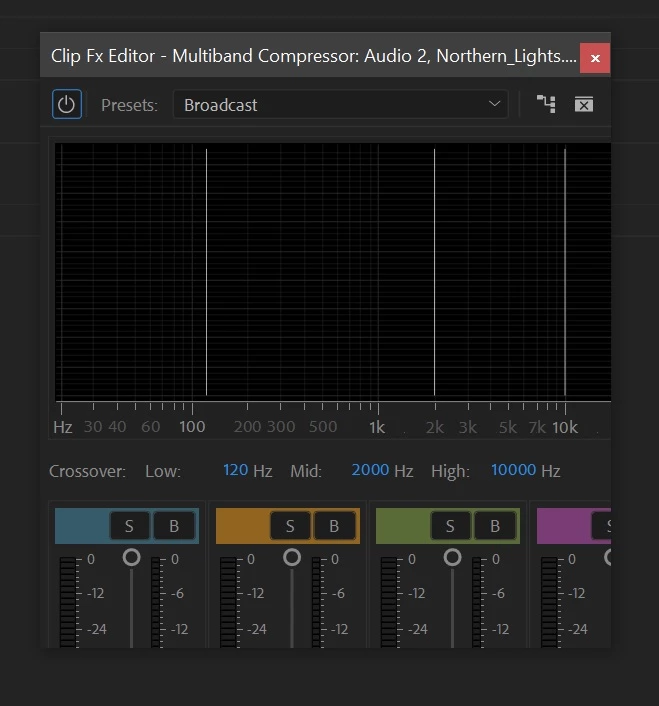
The only issue I have is with the popup windows when adding effects to audio or video tracks.

The window comes up as a standard size and needs to be manually resized to display all of the content of the effect control.

As example below.

Is there a setting or workaround for this so that I don't have to constantly resize the window every time?
    This topic has been closed for replies.
    Correct answer excited_Genie16B8

    I recommend you always leave Display Scaling at 100%.  27" is just too small for 4K resolution, I believe.  32" is probably a good minimum at that resolution.

    1440 is a good resolution for that screen size.

    2 replies

    excited_Genie16B8Correct answer
    Legend
    April 15, 2018

    I recommend you always leave Display Scaling at 100%.  27" is just too small for 4K resolution, I believe.  32" is probably a good minimum at that resolution.

    1440 is a good resolution for that screen size.

    R Neil Haugen
    Legend
    April 14, 2018

    PrPro doesn't work all that well with scaled screens ... so use the new "feedback" system mentioned on the Overview page to request they give better performance with scaled monitors.

    Neil

    Premiere Pro: Hot (358 ideas) – Adobe video & audio apps

    Everyone's mileage always varies ...