
Participant
July 29, 2018
Question

Portion of video track is missing?

  • July 29, 2018
  • 2 replies
  • 181 views

I'm fairly new to premier pro, so this may be common, i just can't find an answer to it. So while opening the project one day, some media files were missing. So I searched and located the files like normal. Boom, no problem right? Except now a portion of my video is just straight up missing, sort of greyed out, like so.
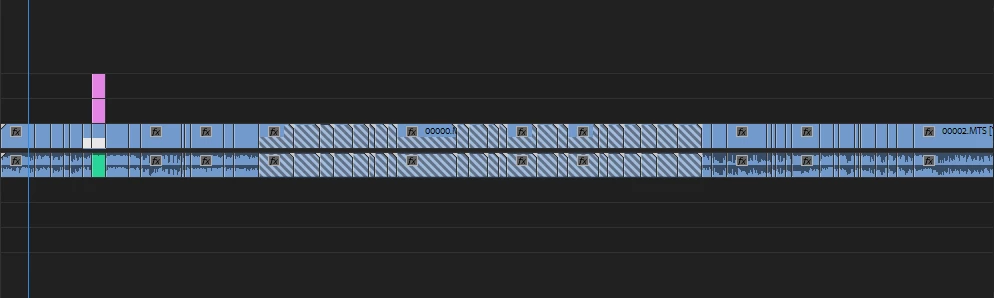
What's even more confusing to me is the fact that the sequence before and after are all part of the same video file. Like, same file, just that portion of the video is unavailable. I'm not too sure whats going on. How would i go about solving this?

    This topic has been closed for replies.

    2 replies

    Legend
    July 29, 2018

    That's the Missing Media indicator.  It's telling yo that there used to be media for that portion of the clip, now there isn't.  This often happens when you relink to the wrong file.

    R Neil Haugen
    Legend
    July 29, 2018

    That looks like that sequence may be corrupted, or hopefully, just the cache/media cache files for it are.

    Find where your cache and media cache database folders are for PrPro in the Edit/Preferences/Cache dialog, shut down PrPro, and go to those folders deleting everything in them. Empty the trashcan, reboot, and re-launch PrPro giving it a few minutes to rebuild the cache files, then see if the sequence works.

    Neil

    Everyone's mileage always varies ...